Hey All,
I think I may have found how to do it finally. That elusive colour of the text within themes made with the Nokia Theme Editor.
Once installed go to explore your hard drive, normally it goes to C:
Then go to the Theme Studio directory, then the 'DATA' folder, then 'Skins Directory'.
In here you will find a 'BaseGraphics' folder.
Open this up and see all the basic templates and things for the various pages. Now all you need to do is find the right page you want and edit the colours from black to whatever.
Now any new themes you make will have these new colours on the corrisponding pages.
I'd suggest making a copy of this 'BaseGraphics' folder to return to black should you ever want to.
Try it, it worked for me. Finally, no more black! Haven't figured out main apps screen yet though.
Ian
I'm convinced! 😎
Bring em on. Proof, not played with I promise you.
Ian
*EDIT* I've noticed it changes all your themes colours you have saved in that directory, so keep a backup to.
Attachments:
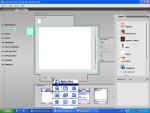
Maybe it does.
I've just transfered the skin and the text is still black. May be on the right track.
Sorry if the excitment was for nothing guys, it looks as if it should work. Maybe I haven't changed enough stuff.
Let me know what you find.
Ian
Hi i cnt able 2 find any directory lyk theme studio or sm lzk. I jst find skin folder there nothing 2 change except theme 😞 help
Hi,
Sorry I think this may be a bit of a no go I'm afraid.
Your in the right folder, in here you should see a 'BaseGraphics' folder. Open this up and it gives you the bare essentails that are used to make up the themes. I altered these by changing the colours, then when I wnet and opened the Theme Studio, the previews showed the text a different colour.
Great! I thought, but so far it only turns out the change the preview colours and not the colours of the created sis files. Hence once they are installed to the phone the writing under the apps icons is still black.
I now feel a prat as I thoght I may have found something, next time I will do a whole job first before posting!
Have a play, we may be on the right track but yet again we may not. Sorry to have got your hopes up.
Ian
coolice,i moved your post to the themes forum.In the future,please post in the correct thread.
