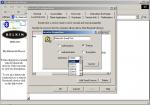
Hiya guys i have just got myself a new bluetooth dongle for my pc and i have installed it and it works ok (i.e it sees my mobile phone, nokia 6600)
It then gives me instructions on how to install the pc suite software that comes with the phone and i did that fine too. I then needed to tell the software what com port to use!! The bluetooth dongle instructions
said to make sure the serial port is using com 4 and if it isn't to change it!! Now mine is on com 3, Com 4 is being used by one of the other bluetooth connections which is DUN (dial up networking).
Does anyone know how i can swap these two ports over??
I'm using windows xp home btw!!
The bluetooth device is from a company called B2B iConnect
Cheers
Greg
Double click on the m router icon and the list of com ports will come up and you can check/uncheck the one you need!
New ports can be made/deleted thru network connections!
Yeah i see that!!
But the bluetooth software that came with the bluetooth dongle says that for it to work with pc-suite the serial port must be on com 4 and needs to be changed to that to make it work!!
If i select all the com ports on m router it just tries to open all the bluetooth ports like fax and dial up network etc!!!
Any ideas??
B
Do you use the fax data ports etc?,coz you dont need these to connect to Pc suite if not delete these options but leave the com ports open then try to connect Bt,once connected see which port it is using and uncheck or delete the others!
I am no expert on this and i am sure you will get more valuable help than this but i did have the same problem and this worked for me!!!😊
I deleted the other com ports that i don't use hoping that maybe the pc would use a different port now that they are free but it won't!! I really need to change my serial connection from com 3 to com 4. I've looked in device manager but there isn't a option to allow this!
Any idea??
B
Go into the configuration of your bluetooth software and change the serial com port for client and device to 2 new ports - then enter mRouter and tick those 2 ports.
see
Attachments: