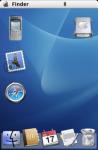
This is my first effort at a skin which is now at V3, it includes a main screen, a calendar view, about screen and a blank screen to add icons to.
On the main screen the dock icons operate to open applications, on the blank screen they are set to have add new actions for their respective apps.
In the iCal view, the weekly view operates the cycling through calender views, and month view takes you to the built in calendar.
About this Mac shows your system details.
Log out closes tracker.
Enjoy 😊
Attachments:
OSXP.zip (98 KB)
All updates will be posted on www.osxp.net/p900.asp the skin is now bundled with Will Patterson's Panther theme.
v5 now available on the site, with added menus
I beleive v6 is now on your site 😉
looks nice... and best of all it's FREE
Got the popups working now, so v9 is now out. This slimmed the skin down a little and improved its performance.
Enjoy 😊
deggy wrote:v8 is out now
🙄
deggy wrote:Got the popups working now, so v9 is now out. This slimmed the skin down a little and improved its performance.
Enjoy 😊
😮
more than 4 version released in less than 24 hours!
best support I've ever seen, keep it up "deggy"
btw, I like your site! 😊
yet another update, now at v10, this time with a variation of the skin as well as the original, where new sms, mms and email can be called from the mail icon
just put v11 live, which has a nice change to the apps screen as this is now the iLife screen to start music, photos and videos and also a calculator button
the trash icon on the ilife Page is messed up
also is it possible when i click the mac face icon it scroll trhough the Apps, Main, iLife page not just Main and iLife cos somehow i prefer to have a clean desktop LOL..
and you've done a got job mate
also in the finder -- Select Page -- the iLife caption shows Page 4 i think you forgot to change it 😊
n1ghtFLY wrote:also in the finder -- Select Page -- the iLife caption shows Page 4 i think you forgot to change it 😊
I never use that route to get to pages, so hadn't even given it any thought, thanks for pointing it out 😊
Page renamed, finder cycles and trash icon is tidied up.
v14 just posted
Just made my first OSXP theme, posted it on my site, be gentle with me as its my first 😊
I have just updated the theme so that the background is lighter and the progress bar is blue, it would have been so much easier if the theme builder identified which of the lihg, med and dark handles the elements in more detail 😊
The Skin now has the split on the mail icon.
v15 and 15a (17/5/04) mail icon split down the vertical, left of the eagles head will start Messages, right of the head will show the popup menus.
Forgot to add that ther is now a calculator and system prefs icon on the iLife page.
Might have helped if I had put the download link on the image right before I told everyone about the new build. v15 is now available properly from the site.
Sorry to all of you that visited and didn't get the latest version.
still no Internet Browser popup menu 😉
First of all: best mac skin on the web, nice and elegant but I have a question.
Can you make it possible to scroll the applications (those on the desktop and those in the dock) with the Jog like you can do when you make shortcuts?
It would be great!
Ciao
YH 😊
macduc wrote:First of all: best mac skin on the web, nice and elegant but I have a question.
Can you make it possible to scroll the applications (those on the desktop and those in the dock) with the Jog like you can do when you make shortcuts?It would be great!
Ciao
YH 😊
Thanks for your comments, however I dont think the scrolling thing is possible.
v16 just uploaded to the site, the main change being the correction of the moving menu bar icons, but there are a few other tweaks too
www.osxp.net/p900.asp
v17 just posted to correct a bad popup import by Skinner Pro - Sorry guys
Now made an iPod skin www.osxp.net/p900.asp
v20a added a version which launches Aqua Calendar from the iCal icon instead of the Tracker page.
how to install it on the P900?
Make sure you have Tracker 4 installed, then just send the package to your phone, you the import it in Tracker from your inbox.
