Does anyone have any ideas about the following error message?
"Unable to read skin information Error generated by Parser :The content of element type "toolbox" must match"EMPTY"
It occurs when I try to create a new theme, I click OK and continue to the theme setup window, but no matter what setting are used the OK button will not activate.
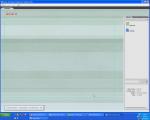
Also I cannot view any of the themes I have made or the installed themes, Grind II and Surfer, screenshot of Grind II attached.
Any help would be appreciated.
Attachments:
Ok, it's sorted now.
I think it has something to do with the Java version. I uninstalled and re-installed 3 times using the Java already on my PC, which is a later version than that supplied with Theme Studio 1.2, all with the same result.
I then done another install selecting the Java Version bundled with it, and it's now running perfectly.
Hope this helps anyone else experiencing this problem.
caledonia2 wrote:Does anyone have any ideas about the following error message?"Unable to read skin information Error generated by Parser :The content of element type "toolbox" must match"EMPTY"
It occurs when I try to create a new theme, I click OK and continue to the theme setup window, but no matter what setting are used the OK button will not activate.
Also I cannot view any of the themes I have made or the installed themes, Grind II and Surfer, screenshot of Grind II attached.
Any help would be appreciated.
[FONT="Arial Black"]:icon2: :icon4: [/FONT]
