Please notice that is a very danger procedure. It's very easy to create a theme that can danger your phone. So, please follow this how-to only if you know the risk, and remember... make a backup!! If the theme is not correct, the Sendo start to loop trying to start up, to stop this, restart the phone pressing the "5" key and format the memory.
HARD (but complete) WAY:
Let's start with downloading the software:
- mbmwizard
- xvi32
1. Copy from Z: all the theme files
(all you need for a "simple theme" are: themedefault.rsc and themedefault_themeicons.mbm. But alle the themedefault.....mbm files are editable to make a more complex theme)
2. Unpack themedefault_themeicons.mbm with mbmwizard
3. Modify the images unpacked with your favourite editor
4. Generate a txt file with the names of the images. Open the command line, go to the directory with the images then launch dir /b > newtheme.txt. Now open newtheme.txt and write at the top the name of the theme that you want to create (it must be 12 characters long) (for ex. Silverblubip_themeIcons.mbm). Now add the compression to the images (the same of the original mbm file) and save it.
5. Generate the mbm file with this command bmconv.exe newtheme.txt
6. Edit the rsc file with xvi32. Only some parts of the file are "clear". All you have to do is to correct the path of the link from Z: to C: and from themedefault_themeicons.mbm to your new mbm file. Pay attention: the name of the file MUST fit the old name, you MUST overwrite the old name but leave the rest untouched!!
Now you have the theme. Give to the rsc file the name of your theme and put it in the c:\system\data\theme directory in your sendo. Then put all the mbm in the c:\system\data directory.
EASY (or not too hard) WAY:
Download the ETTDK Sendox package form my site: Ermete Trismegisto Theme Development Kit. In this package you can find everything you need: software, templates and some bat file that make the things more easy...
1. Open the dir "themeicons"
Here you find all the images used to build the theme. Edit them, then launch the "make_theme.bat" (double click)
The script generates 2 files: ettdkdefault_themeIcons.mbm and ettdkdefault_themeIcons_XIP.mbm
2. Open the dir "animation"
Here you find all the frames of the startup/down animation. Edit and launch "make_animation.bat"
Now you have the ettdkdefault_animation.mbm
3.Now simply copy the files to your sendo in this way (you can use Sendo PC Connect):
c:\system\data\theme\ettdkdefault.rsc
c:\system\data\sounds\ettdkwavstartup_default.wav
c:\system\data\sounds\ettdkwavsysap_default.wav
c:\system\data\ettdkdefault_themeIcons.mbm
c:\system\data\ettdkdefault_themeIcons_XIP.mbm
c:\system\data\ettdkdefault_animation.mbm
c:\system\data\ettdkdefault_appIcons.mbm
c:\system\data\ettdkdefault_appIcons_XIP.mbm
If you want you can edit the sound files too. But pay attention, they must be wav, PCM, 44100 Hz, mono, 16 bit per sample.
Well this is a great job!
Now each one of us can make our phone unique.
But i'll stay with the (excelent) theme you created (i was using that too with the previous firmware).
Thanks for this. This will helping much 😊
Cheers, murphy
what program is used to access the Z: ?
JohnC86 wrote:what program is used to access the Z: ?
You can send the files from Z: with bluetooth to your PC using a filemanager like SeleQ or (only with linux) mount the sendo with p3nfs (<--- great app!).
any windows native apps? I can't be doing with booting in an out of linux, I play too many games to use it a lot.
While i'm developing a new theme for the SendoX, i'm trying to document all things that are in a theme.
The documentation is at a really alpha state.
Here is a attachment what i got so far... The colors are ok, but i does'n look very good for now.
Cheers, murphy
PS: Attachment is animated.
Attachments:
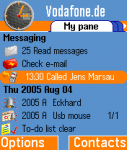
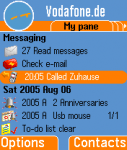
My current progress. The fileformat of the rsc-files is about 30% decoded. I document it now. It may take some time for the rest.
In this theme i have modified the colors which are coded in the rsc-file. Anybody wants this? Should i release this when ready?
Cheers, murphy
PS: Also animated preview....
Attachments:
murphy wrote:My current progress. The fileformat of the rsc-files is about 30% decoded. I document it now. It may take some time for the rest.In this theme i have modified the colors which are coded in the rsc-file. Anybody wants this? Should i release this when ready?
Cheers, murphy
PS: Also animated preview....
looks good to me - are you going to colorize the icons? if so, shoot me a copy 😊
murphy wrote:My current progress. The fileformat of the rsc-files is about 30% decoded. I document it now. It may take some time for the rest.In this theme i have modified the colors which are coded in the rsc-file. Anybody wants this? Should i release this when ready?
Cheers, murphy
PS: Also animated preview....
Hi.
I'm also very interested in this.
Thanks.
Ermete, your "Surfer" Theme looks really very cool😊 When will be finished?
Modry Zub wrote:Ermete, your "Surfer" Theme looks really very cool😊 When will be finished?
Thanks! I'm working on the menu icons... I hope I'll finish it in a few days (before the holidays!)
Hey, Murphy can you send me (or post here) your rsc with the decoded colors and a little how-to?
ermete3smegisto wrote:Thanks! I'm working on the menu icons... I hope I'll finish it in a few days (before the holidays!)Hey, Murphy can you send me (or post here) your rsc with the decoded colors and a little how-to?
Still working on it. Can you have some more patience?
Cheers, murphy
ermete3smegisto wrote:Thanks! I'm working on the menu icons... I hope I'll finish it in a few days (before the holidays!)Hey, Murphy can you send me (or post here) your rsc with the decoded colors and a little how-to?
Murphy, please post it here, i think, there are many people interested in this. Thanks
Modry Zub wrote:Murphy, please post it here, i think, there are many people interested in this. Thanks
Sure i will post it here or at sendosmartphones, but i will try to write a file specification for the complete file.
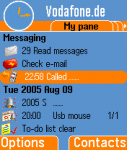
Here is another preview of my new theme. I will be a great theme, where most bitmaps and icons will be replaced.
But I got some small problems... Can somebody verify that the Camcorder and the Easystart icon is not replaceable?
Cheers, murphy
Attachments:
Has anybody tested if the themes on www.smartsam.de are compatible with the new firmware?
Greetings
af
animated flesh wrote:Has anybody tested if the themes on www.smartsam.de are compatible with the new firmware?Greetings
af
Only for information.
NO other Theme which is not explicitly for
Sendo X is
NOT compatible with the Sendo X. You cannot use other themes than the themes that are released after the end of June 2005 with newest firmware.
Sorry for the bad news.
Cheers, murphy
PS: Am i right, stuclark?
PPS: Seem that they are distributing themes for Sendo X, but for what firmware they are??? I don't know that.
animated flesh wrote:Has anybody tested if the themes on www.smartsam.de are compatible with the new firmware?Greetings
af
my initial take is to tell you that if they are advertising compatibility with Nokia AND Sendo there is a problem - as never the two shall mix. so i would say... no
murphy wrote:PPS: Seem that they are distributing themes for Sendo X, but for what firmware they are??? I don't know that.
Okay, i loaded a demo of Red and Grey. I looked into the SIS file.
Here is the result:
The themes are not compatible with Sendo X :icon13:
That are Nokia themes. The format for Sendo X themes is completely different.
Sorry.
Cheers, murphy
Just to reconfirm - the Nokia and Sendo themes are completely different, so Nokia themes won't work on a Sendo X, and Sendo X themes won't work on a Nokia.
They are NOT compatible
stuclark wrote:Just to reconfirm - the Nokia and Sendo themes are completely different, so Nokia themes won't work on a Sendo X, and Sendo X themes won't work on a Nokia.They are NOT compatible
Thank you all, i thought the same, but i wondered because they advertise the same themes for nokia and Sendo X. I asked them via mail: They don't know it themselves and pointed to the demos to find it out by myself :frown:
Greetings
AF
Hi
when you say :
If you want you can edit the sound files too. But pay attention, they must be wav, PCM, 44100 Hz, mono, 16 bit per sample.
Reply With Quote
I don't understand the word "PCM", could you explain which program do you use to get a wav, PCM, 44100 Hz, mono, 16 bit per sample, from a wav file?
thank you
sendo94 wrote:Hiwhen you say :
If you want you can edit the sound files too. But pay attention, they must be wav, PCM, 44100 Hz, mono, 16 bit per sample.
Reply With Quote
I don't understand the word "PCM", could you explain which program do you use to get a wav, PCM, 44100 Hz, mono, 16 bit per sample, from a wav file?
thank you
Wav PCM is only a specific type of Wav. I think, but I'm not sure, that it's uncompressed.
For creating / converting audio files I use Audacity (it's free).
How can I change the Menu Icons with the Easy way?
Or is it not possible and have to go the Hard way when wanting to customise the Menu Icons as well?
I'm thinking of creating a Tiger skin o.o
ermete3smegisto wrote:EASY (or not too hard) WAY:
Download the ETTDK Sendox package form my site: Ermete Trismegisto Theme Development Kit. In this package you can find everything you need: software, templates and some bat file that make the things more easy...
1. Open the dir "themeicons"
Here you find all the images used to build the theme. Edit them, then launch the "make_theme.bat" (double click)
The script generates 2 files: ettdkdefault_themeIcons.mbm and ettdkdefault_themeIcons_XIP.mbm
2. Open the dir "animation"
Here you find all the frames of the startup/down animation. Edit and launch "make_animation.bat"
Now you have the ettdkdefault_animation.mbm
3.Now simply copy the files to your sendo in this way (you can use Sendo PC Connect):
c:\system\data\theme\ettdkdefault.rsc
c:\system\data\sounds\ettdkwavstartup_default.wav
c:\system\data\sounds\ettdkwavsysap_default.wav
c:\system\data\ettdkdefault_themeIcons.mbm
c:\system\data\ettdkdefault_themeIcons_XIP.mbm
c:\system\data\ettdkdefault_animation.mbm
c:\system\data\ettdkdefault_appIcons.mbm
c:\system\data\ettdkdefault_appIcons_XIP.mbm
If you want you can edit the sound files too. But pay attention, they must be wav, PCM, 44100 Hz, mono, 16 bit per sample.
If you want to create a new icon pack you have to decompile the standard icon file (ettdkdefault_appIcons.mbm & ettdkdefault_appIcons_XIP.mbm) and replace all the images. It's really a boring and long operation! If you want you can use my icons from the surfer theme: simply "unsis" the theme and copy the appIcons file in your theme editing the rsc file.
my fone now shows only blank screen after i put a new theme.please i need your help people.what should i do to regain my fone
most likely you have installed an incompatible theme with your firmware version and you need to reformat it
how do i upgrade to 72 from 60


