HEY guys i cant get my n70 to connect to the PC, iv gone to nokia connection manager and done all the right things but when it says to "connect your cable to phone and pc to cable" it just stays on that screen without offering the "next" option. like its loading with the hour glass on the mouse pointer...but it never does....really need help to fix this guys...cheers.
hope thats sort of clear?
N70 Not Connecting To Pc
PANTHERS wrote:HEY guys i cant get my n70 to connect to the PC, iv gone to nokia connection manager and done all the right things but when it says to "connect your cable to phone and pc to cable" it just stays on that screen without offering the "next" option. like its loading with the hour glass on the mouse pointer...but it never does....really need help to fix this guys...cheers.
hope thats sort of clear?
Yeah, the exact same thing happened to me. I had to try it several times before the PC recognized the connection. I think I even rebooted a couple of times before it worked.
Keep trying.😉
THERE HAS to be another way....cos it just wont work for me!!!😡
PANTHERS wrote:THERE HAS to be another way....cos it just wont work for me!!!😡
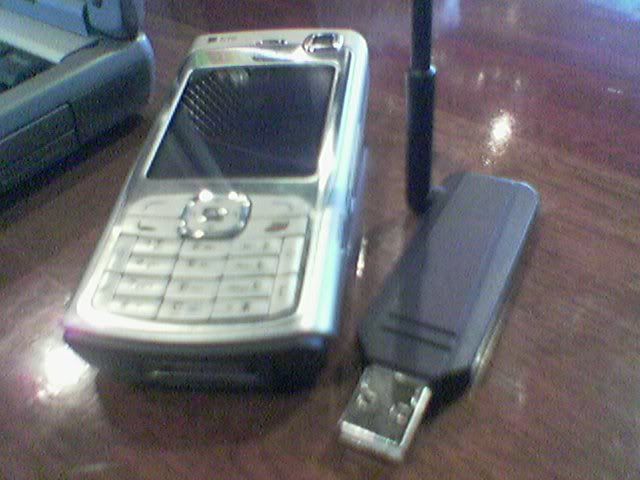
I use this BT dongle and it works great. I don't even use that cable anymore and the BT software was easy to install and connected to my phone. Lots of nice BT software too.
WindowXP sp1.

I have the same problem it seems to hang leaving a box saying installing nokia usb parent driver or something - ive also noticed it leaves the usb connection icon displayed on the handset even after disconnecting 😞
Very annoying and thats with the latest version of nokia pc suite downloaded looks like im gonna have to buy a bluetooth dongle and try that way for now !!!!
PANTHERS wrote:HEY guys i cant get my n70 to connect to the PC, iv gone to nokia connection manager and done all the right things but when it says to "connect your cable to phone and pc to cable" it just stays on that screen without offering the "next" option. like its loading with the hour glass on the mouse pointer...but it never does....really need help to fix this guys...cheers.
hope thats sort of clear?
ok guys dis is wot you do
*first connect the phone wid the usb to de pc
*den it will show a message on de bottom laft hand corner of you screen saying nokia n70 connceted
*click on it
*den it will show you a setup screen
*click next
* den when it is done go to my computer and put the nokia n70 software cd in
*but dont let it auto play close the auto play and go to my computer
*right click on the cd rom and choos de option open
*den go to softwares in it
*afterwards go to pc suite and click on it and clcik stup on it den dis will install de nokia software quickly (tip: when you click on the bottom left keep clicking as it comes up cos it will install de usb drivers)
dis should work
I had a problem connecting the two together as well.
What I did to make it was when it said to connect...connect the usb to your computer, THEN connect the phone.
Don't have the usb already connected to the pc.
Worked for me, let me know if it does the same for you.
I just solved the problems after hours of trying.
Run the connection thing on pc suite
Connect the usb cable to the pc and phone
While it tries to connect turn off the phone
Now turn the phone back on
Put your pin in if you have one
and viola..... it correctly installs all the drivers and connects
G_Dem, thank you... Your given method works 😊
Faisal
New N70 User 😃
i was having exact problems myself and thought it very frustrating. what finally did it for me is when the phone is connected to the pc, go to the connection/sync page - and then it started recognizing the phone...