How do you use the Barcode Reader in the N80?
Even when i place it infront of a bar code, nothing happens..😮
Barcode
there's a barcode reader? Cool
yeah, nothiong happens. although the code appears clearly
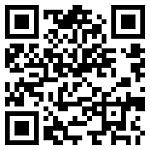
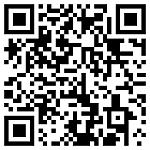
Its used for 2D barcodes, not the ones that are on labels. Exmaple scan that and see what comes up.
there is a firefox addon that uses this. Very cool 😊
WOuld be great if they make a bar code maker on the phone.
fdxd wrote:there is a firefox addon that uses this. Very cool 😊WOuld be great if they make a bar code maker on the phone.
Try this for making your own 2D barcodes....
Here's a barcode generator... have fun!!😊
Try this on your Phone..
( To get the barcode reader, go to Download! and refresh list.. and then download the barcode reader)

Attachments:
another generator :
http://www.idautomation.com/java/dmservlet.html
raynos13 wrote:http://qrcode.kaywa.com/Here's a barcode generator... have fun!!😊
Try this on your Phone..
( To get the barcode reader, go to Download! and refresh list.. and then download the barcode reader)

Attachments:
raynos13,
wipe the fingerprints off your camera lens, and hold the phone so the code appears inbetween the two red lines.
Hold still.
Providing the code is well lit, and your ohone is back far enough, it shoue read without any trouble.
Lovat
thanks for the help lovat😊 :icon14:
theres no N80 version on there web site ?
6six6,
I've got it running on my N80, I had to load it using the 'catalogs' feature on my N80. so it came in via WiFi, directly to my phone.
so, go to My Own -> Catalogs -> Nikia Extra Applications -> Smartphone ->
Barcode reader should be in that list.
Now, disclaimer..... I'm in the US, and not on a MAJOR carrier, but I can still see the item.
I'm not sure how these are selected for loading, so I can't be sure of what you will see.
But, This is the easiest way to load the barcode reader.
Lovat:icon14:
raynos13 wrote:Try this on your Phone..
"Have a Happy New Year!!" - guess I got it working on my N80 then. 😊
Now we are talking! 😎
Happy New Year all! 😊
I kinda like this apps 'geekabilityness' (ahem) but where would you normally find a 2d barcode IRL??
UPS used one on my xbox360 return label. TBH I didn't know what the hell it was but now I do. Now if only there was a normal barcode reader for the N80.
EDIT
Which of course there is - the same program! Thanks to lovat for pointing out that the giveaway was on the program icon itself, and that it does read normal barcodes. I saw it but assumed it only read 2d barcodes as that's all anyone was talking about. It is a lot fussier with normal barcodes though.
bowman wrote:It is a lot fussier with normal barcodes though.
And then some. I've not managed to get it to read a single "normal" code.
yeah, Ive struggled to get it to read anything but 2D. Just goes to standby even if I have wiped the fingerprints off the lense.
Yea I need to get the normal (1D I guess?!?) codes to work as it'd save me loads of hassle for my work
Any1 who got it to work on 1D barcodes can u point out how u managed to do it please as i've struggled with it loads
So, I went to Wal ma part today, and read barcodes with my phone (N-80)
I had no trouble reading the larger sized codes off of the you build it furniture boxes.
I had to set the focus to just before the click of the macro setting for most of the reading. and if I read the code upside down, I got data that didnot relate to the numbers under the UPC.
But right side up was fine.
I had trouble with the smaller sized codes like those on cracker boxes. I did not have time to try different settings of the macro slider on these smaller codes.
Good luck!
Lovat :icon14:
When you read the 1d codes at walmart😡 (dont even have them here in new york city), what did the 1d codes reveal about the product. The price or something?
Just the product code number that was printed right under it.
i find it works on small barcodes aslong as there is a lot of light, i.e. i shan a torch on it and it was fine, otherwise it wouldnt work!
I cant find the 'Catalogs ' aplication to download it, and i tried the version off nokias n73 support pages but that doesnt like the n80. has any1 got a link to a version for the n80?
yeah, I missed catalogs first time... Found it under menu > my own.
Could check the nokia N80 site maybe if you cant get catalogs... or look in app manager and see if you can install catalogs
wasnt on my 'three' version of the n80 (4.0623.0.41). but i have now downloaded catalogs app here!, and got the barcode reader from there!