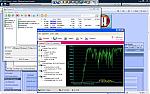
I was expecting a max of 3.6mbit, but using some of the many speed tests on the net, I found that 120kbit was the average, with lows like 68kbit and highs close to 250kbit. That is way below the normal 3G speed of 384kbit, so what's the point in 3.5G?
Of course I have enabled HSDPA in settings and my provider has even enabled something in my account settings, but the speed is still a far cry from 3.6mbit and way too slow to stream video in a usable quality.
What's your speed?
HSDPA is controlled by the network, i.e tmobileuk have set the 1.8mbit limit which is real world is only at 1.5mbit, it is also dependent on the cell you are in due to 3g using alot more bandwidth the cells are easily conjested, you may notice if you have v12 firmware the little 3.5g symbol going off and on this will happen when conjesion occurs.
i get 140kb/s download but i am sitting about 20 metres from a network switch
I'm using Netcom in Norway. At home (central Oslo) I'm getting an average of 1.6-1.8 mbps (I've used TPtest to test transfer speed).
Im with T-Mobile UK so always thought unless I got WebnWalk Plus I wouldnt get HSDPA, and assumed I was right becuase windows shows 115.2kbps connection.
but I can get speed test results normally around 700-900kbps down and 300kbps up

Have just spoken to Virgin Mobile after reading this thread and they tell me they do not support HSDPA which I find odd as they use the T-Mobile network. Think it might be time to change after 7 years with them.
how do you find out what your speed is ??
Ive tried mine at home sitting next to the router and its still slow as hell
wethery wrote:how do you find out what your speed is ??Ive tried mine at home sitting next to the router and its still slow as hell
Depends - when you say next to the router are you talking about wi-fi speed? HSDPA speed will be dependent on how strong the signal is. In central Reading I can get 750Kb/s-ish from my Orb machine on T-Mobile (not sure, but this could be limited by my upstream connection from the PC rather than the HSDPA though).
Also, things could "feel" slow when browsing due to latency rather than bandwidth - the latency on 3G/HSDPA isn't great
www.speedtest.net tells you your bandwidth and also your latency
Barkotron wrote:Depends - when you say next to the router are you talking about wi-fi speed? HSDPA speed will be dependent on how strong the signal is. In central Reading I can get 750Kb/s-ish from my Orb machine on T-Mobile (not sure, but this could be limited by my upstream connection from the PC rather than the HSDPA though).Also, things could "feel" slow when browsing due to latency rather than bandwidth - the latency on 3G/HSDPA isn't great
Its when im using wi-fi,is this the HSDPA you talk about
srw985 wrote:Im with T-Mobile UK so always thought unless I got WebnWalk Plus I wouldnt get HSDPA, and assumed I was right becuase windows shows 115.2kbps connection.but I can get speed test results normally around 700-900kbps down and 300kbps up
web and walk+ has nothing to do with hsdpa, all contract sims can get the higher speeds but only when a HSDPA handset was registered on the account does the HLR profile get auto provisioned with the faster uplink!!
im not sure if the uplink bit is still the same but the downlink has always been the case
I get at the most 1.1 to 1.2 Mbit/s when using the phone as a modem and up to about 680 Kbit/s when running a speedtest on the phone.
Usually I get high figures in the morning and much lower figures later in the day, often down to 120 Kbit/s or so in the evening.
I am on 3 in Copenhagen.
Regards
Michael
With 3.5G showing in T-mobile area got 462kbps d/l and 201kbps u/l.
What settings is everybody using?😎
Using phone as modem!
If you have 3.5g in top left on n95 and are getting that speed you are prob
ably in a conjested cell, try later on tonight after 10 as now is peak time, there are no settings!
No settings? OK, what is your DNS setting?
wethery wrote:Its when im using wi-fi,is this the HSDPA you talk about
I know this is a forum so I guess 'any' question is allowed but still.. Excuse me for saying this, but are you kidding me....??!?!...No, Wifi/WLAN is not HSDPA. Life is just to short to explain everything over and over and... Google it.
And, sitting "next to" your router will probably not improve your internet connection speed since it's normally your ADSL that's the bottleneck, not the WLAN 😊
superswede wrote:I know this is a forum so I guess 'any' question is allowed but still.. Excuse me for saying this, but are you kidding me....??!?!...No, Wifi/WLAN is not HSDPA. Life is just to short to explain everything over and over and... Google it.
And, sitting "next to" your router will probably not improve your internet connection speed since it's normally your ADSL that's the bottleneck, not the WLAN 😊
Your right life is too short, so i really dont have time to learn all about mobile phones, not the most important thing in my life, thought id come on here to pick up a few things.
To bring it down to basics:
There are two connection types, WiFi and 'packet data'.
WiFi is what you get from a wireless router on a broadband (or similar) connection and is only available when in range of said router. It is completely independant of you service provider.
Packet data is what you can get from your service provider and will typically be GPRS (slowest, indicated by the usual antenna symbol), 3G (Faster, indicated by a 3G icon) or HSDPA (Fastest, indicated by 3.5G symbol on the newest firmware).
Hope that clears it up for you
Hi All,
First post 😊 from an ex-Windows Mobile user.
Got my Nokia N95 on Friday, which was good day as the new rom was also released! I'm on T-mobile with standard Web Walk but so far have never had the 3.5g symbol appear, only 3g. Testing my connection speed range from 120-250 kbs.
Any ideas why I'm not gettnig the 3.5 HSDPA connection, is it just an issue with coverage, or could it be something else?
Thanks!
snisar wrote:Hi All,First post 😊 from an ex-Windows Mobile user.
Got my Nokia N95 on Friday, which was good day as the new rom was also released! I'm on T-mobile with standard Web Walk but so far have never had the 3.5g symbol appear, only 3g. Testing my connection speed range from 120-250 kbs.
Any ideas why I'm not gettnig the 3.5 HSDPA connection, is it just an issue with coverage, or could it be something else?
Thanks!
More than likely you don't have the latest firmware which shows the 3.5G icon. Press *#0000# and it will tell you what firmware version you are on. The latest is 12.0.0.013
...and: the 3.5G symbol only appears when you have an active data connection, in all other cases its "3G" or the GSM symbol that shows (basically the same as with Edge which only shows as an "E" when you have a connection).
Sorry, should have stated which ROM version I have. It is the latest 12.0.013.
I have also spoke to T-mobile, who state that is 3.5g is available in the coverage area I am in then I should get it.
On T-Mobile UK they send out HSDPA on all 3G signals.
Vodafone are still expanding their HSDPA to cover all 3G.
Do any other UK networks have HSDPA?
I do have an active data connection. Am I missing some setting? I have High Speed Data Access set to enabled in Tools->Settings->Connection->Packet data.
Thanks
Done some googling, found the following discussion which was of interest:
forum.xda-developers.com/archive/index.php/t-276154.html
Rang T-mobile, asked for HSDPA to be enabled. Customer services didn't want to do anything, managed to get through to Technical Support. The guy initially said there was nothing he could do, but after some persistence he said he would enable it. 5 minutes later, I have a 3.5g connection!
snisar wrote:Hi All,First post 😊 from an ex-Windows Mobile user.
Got my Nokia N95 on Friday, which was good day as the new rom was also released! I'm on T-mobile with standard Web Walk but so far have never had the 3.5g symbol appear, only 3g. Testing my connection speed range from 120-250 kbs.
Any ideas why I'm not gettnig the 3.5 HSDPA connection, is it just an issue with coverage, or could it be something else?
Thanks!
The 3.5g indicator was introduced on v12 firmware you will not have that for a a few months on tmobile
superswede wrote:Snisar does though.. 😎
must be generic on tmobile, or of had its prod code tinkered with, v12 is not out of testing yet
I have attached, a picture of what u mere mortals can expect from networks when the capacity has increased
:tongue:
Attachments: