Read-only archive of the All About Symbian forum (2001–2013) · About this archive

Best Satnav using internal GPS

63 replies · 30,341 views · Started 27 August 2007

Having tried the following - all paid for legit versions, with the latest maps.

Copilot

Route66

Navicore

Navigon

These all use the internal GPS.

Please note this is my opinion, and after a long journey with a fair few short ones.

The winner is -

Navigon.

Reasons why.

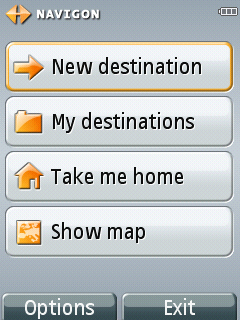
First is the menu system. Its very easy and simple to use, and you cant go far wrong. The options you get are not too bad.

Second is the routing. The routing seems to be as good as tomtom. With all the others I have tried, the routes they have done are not as good.

Third is the instructions. I havent had any problem with these, and the timings are set well. Also, it doesnt miss any. And it doesnt seem to suffer from 'slight bend' syndrome. This is where theres a sharp corner on the map, but its not actually a turn, and the sat nav tells you to go 'slightly left' or some such.

Downsides -

Theres no way to add your own POI. This makes it an immediate no for many, and something navigon should definatly address.

You cannot add your own voices. Although you can get the guidance in many different languages, you cannot add comedy ones for example. This doesnt bother me in the slightest, but for some it might.

You cannot scroll to a point on the map and add it as a destination. This is a huge minus for me, but the routing and correct instructions offeset this. Again, this is something navigon need to address.

If navigon could sort out those 3 issues, it would very easily be the best symbian satnav IMO.

As for the others, heres why I didnt get on with them:

Copilot -

Shocking menu system, very bad. Unusable for me, the way the favourites are handled is the best example of how they havent bothered. You cannot 'add' a favourite as such. Every destination you go to is added automatically, and is only named by the detail you use to get there. For example, postcode, and you cannot edit favourites, you can only delete.

So if you dont want something in favourites, you have to delete it, and if you have a lot of favourites, then you have to scroll through them all, and hope you can remember who or what an address/postcode is linked to what.

Routing seemed okish, but had a few of the same issues as Route66.

Route66

Usabilitywise, its brilliant. Map scrolling is great, can scroll to a point on the map and add it, it runs nicely, and the autozoom according to speed is nice.

Sadly, its let down by by actual use on the road. First is postcodes, dispite being the latest version many are completely out.

Next is the fact the routing is screwed. Some trips are ok, but some are a joke. Best example is when I went on the trip to Wales (hour and a half drive) it tells me to take the wrong way to get onto the motorway. Ignoring it, I went the correct direction. When it compensated, it kept telling me to get off at the next juction.

Bad instructions. A few seem to suffer this. First is the 'slight bend syndrome' I mentioned earlier. Route66 has this bad. And when theres is actual turns when it tells you to do this, its very confusing unless you look at the onscreen directions (which you shouldnt have to do). Thing is, its not actually classed as a bend on the map either.

Missing voice instructions. Occasionally, it doesnt tell you to do something. Dispite it being on the map as an actual turn, Ive found it misses voice instruction sometimes, enough to be annoying. I always maintain you should not have to look at the screen.

Navicore

Recently got working (thanks Nashmills) by using a seperate memory card, this was a real let down.

On the whole it looks good, everything you want, POI, scrolling maps able to add points as destinations, and a few other nice things.

However...

The routing seemed ok, but the main problem was bad instructions.

Like route66, it missed a few dispite being on the map. And the other main problem, is that many instructions come late. Main issue being roundabouts. Generally you want to know what exit you need to be in a while before you get to it. Yes, you could look at the screen, but voice should be good enough.

I couldnt see anything in the options to change this. Often theres options to change the amount of time of instructions before the turn/roundabout etc. Couldnt see any in navicore.

Late instructions and missing instructions make it a no go for me, dispite being good in all the other areas. Oh, and it also suffers a bit from the 'slight bend syndrome', but not as bad as route66.

It also seems to have issues with other satnav software. Mine would not work unless I used another memory card with nothing on there bar navicore. However, on my main memory card I removed all route66 stuff and it still didnt work. So it may have problems with such things like viewranger. I couldnt be bothered to mess about anymore, so I cannot confirm this theory.

It does have realtime traffic re-routing, but I didnt try this as my data charges are a joke.

Another minor annoyance is that it doesnt show road/streetnames when driving or on the map when scrolling.

Please note these tests were done using a 6110 navigator, but since its using the same GPS chipset and software (S60 V3) as the N95, I thought it relevant.

Tests were done on the same journey to and from a location in Wales which is an hour and a bit driving on motorways and rural roads. Also many trips to and from work, which is short.

All options where checked beforehand (such as tolls, method of transport, avoid motorways etc) and set to the same. No other programs were running, and none seemed to suffer from any slowdown or anything.

And I say again that the above is my opinion, and havent seemed to suffer the things I have with some of them. Perhaps Im just picky.

Prices: (UK maps)

Navicore £93 (I got a 2006 version with BT reciever from ebay for £25, and the upgrade was around £33). edit: its currently available for £67 download version

Navigon £69.99 but thats for the whole of europe.

Copilot £69.99

Route66 was preinstalled on my phone.

Hope this helps some people.
Big thanks for the hard work, bartmanekul!
Working ceaselessly and tirelessly for the N95 community -
BARTMAN!😊 😊 😊

Thanks Bartman, great roundup.

I too, am p*ss*d off with the "Go Slightly Right" instruction from the built-in Nokia N95 Maps app. WTF does it mean? Is it a political instruction? If I did obey this instruction, I would get into all sorts of trouble.

Is the built in Nokia 'Maps' app based on Route 66? Anyway I have had to buy and install TomTom 6 (paired with an external GPS Blueooth unit), the clincher being when Nokia Maps wanted to route me in a massive 5 mile circle in order to get me home, when my house was about 0.5 miles away down the road and round a corner! I could virtually see my house 😮

If it does this on a route I know and roads I am very familiar with, who knows how much petrol I'll burn when I follow it to get somehwere I don't know?

Also I really MUST have speed, sorry safety, camera warnings, especilly on unfamiliar routes.

thanks bart. nice job.

if you can adds some pic will be great ++++++

Thanks all.

I'll post some pics soon, but I would like to make a suggestion -

Can people email navigon - http://www.navigon.com/ asking that they add the ability to add POI and be able to scroll the map and add a destination that way also?

The more people that ask, the more likely they are to add it. If it had those features, it would by far beat tomtom. And remember, its £69.99 (download version) for the whole of europe. You dont see that often.

Pictures to follow, special requests welcome. But bear in mind I no longer have copilot, so cannot do any screenies of that.

Alpha -

Its possible nokia maps are based off route66, but I dont know. However I have my suspicions that its down to coding. Perhaps a turn of certain degrees triggers off an instruction (like, turn slightly left etc). Its my belief that some satnav software isnt coded as well of tomtom (or navigon) as they seem to bring up these annoying oddities. So far tomtom (on my pda) and navigon are the only ones that dont seem to suffer from this. Thats my theory anyway.

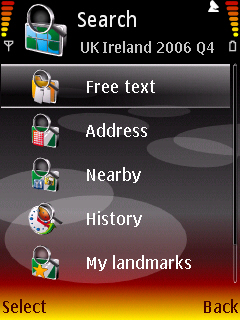
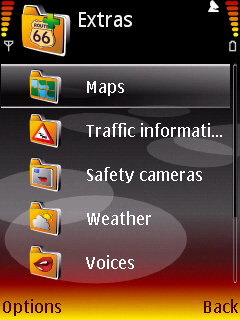
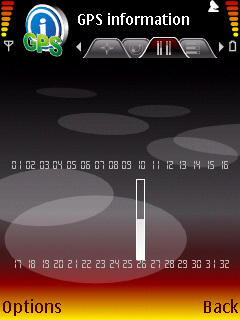
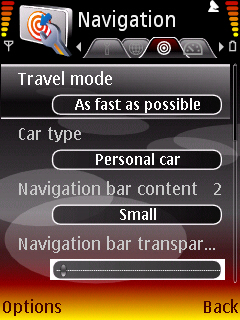
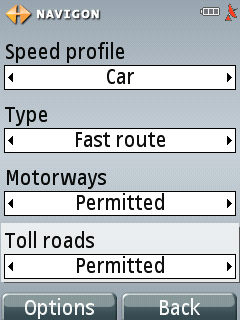
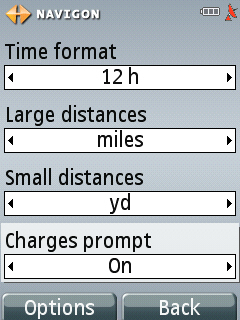
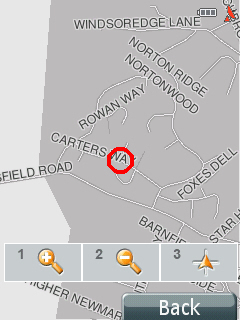
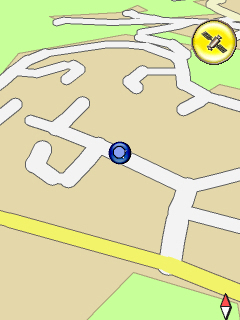
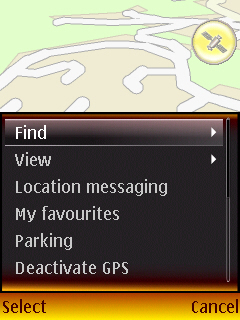
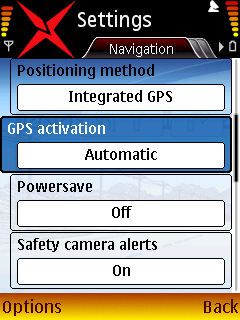
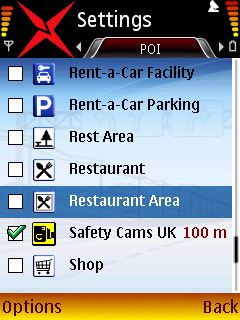
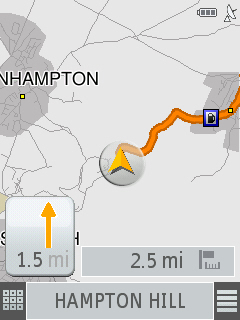
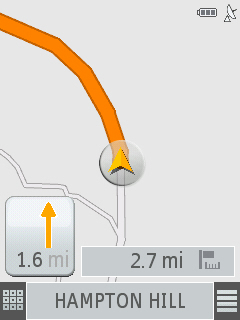
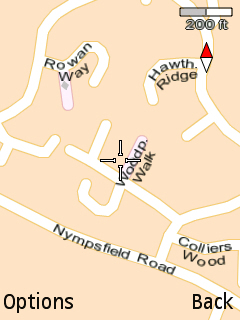
Screenies - please bear in mind this is the 6110 version bundled with it, so there maybe some small differences from the bought version.

I will post some driving ones...after Ive been driving! Remember, anyone wants something in particular, let me know.

Attachments: Screenshot0021.jpg Screenshot0022.jpg Screenshot0023.jpg Screenshot0024.jpg Screenshot0025.jpg

Driving pics later. If I remember the seperate memory card 🙄

Attachments: Screenshot0031.jpg Screenshot0032.jpg Screenshot0033.jpg Screenshot0035.jpg

In Navicore's defence the download version costs �99 (�67) and it does include real time traffic re-routing. I agree about roundabouts though.

I admit I never saw that (did they add it recently?). I'll change my original post.

Bart, thanks for the extensive review, it's very helpfull as I'm looking around for the best navigation software. A question, how does the Powersave option work ?

Assuming your on about Navicore, when its set to 'on' the backlight is off until an instruction is given. For example, if your driving down the motorway, the backlight would be off until it tells you to take a junction.

bartmanekul wrote:Assuming your on about Navicore, when its set to 'on' the backlight is off until an instruction is given. For example, if your driving down the motorway, the backlight would be off until it tells you to take a junction.

Ah I somehow thought the screenshots were from Navigon software. I understand its Navicore. Nice feature though !

The names are alike, which often got me saying one when I meant the other.

On the posts with pictures, it says in bold at the title which satnav software its from.

Just wondering why Nokia Maps navigation software wasn't included ? Any reason other than that it's not one of the "regular" navigation software on the market.

A few reasons -

First is that I dont have it, as I mentioned in the first post Ive got a 6110 navigator, which comes with route66 and not nokia maps.

I havent bothered with it because it requires a subscription (for voice guidance), and I want an all in one. By that I mean something with no reoccurring charges. Such as data, subscription etc. This rules out a few other ones, such as wayfinder.

Also, since everyone who owns an N95 has it by default, I figured there wasnt much point as people will know what its like anyway. I agree that it could be useful to compare it against the other packages, but with those I can deactivate them and sell them, I cant do that with a subscription.

Course, if someone wants to pay my subscription for a trial, then I'll do it :tongue: (I beleive nokia maps is a free download, even if you dont have a N95).

Lol, he seems to like the 6110. Still, he hasnt had the routing problems I did 🙄

Hello All. First post here, having just got my N95 last week.

Thanks for the sat nav evaluation, bartmanekul (Luke?)

I bought and installed Navigon at the weekend and it did a good job for a route from Central London to the middle of Hertfordshire countryside. I especially liked the voice guidance working with the bluetooth hands free (Nokia CK-7W).

A few grumbles though (although considering price and all the maps, not complaints).

1. Can't adjust the timing of the voice navigation, which is presently talking slightly too late for my preference. Not a biggie really...

2. The lack of search on the maps, unless GPS connected, is a gripe. However, Nokia MAPS is there as a backup, although I'd rather uninstall the MAPS data to save on SD storage.

3. A mysterious bug.... when I'm at a location I want to save, eg. parents house, when I enter the save name the font is invisible, so I'm entering the save name 'blind'. The name I've entered does display when listing from the 'My Destinations' menu though. Have emailed Navigon about this.

Apart from the above, it's all grand. For a mobile nav, it's the clearest ive seen, with plenty of additional location info. The 3d 'birds eye' view is very good, as are the numeric key shortcuts whilst navigating. Top value, overall

Good guess 😉

Ive just checked, and done a major mistake. Your right about not being able to change the timing, I have previously said you could on navigon. I could have sworn I saw it before in the options. I'll edit that out doublequick.

Although oddly enough I found the voice timing very good.

You can search on the maps without GPS on, do the following...

choose a destination, be it from favourites, POI, new destination, whatever.

Dont press 'start'.

Instead, choose 'options'.

Then choose 'show map'. Sorted.

However, my gripe is that you cannot add a loacation that the map is centered on.

Sulphur Man wrote:

3. A mysterious bug.... when I'm at a location I want to save, eg. parents house, when I enter the save name the font is invisible, so I'm entering the save name 'blind'. The name I've entered does display when listing from the 'My Destinations' menu though. Have emailed Navigon about this.

Are you sure it's a Navigon problem? I had this with another application, and it turned out to be the theme. Change your theme (standard "Nokia theme" is good) and try again.

R

Yes, I can confirm thats a theme problem. Its ok on some, but not on others.

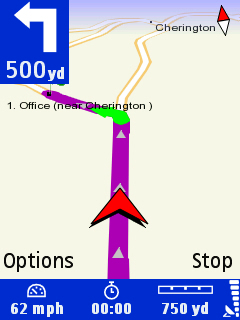
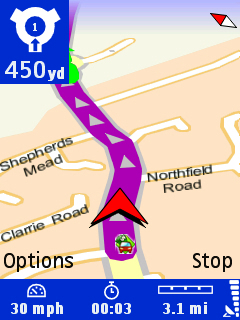
And heres some pics of navigon on the move.

The far out one is what happens occasionally when you are driving fastish and the next instruction isnt for a while. The closer up one is typically what you see most the time. Annoyingly, the speed is not displayed (and nor can you make it be) but thats a minor gripe.

Attachments: Screenshot0037.jpg Screenshot0036.jpg

I have just purchased it on the download option and cannot wait! Dam my slow 2mb connection!!

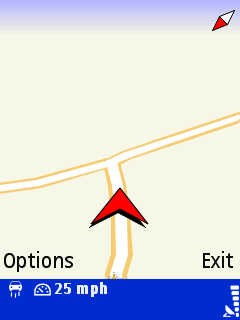
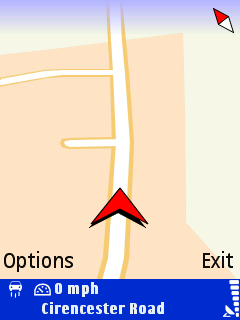
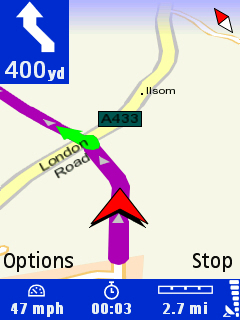
Heres the route66 pictures while driving. You can see the zoomed out ones (at speed), and also some with and without a route planned. I think its my favourite interface out of the lot, shame its got the other problems.

Attachments: Screenshot0045.jpg Screenshot0044.jpg Screenshot0040.jpg Screenshot0041.jpg Screenshot0043.jpg

bartmanekul wrote:Heres the route66 pictures while driving. You can see the zoomed out ones (at speed), and also some with and without a route planned. I think its my favourite interface out of the lot, shame its got the other problems.

I'm using a "test-version" 😉 of Route66 (v545) at the moment and that one is definately different then the screenshots you posted. Firstly the test-version doesn't have the lower toolbar (speed e.g...). Secondly the version on the screenshots has higher quality graphics (road is nicer/clearer). Ah well...I gues paying for software has it's benefits 😉

daffie wrote:I'm using a "test-version" 😉 of Route66 (v545) at the moment and that one is definately different then the screenshots you posted. Firstly the test-version doesn't have the lower toolbar (speed e.g...). Secondly the version on the screenshots has higher quality graphics (road is nicer/clearer). Ah well...I gues paying for software has it's benefits 😉

If I'm not mistaken the version of Route 66 which comes pre-loaded with the Nokia 6110 is the new version 8 which as far as I'm aware isn't available anywhere else yet, which explains the differences in appearance.

Bartmanekul - Did you (or someone else) mention earlier in the thread that the traffic updates for Route 66 are now a 'pay for' service? A bit dissapointing if so.

I'm currently running Route 66 7.3.545 and have experienced some very strange routing situations with it. It once took me off a roundabout at the first exit, guided me along the road to the next roundabout where it took me right round, back to the first roundabout and then off at the second exit??? Why didn't is just take me off at the second exit in the first place? At no point did it say it was due to traffic. I have experienced other such oddities with it too.

As a result I was considering Navicore, since it has both the traffic updates and the speed camera warnings, which again is something Route 66 sorely lacks.

I dont know about route66, but I can find out (when I get home).

At the moment Im pretty certain you have to pay for them, but I shall check.

Whichever it is, it shall still cost you in data, which is why I never go for such things.

And yep, the routing is the main (but not only) issue I have with route66.

Navicore by far has the best features out of all of them, customisable POIs, traffic updates, etc.

Sadly, if its not good enough for navigation, its just an automatic no no. See my earlier opinion about navicore for that.

I suppose its all pinned on tomtom V7 for now, which at an educated guess: http://www.n95users.com/forum/third-party-apps/1184-tomtom-6-support-nokia-n95s-gps-coming-soon-9.html#post29634 is Oct/Nov this year. And assuming it will support symbian internal GPS.

Until then, I'll use navigon. Course, if they added POI and a few other things, they would see a massive upsurge in sales IMO.

A sort of update.

posted by
gadgetman

TomTom ONE v3 is out now & cheaper than a v2!:

TomTom, portable GPS car navigation systems
Amazon.co.uk: TomTom ONE v3 Great Britain Satellite Navigation System (Without Bluetooth): Electronics & Photo
Amazon.co.uk: TomTom ONE v3 Europe Satellite Navigation System (Without Bluetooth): Electronics & Photo

So expect a PR soon about TT7 navigator/mobile edition about a Nov release 😉


From the N95 users forum.

Shame its not likely to be sooner, but there we go.

@bartmanekul
Nokia Maps comes with a 3 days free trial, if you want to see how it works. Just hit 'Navigate' and accept all the questions about purchasing a licens. Then just before you are asked for payment details, the proggie is activated and your free 3 days trial begins. At least that's how the new version worked on my N95.

If anyone owning Navigon would be able to make a video of it while navigating, I would be very interested. I really would like to see how it handles turns aso but I am not willing to pay £69 for it. I don't understand why you can get trials for $10 software, but not for the most expensive soft for your phone, the GPS software...(?)

Well I was planning too, but that idea is already shelved as it doesnt seem to support full postcode searches (a must for me, as I almost always use that as the destination), and it couldnt find my home address no matter what I typed in.

Now if it cant find my home address which has been there for many 10 plus years with no details changed, its as good as useless for me because there is obviously an issue with the data contained.

Im more than willing to do a video with navigon, but have no idea how to do it.

I don't understand why you can get trials for $10 software, but not for the most expensive soft for your phone, the GPS software...(?)

Thats something I agree with you so much its unreal.