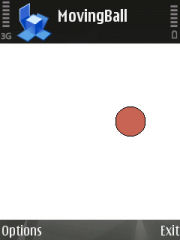
Found this on another site that uses the N95's in built Accelometer (like Rotate Me 2).
http://rapidshare.com/files/66463394/Moving_ball.zip.html
It is absolutely so cool! check it out..
Found this on another site that uses the N95's in built Accelometer (like Rotate Me 2).
http://rapidshare.com/files/66463394/Moving_ball.zip.html
It is absolutely so cool! check it out..
It would be great to see a list of compatible devices. Actually it works with N95 and what with others devices?
BR,
jack
The only phones I know of that has the accelometer is the N95 and the 5500 sport..
haha thats well cool !! Cant be used for anything useful but still cool. I didnt know the N95 had a built in acceleromter ... infact, whats is used for ?
There was also a DLL install file in the zip abve ... not sure what that was for but i installed it anyway hmmm
I installed the Moving Ball app from the zip and it works fine, so whats the second "N95AcellerometerPlugin.sis" do?
That's pretty impressive. Be good to see what else they can do with this
That's pretty cool, I guess it could be used as a sort of spirit level.
I dont know about the usage - but I have noticed that sometimes my photos come upside down and I think the accelometer is used in the camera to determine the polarity of the picture (portrait/landscape). Canon uses this feature in all their later IXUS camera ranges..
Its the same idea as the marketing speel about the iphone - turn it around to get portrait mode.
What would be good however - is to get this to emulate the directional keys even. How good would it be to play a racing game with the accelometer to turn the car (ala Nintendo Wii).
Or use it for a shooter (like the good old Mosquitos for the Series1/2 without the virus or needing the camera?)
Or a Wariowares clone or sports? (ala Wii once more)..
Theres plenty of things you can do with it.. for sure!
bchliu wrote:I dont know about the usage - but I have noticed that sometimes my photos come upside down and I think the accelometer is used in the camera to determine the polarity of the picture (portrait/landscape). Canon uses this feature in all their later IXUS camera ranges..Its the same idea as the marketing speel about the iphone - turn it around to get portrait mode.
What would be good however - is to get this to emulate the directional keys even. How good would it be to play a racing game with the accelometer to turn the car (ala Nintendo Wii).
Or use it for a shooter (like the good old Mosquitos for the Series1/2 without the virus or needing the camera?)
Or a Wariowares clone or sports? (ala Wii once more)..
Theres plenty of things you can do with it.. for sure!
Not sure it would work well for playing games cos you would be waving the screen around too so couldn't actually see what you are doing!
3Shirts wrote:Not sure it would work well for playing games cos you would be waving the screen around too so couldn't actually see what you are doing!
Not if you were using TV-out.
This really is quite remarkable, thanks for the link to the rolling ball. I was amazed to find that it's proportional. We're basically here with rudimentary Wii consoles in our pockets and no games to play with them.
Good point. I always forget that!
Hellfire! It's 3D!
Place the phone flat then move it up and down. The ball gets bigger and smaller!
It made me think of those handheld games where you have to roll a ball around a maze - they could be doable, since you wouldn't have to wrench the device around. Not really the most thrilling games ever though.
True but a good way to test/demo the technology
Sorry if I sound like an excited schoolgirl, but if an app could be made with a sufficiently small footprint, it could run in the background and make the phone howl in protest if it's being bashed around too much.
3Shirts wrote:Not sure it would work well for playing games cos you would be waving the screen around too so couldn't actually see what you are doing!
true.. thats why the game needs to be designed well.. 😊
On the other hand, you can probably use this as a user interface as well.. to scroll up and down pages or emulate the cursor keys and middle "click"..
BTW guys.. here is the official link to this app from Nokia Research.
Also it talks about an upcoming Activity monitor that can be used for sporting purposes (which is similar to the 5500 app I believe).
Pedometer. Good use of the technology. Not sure about the 'howling' if it is getting knocked about cos mine spends a lot of time in my pocket and gets shaken all day long. There are no moving parts so as long as it's not taking impact it doesn't really matter if its shaken.
Anyone got any other ideas, this is a very interesting thread so far
ive shown this to 3 people in the office and 2 of them are smacking the screen with their nails to get it to move ... how silly. just move it around to get it moving ! I showed them how to do it before I gave it to them.
note to self : stop showing off
lol
nudda wrote:ive shown this to 3 people in the office and 2 of them are smacking the screen with their nails to get it to move ... how silly. just move it around to get it moving ! I showed them how to do it before I gave it to them.note to self : stop showing off
lol
hahha the people in my office are cleverer than your office! 😉 :tongue: They didnt tap the screen, but did wonder what the blipping noise was when they shook it! HAHAHHA
nudda wrote:ive shown this to 3 people in the office and 2 of them are smacking the screen with their nails to get it to move ... how silly. just move it around to get it moving ! I showed them how to do it before I gave it to them.note to self : stop showing off
lol
Smacking the screen?!! 😮 Smack them back!
lol yeh i should smack them back. where do you work ?
my guess is that it was added to the phone to compensate for camera shake.
(not to detect rotation, but of course it could do that as well)
Well, I'm pretty sure it does detect rotation.. no idea if it also has any effect on camera shake.
Mithent wrote:Well, I'm pretty sure it does detect rotation.. no idea if it also has any effect on camera shake.
The specs of the phone tells us that it has digital image stabilisation.
[edit a bit more explanation...]
For detecting rotation one would normally use a gyrosensor, but as the biggest acceleration direction is determined by gravity, an accelerometer can be used for limited way of rotation sensor (but never perpendicular to the direction of the gravitation).
Of course, for detecting just camera rotation, a gyrosensor is overkill, as is probably an accelerometer, but for use in an image stabilisation the accelerometer is perfect. And once you have it in the camera, you could use it for detecting camera rotation as well.
I wanted to create a game using this accelerometer plugin and carbide but don't know a thing about C++ so resorted to this, you have to guide the ball through the maze to get the cheese!
lightbulb wrote:I wanted to create a game using this accelerometer plugin and carbide but don't know a thing about C++ so resorted to this, you have to guide the ball through the maze to get the cheese!
MMMMmm cheeeese. 😉
In the debate about camera shake etc I thought it may have been added for use in the gps data programme as that has a field for altitude and acceleration
That's very cool, and great that Nokia Research made this available as a reusable component for applications.
If you try and access the accelerometer through the sensor API, you only get a basic rotation angle of 0, 90, 180, 270.
This library is so much more useful!
sprint wrote:In the debate about camera shake etc I thought it may have been added for use in the gps data programme as that has a field for altitude and acceleration
Altitude cannot be sensed by an accelerometer (maybe change in altidude can), and the speed reading isnt from the accelerometer. The GPS readings are used to determine altitude and acceleration.