I went to this store to buy a microSD 4GB for my N95
http://www.canadacomputers.com/main.php?do=ShowProduct&cmd=pd&pid=015193&cid=990.218
the sales person there told me that this will not work on Nokia N95 and he already try it with his N95, as I read in this forum it should work, my firmeware version is 12
any help ? :con?
justnew wrote:I went to this store to buy a microSD 4GB for my N95
http://www.canadacomputers.com/main.php?do=ShowProduct&cmd=pd&pid=015193&cid=990.218the sales person there told me that this will not work on Nokia N95 and he already try it with his N95, as I read in this forum it should work, my firmeware version is 12
any help ? :con?
yes it will work, i used to have a 4gig in my n95, i now have a 6 gig so 4 gig 100% works, just buy it, dnt listen to him, it will work
Biggzy wrote:yes it will work, i used to have a 4gig in my n95, i now have a 6 gig so 4 gig 100% works, just buy it, dnt listen to him, it will work
Thanks for your reply, even he told me something that because it is microSD HC it will not work and if it is just microSD it will work because N95 can't read from HC .... doesn't make any sense to me, but I thought to double check with people here.
One more question, If I get this 4GB microSD card, and copied all the content I have on the current 1 GB card to the new 4GB one, should that work even for the applications that it is installed on the old 1 GB card, or I should re-install all the applications that was installed on the old 1 GB card
justnew wrote:Thanks for your reply, even he told me something that because it is microSD HC it will not work and if it is just microSD it will work because N95 can't read from HC .... doesn't make any sense to me, but I thought to double check with people here. One more question, If I get this 4GB microSD card, and copied all the content I have on the current 1 GB card to the new 4GB one, should that work even for the applications that it is installed on the old 1 GB card, or I should re-install all the applications that was installed on the old 1 GB card
IMO you shuold re-instal, iv heard to many bad stories bout copying all the data to new card, and yes n95 reads SDHC cards
I too can canfirm 4Gb microSDHC works on the N95, it's what I'm using.
Yes, you can copy all the info from one card and paste it onto the 4Gb one and it will be as was before but with more memory. 😊
Some people might be misinformed about the N95's card support, because there were no microSDHC cards on launch and so Nokia said the largest card supported was 2GB. However, all sizes of microSDHC cards released so far work fine, as above.
justnew wrote:One more question, If I get this 4GB microSD card, and copied all the content I have on the current 1 GB card to the new 4GB one, should that work even for the applications that it is installed on the old 1 GB card, or I should re-install all the applications that was installed on the old 1 GB card
I've found it's fine to just copy the data from one card to another, but you must have 'Show hidden files and folders' enabled and 'Hide protected operating system files' disabled within Windows. See attached screen shot...
Attachments:
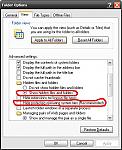
HoundDog wrote:I've found it's fine to just copy the data from one card to another, but you must have 'Show hidden files and folders' enabled and 'Hide protected operating system files' disabled within Windows. See attached screen shot...
Thanks for the hint HoundDog :icon14:
No worries dude, hope it works.