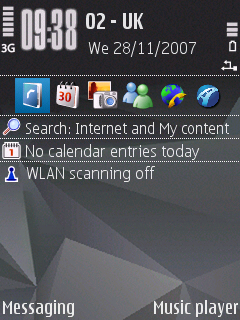
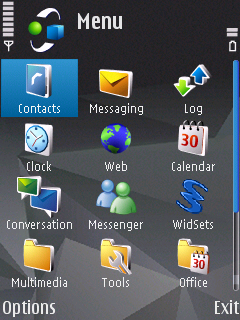
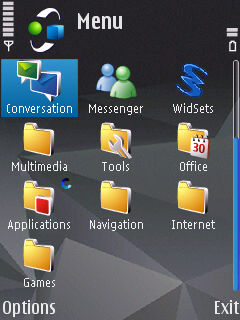
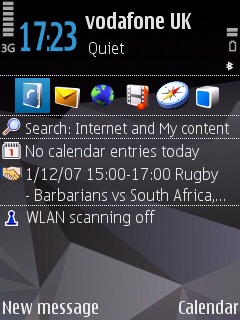
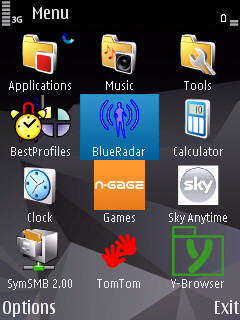
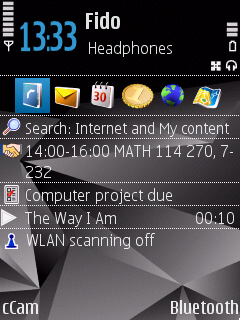
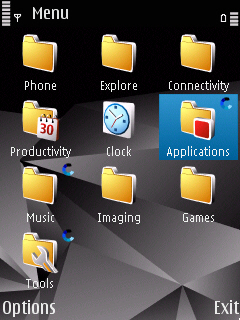
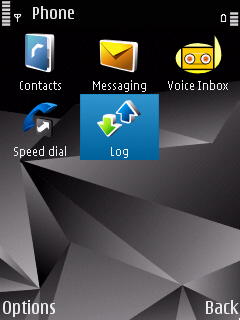
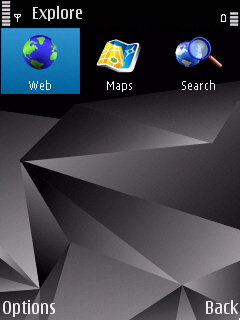
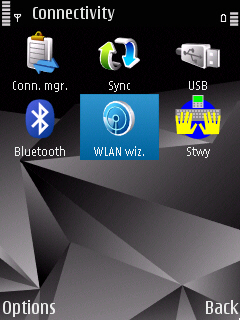
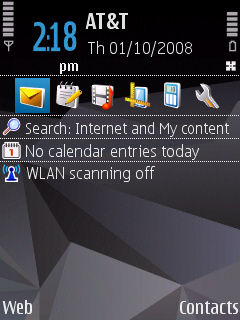
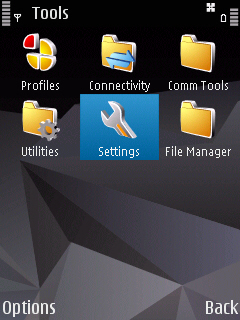
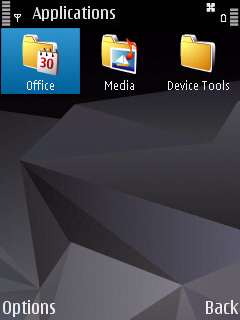
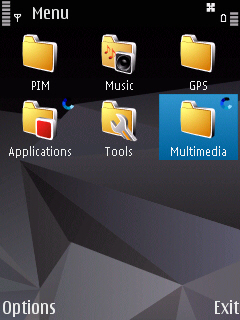
Well since everybody is busy updating to v20 and having to reinstall/configure most of their software, thought it would be interesting to compare how people setup their menus...
Attached are a few screenies showing my standby and root menu layout.
Really just curious to see how people setup/live with their phones 😉
ut.
Interesting, I generally do this:
New SMS and Contacts on the left and right selection keys
6 most used apps on the active standby
9 next most used in the menu
Everything else spread among 9 folders.
Also, I've noticed that if the root or subfolder has more than 5 icons, it jumps to the 'middle' position first, number 5 if you think of the grid view like:
123
456
789
I therefore put the one I use most in that position. If there are less than 5 it goes to the first one (top left) so in that instance I put it there.
God I sound so anal.
ut666 wrote:Well since everybody is busy updating to v20 and having to reinstall/configure most of their software, thought it would be interesting to compare how people setup their menus...Attached are a few screenies showing my standby and root menu layout.
Really just curious to see how people setup/live with their phones 😉
ut.
hey looking at your layout , where can i get the msn live messenger app for n95?
i got mine through the DOWNLOAD! app, under WINLIVE, although it is also widely available through less official channels...
ut.
ut666 wrote:i got mine through the DOWNLOAD! app, under WINLIVE, although it is also widely available through less official channels...ut.
thanks for that, what is the application actually called (to help with my search)
"Mail and IM", icon is a little green man and a little blue man... 😊
ut.
How do you get That  Meny icon?
Had it yesterday and then installed some crap and it dissapeard, redownloaded the firmware again today and made a factory reset of the phone so everything is normal now i think, but still same boring menu.
Is it the" New_structure_menu.sis " file you installed for this?
Tryed it too but looked the same..
How do you do screen shots from the phone?
to davyjones:
Never installed "New_structure_menu.sis", just did a firmware update, all defaults really... no idea... 😞
to oxfordmark:
i used this app.
http://antonypranata.com/applications/screenshot/
ut.
davyjones wrote:How do you get That Meny icon?
Had it yesterday and then installed some crap and it dissapeard, redownloaded the firmware again today and made a factory reset of the phone so everything is normal now i think, but still same boring menu.
Is it the" New_structure_menu.sis " file you installed for this?
Tryed it too but looked the same..
that icon appears to me after using rotate me for a while in landscape mode and returning to portrait. It kinda sucks because the icons in the menu itself become smaller and signal/battery metters are as large as in the standby
I have made a folder with my name on it, and then move it up, so the that the first press on the menu takes me straight to that folder. Then whenever i install an app i'm gonna use i lot, the next thing i do is move that app to my shortcut folders
I cant install that screen catcher thing cos im at work.. anyway, here is my menu
Shortcuts (Active Standby): Contacts, Message's, Opera, Clock, Gmail, G Maps
Left: Messaging Right: Messenger
Menu: Contacts, Mesaging, Log, Gallery, Calender, Clock, Messenger, G Maps, G Mail, Opera, Tools Folder, Applications Folder, Music, Call Man
In applications i made a folder called "Not used much" which has NGage, Web, Maps, M:Panel, Download, Search, My Nokia, T-Zone Plus
I moved App Manager to Tools
Calc moved to Office
Thats mine!
hi i have a few questions...
where do u get rotate me?! i tried googling it but still no luck.. anybody still haf da sis. file? or url?!
also, the active standby on my screen for Search 4.0 is really annoying.. i saw the screen shot for it but its not like mine.. apparently theSearch 4.0 for my n95 takes 2 spaces.. instead of one.. someone help me here pleaseeeeeee!!
Mine's similar to 3Shirts...
New message - left key
Calendar - Right key
6 most used apps - Active standby
9 next used Root folder in menu, others in media key.
The rest where ever.
UT666, I like that theme, where did you get it from?
and howd u move the office folder and media folder to the menu folder??!?!
hari623 wrote:where do u get rotate me?! i tried googling it but still no luck.. anybody still haf da sis. file? or url?!
Have you tried searching this forum? (Obviously not) Anyway, if you use that wonderful button at the top, marked Search, you'll find a link to this thread, with full details -> CLICKY
hari623 wrote:and howd u move the office folder and media folder to the menu folder??!?!
I guess that's a restore from the last firmware, it'll keep your old menu setup.
aright doesn't matter about the menu icon, dunoo how to get it back, using rotateMe but wont appear.
anyway am ok with a bit more space in the menu instead, but must say it looks kinda good
hari623:
yeah did a memcard restore, cause I'm stuburn and has never gone wrong for me .... yet 😉
HoundDog:
The theme is a P@sco theme, ASS covered it a while back:
http://www.allaboutsymbian.com/news/item/5954_Theme_up_your_N95_to_8GB_spec.php
Comeon ppl let see some screen grabs 😉
ut.
Cheers ut, I've got the theme installed, looks very nice. Although your clock seems different to mine.
Here's my screenshots...
Attachments:
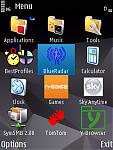
heres a pic of my menus etc .......

hari623 wrote:and howd u move the office folder and media folder to the menu folder??!?!
Before upgrading, if you like your menu structure as it is. Do a back up of your settings. Then reload them into the phone. I hated not being able to move the better looking folder icons so i reverted back to my original menu with the bland folders.
Here's mine:
Biggzy wrote:heres a pic of my menus etc .......
Ive just updated to V20.
How do I show the screen you have in the top right of the group of 6 pics?
yamnivek wrote:Ive just updated to V20.How do I show the screen you have in the top right of the group of 6 pics?
Its an app called handy taskman
An old thread, but thought i'd re-ignite it since i found it interesting first time around, but never got to upload my pics.
Anyways, here is my menu and home screen thingy:


Here are some I took earlier.
dope on a rope wrote:Here are some I took earlier.
Very blue-peter style quote there! 😃
Like the theme, where's that from??
Thats the NSeries 2 Theme but with a transparent PNG of some ropey football club :biggrin: as wallpaper
😃 😃 It isn't any of my standard Nokia themes, how wierd! I agree about the ropey football club...although i best keep quiet being a Leeds fan and all 😉
I'm actually quite anal about my menu structure.lol.It has to be even at all time.Even within sub folders.And I try to have them arranged in a way so I can just press up,down,left or right to go to my most used apps.Oh and this is the Nseries4 theme.For whoever asked ut666.It's the only theme that I like besides the Default Nokia theme which I lost in the update!But I like this one much better anyway.