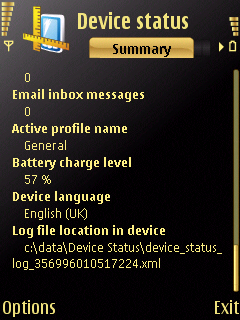
is this the best software to use to give you status of your phone?
I want to know about my memory and RAM etc. I note that this programm gives you readins in Bytes, isnt there on that does it in MB?
Anyway if this is the best programme whats the latest version and whee do i get it from?
thanks
Liam
😊
I quite like NSysInfo, because it's lightweight and free. There is another free option which shows graphs and uses megabytes, YTasks:
http://www.drjukka.com/YTasks.html
You need to install 'Y-Tasks version 050' and 'Y-Tasks plug-in: Memory status, version 050'; irritatingly it creates a new folder in the main menu of the phone, rather than an icon in Applications.
There are commercial programs which show your RAM and also do more task management tools, of which I believe the most popular is Handy Taskman:
http://www.penreader.com/s60-3rd-edition-software/Handy_Taskman.html
This is more professional and also lets you start and kill programs, but it's not free.
What about the free Nokia device status program? there is a version that just runs on your N95, tells you EVERYTHING!!!!!!
bradfordlad wrote:is this the best software to use to give you status of your phone?I want to know about my memory and RAM etc. I note that this programm gives you readins in Bytes, isnt there on that does it in MB?
Anyway if this is the best programme whats the latest version and whee do i get it from?
thanks
Liam
😊
I used to use Nsysinfo but disregarded it after Nokis launched Device Status on Beta Labs. It's far more comprehensive than Nsysinfo and gives readouts in kb and MB. There's also an optional computer programme that can scan your phone as well and generate a report.
Have a look at it, and download, here:-
http://www.nokia.com/betalabs/devicestatus
Hope this helps.
I'll try it when I get home but does it do battery charge (like percentage remaining?) Nsysinfo is supposed to but on mine it always said 100%
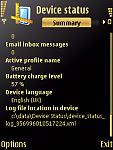
Device Status shows battery remaining ....
I'll try and upload a screenshot as work is now blocking uploads... 😡
EDIT - Cool, took a screenshot and then uploaded it from my phone..... gotta love the N95!
Attachments:
yeah nsysinfo always shows 100% on my battery 2... not much use! 😉
nokia device status is better!
showing 88MB ram free is this normal yeah?
N95 8GB.
Aha, I thought that Device Status was only used with the PC application, so I didn't bother installing it.
whats "D" drive? showing free 84mb total 84mb?
also because i have messages stored on the 8GB memory it doesnt show them on this nokia program. Anyway round this?
bradfordlad wrote:whats "D" drive? showing free 84mb total 84mb?also because i have messages stored on the 8GB memory it doesnt show them on this nokia program. Anyway round this?
A recap on the Symbian drives:
C:\. This drive is also called phone memory. Basically it is a flash memory where we can install applications and store our data. Unlike memory card, it is always inside our phone. So, even if we remove the memory card, our data are still there. However, note that the size of phone memory is limited.
D:\. It is the drive used to store temporary files. The contents will be deleted when the device reboots. In many cases, we don�t use this drive.
E:\. It is the drive of your memory card. Normally, this is the place where we install applications and install our data.
Z:\. This is where the ROM image is stored. It contains all the operating system�s applications and data files. Since it is read-only memory, you cannot write anything. The only way to modify the contents of Z:\ drive is by flashing the phone, for example via Nokia Software Updater.
re you not being able to see the messages stored on your E drive, strange, as I've just looked and mine are showing, all 10kb of them.
yeah im using device status and it doesnt show any messages in inbox, could this be because i have over 2500 messages in total in a message folder in my folders there?
although it did show messages when i first installed it as i only had 1 in my inbox but again this was my phone memory inbox not E drive. Does device status only show phone memory messages?
this is n95 8Gb by the way..