I've just received my iGo Slim Stowaway Keyboard today.
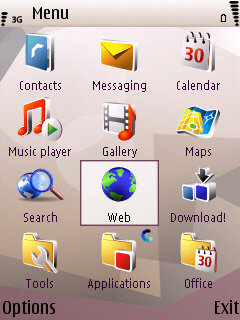
Installed the drivers on my N95-1, bluetooth paired with the phone and it seemed to be working. but i've found the menu key doesn't work properly. when i press Left Function and Windows key, the menu flashes up, but then disappears back to the previous screen.
Anybody know why it's doing this or how to make it work?
On mine left FN and the Z button takes me to the Menu screen.
I use left fn +x or z (can't remember which one)
ah, cheers sean/peter.
i dunno what the left fn + windows is for then, just same as alt + tab, that flashes the menu up then disappears aswel.
munkiii wrote:ah, cheers sean/peter.i dunno what the left fn + windows is for then, just same as alt + tab, that flashes the menu up then disappears aswel.
Just tried alt + tab, left fn + windows, left fn + Z, left fn + x and all bring up the menu which stays open, alas I dont know what is causing your menu to close
I always use Fn + z, just tried all the others mentioned and they all work, so seems odd that you got that problem.
I've read that installing the N73 drivers instead of the N95 ones makes it work as it should.... cant confirm though cos i aint tried it.....
Steve_R wrote:I've read that installing the N73 drivers instead of the N95 ones makes it work as it should.... cant confirm though cos i aint tried it.....
I am using the n73 drivers. Only left fn + x brings up the menu for me.
But strangely, i can only load the task manager when i hold left fn + z. And even then, it only loads the original nokia one, not my Handy Taskman.
munkiii wrote:I am using the n73 drivers. Only left fn + x brings up the menu for me.
But strangely, i can only load the task manager when i hold left fn + z. And even then, it only loads the original nokia one, not my Handy Taskman.
I have this exact same behaviour with mine. Has anyone had any more success with a different driver?
Which menu key are you after? fn-left_space brings up the left soft menu, fn-right_space brings up the right.
You can customise all the blue options in the driver, and mine appears that fn-x=close does the menu..... hmm, you can't customise the zxcv lower row! Ok, well fn-x does the trick anyway.
Cheers
I worked out what you wanted as I was typing, and told you the key that brings it up with my stowaway.
Regards
Does anyone know how to select text - i.e. use the pencil tool etc, and copy and paste. I'm getting frustrated here, and I keep pressing function and up and just getting question marks.
?????
radioahead wrote:Does anyone know how to select text - i.e. use the pencil tool etc, and copy and paste. I'm getting frustrated here, and I keep pressing function and up and just getting question marks.?????
Just do like on your PC - hold down shift then press the cursor keys to select the text you want.