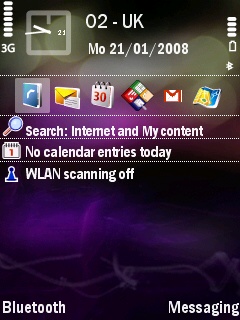
I was just watching the new video for FlipSilent and it features an N95-3 with an active standby screen. I noticed that the text used for upcoming calender entries and the search feature are considerably smaller than the text used for the same bits on my N95-1.
Is there any way I can get this text to appear smaller on the active standby screen on my N95-1? I've already got my font size set to it's smallest on the phone.
Thanks.
Actually, I'm now looking into changing the font on my phone altogether, which may solve this. I've managed to change my font 4 times already tonight, trying to find a good one.
I'm wondering... could someone make a copy of the .ttf files in z:\resource\fonts\ on a N95-8Gb and pop them on here so I can give it a go? If it's any help I'm on the EURO1 N95-1 so if someone could provide the fonts from an equivalent N95-8Gb that'd be great. Thanks.
[EDIT] For the record, "Franklin Gothic Medium Cond" is quite good on the N95 😊
yeah, was gonna say you'd have to change your font, but your already there! 😉
Aye LOL. Can anyone get hold of those fonts from the 8gb model for me though? I'd really appreciate it.
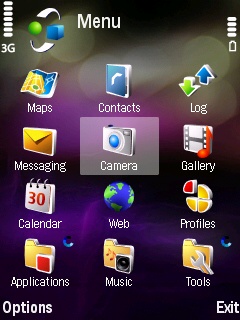
BTW here's a couple of screenshots of my phone atm using the font mentioned above. It's not too bad I think.
Attachments:
There are a few regular visitors that own the n95 8gb but it's a matter of them knowing how to upload the font files, which i'm sure isn't many of them, unfortunately.
I myself have the N95-1 so I can't help you, sorry.
zxon wrote:I'm wondering... could someone make a copy of the .ttf files in z:\resource\fonts\ on a N95-8Gb and pop them on here so I can give it a go?
Hi zxon, trying to attach the zipped ttf files for you, but the upload selector screen keeps timing out on me.
Any suggestions for uploading successfully, or a free hosting site?
765kb in total (4 files), or 3 x 250kb files plus 1 x 18kb file.
Fair point. I'll post some simple instructions here on how to do it so, if anyone wants to help, they know how to:
- Download Y-Browser and install it on your N95
- Open it and then open the Z: drive
- Select the folder "Resource" and open it. This will take a moment as there is <> 1643 items in this folder. Please be patient
- Scroll down until you see the "Fonts" folder. Open it, and you should then see four files, all with the extension "ttf".
- With any one of them highlighted, select Options -> Mark -> Mark all. This will select them all.
- Now goto Options -> Edit -> Copy. This will make a copy of the selected files.
- Go back to where you saw the four main drive letters C: D: E: and Z:, highlight E: and press it to open it (This is your 8Gb drive, I believe).
- Now goto Options -> Edit -> Paste, and the copied "ttf" files will be placed on your 8Gb drive.
- Exit Y-Browser and connect your phone to your PC.
- Using PC Suite, open the file manager and navigate to your 8Gb drive.
- Select the four "ttf" files in that drive and copy or move them to your computer.
You should now be able to post them on here using the "Manage Attachments" button when submitting a reply to this thread 😊
It looks like a lot of steps but really this shouldn't take any longer than 5-10 minutes max. Thank you everyone who is helping 😊
Ahh, thanks GordonShowers. I've sent you a PM 😊
OK I've tried the 8Gb fonts and I can officially reveal that....
*drum roll*
....it made no difference :frown: After all of that hassle 'n all! Sorry everyone and thanks for the help anyway. I'll have to keep searching for a good smaller font.
heh heh, ah well.... thanks for updating!
LOL never mind! Had to be tried......
Aye indeed. I have a feeling that either:
[LIST=1][*]The fonts are exactly the same between the N95-1 and N95-2 and there's a setting on the N95-2 which makes the font smaller on the standby screen, or
[*]The font from the N95-2 is somehow not compatible with the N95-1. This is a theory based on fonts I've tried to replace the original which didn't work, and the N95-1 would revert to it's default font.
[/LIST]