hi all
can anyone offer advice on what to do with this :icon2:
nss wont read the phone it keeps coming up error...
i have changed the product code before to a euro 1 and updated to v20.0.015 with no problems then changed it back to the o2 code now i want to change it back to the euro 1 for the forthcoming update but it wont let me
any ideas ?
I saw that 26 people read this thread but didn't reply so thought I might.
I know it sounds daft and you might've already tried... but have you reinstalled NSS to resolve the problem? Have you also tried a different phone (if possible)?
you need to be a little more expressive .. what sort of error? any text message??
report that information : then someone might have a clue 😊
first of all, do you choose Pc suite, and not data transfer.
that is the only reason why it wont find the phone.
what i would say.
Before you open NSS right click on PC Suite in the system tray and click close. Do the same for the N-Series one if you have that also and then try again. And as someone else has said the phone needs to be in PC Suite mode when connected.
Thanks for the replies 😛roud: so far ive tried them all and still the problem continues 😡
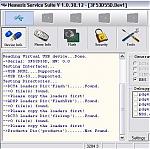
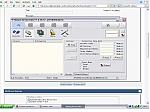
When i click on the search for phone icon I get pic1 screen is the bottom line a clue to my problem? Then when I click phone info then scan or read I get pic 2
And the NSU wont recognise my phone either 😡 😡 😡
Attachments: