Hi
I have recently been using symSMB 2.00 to connect via wifi.Since using and I can only assume I have accidentally created an additional drive by drive mapping on my phone.I think this is due to some interuption in drive mapping with symsmb.The developer disagrees and states that although program possible nokia does not allow such things.The upshot is that I now have an additional drive called Y😞the drive I select to map in symSMB) as a permeanant hidden drive on my phone(similar to c: or z😊The icon is just like other drives and is visible in both fexplorer and y explorer.In file manager properties are described as :
id 8c96d588
type:???
free 1.222mb
total 1.222mb
and that it is formattable
Does anyone know how I can delete drive ? any tips on reformatting both drives as a alternative would also be useful.
Actions already undertaken
1.removed all relevant apps
2.rebooted
3.rebooted without sim
4.extensive searches in both pc and device for relevant items
thanks in advance
Boothy
Attachments:
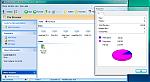
To remove the incorrectly labeled mapped drive, follow these steps:
1. Click Start, point to Run, type regedit, and then click OK.
2. In Registry Editor, locate the following registry subkey:
HKEY_CURRENT_USER\Software\Microsoft\Windows\CurrentVersion\Explorer\MountPoints2
3. Right-click the mapped drive that you want to remove. For example, right-click ##Server_Name#Share_Name, and then click Delete.
Note Replace the Server_Name placeholder with the name of the server that hosts the mapped network drive. Replace the Share_Name placeholder with the name of the mapped network drive.
Good Luck!😊
seki: I don't think changing the Windows registry is going to help... the extra drive he has is on the phone.
randomfan wrote:seki: I don't think changing the Windows registry is going to help... the extra drive he has is on the phone.
misread that .. hmm .. my Y-browser and Sexplorer show multiple drives too: C D Y Z (randomfan: can you independently confirm that?) .. are you sure its a problem. I haven't used SymSMB so I doubt its anything to do with that.
research continues .. 😊
seki wrote:misread that .. hmm .. my Y-browser and Sexplorer show multiple drives too: C D Y Z (randomfan: can you independently confirm that?) .. are you sure its a problem. I haven't used SymSMB so I doubt its anything to do with that.research continues .. 😊
Hmm... you really shouldn't be seeing a Y drive there. I've check in both F-explorer and Y browser, the standard list is C, D, E and Z.
Just intalled SymSMB to try to recreate the problem, without success... I managed to add a shared drive and called it Y to connect to a shared I created on my laptop, but the drive isn't showing up in the various file browsers regardless of whether SymSMB is open/connected/closed.
boothy: put SymSMB back on your phone and see if you can recreate a shared drive Y in there. Maybe doing that and then removing it properly in SymSMB will help?
I'd guess it's an obscure bug that you've managed to encounter. At least it shouldn't cause any problems, so I'd probably just ignore it until the next time you need/want to reformat/update firmware, which surely will make the problem go away.
Thanks guys
I have tried to re share y in symsmb but the `network section gives list of drives to map - y is now not present because it is already used.
I agree i think `a it isnt broke so do not fix it philosophy `probably applies
Thanks again
Boothy
Further to last post - I think i probably created by incorrectly inputing phone address or sub root in network drive mapping section of symsmb rather than shared folder section - but even so it should not be permenant or list as fixed drive \partition.
Boothy
