Hi guys,
I just bought my N97 online (ebay like a fool) but when it arrived it does not have the correct software on it. most likely it had been writen over to unlock it a assume.
Now when i try to connect it to my PC to update it to the correct software it wont recognise it as an N97 because of the software change and i cant update it.
If anyone knows how to fix this please help me out as I really want this phone to work like it should..
Thanks in advance
Thomas
Your best bet would be to use NSS and see what product code is on the phone. Can you do the *#0000# and give us what software version is currently on the phone?
I just ran NSS on it there now but it cant identify it as a phone..
its only recognising it as a device so cant check the product code on it..
This is the first time i have used NSS so i might not be using it correctly..
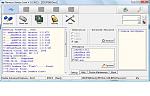
I attached the image of NSS screen i go when i ran it so plase have a look at it and if you can help it'd be much appreciated..
thanks...
Attachments:
I would suggest installing the fone software on another computer and trying it. Of the three operating systems Im running at the moment only winxp on my laptop will see my n97...At least as far as software updates go.
My suggestion is better you use the code to unlock your mobile
kearnst2 wrote:I just ran NSS on it there now but it cant identify it as a phone..
its only recognising it as a device so cant check the product code on it..
This is the first time i have used NSS so i might not be using it correctly..
I attached the image of NSS screen i go when i ran it so plase have a look at it and if you can help it'd be much appreciated..
thanks...
click on phone info not the usb info in the application
http://www.nokian97blog.com/2009/09/change-n97-product-code-to-get-the-latest-firmware-updates/
kearnst2 wrote:Hi guys,I just bought my N97 online (ebay like a fool) but when it arrived it does not have the correct software on it. most likely it had been writen over to unlock it a assume.
Now when i try to connect it to my PC to update it to the correct software it wont recognise it as an N97 because of the software change and i cant update it.
If anyone knows how to fix this please help me out as I really want this phone to work like it should..
Thanks in advance
Thomas
If you paid under about �250 you may have been scammed with a Chinese clone?
Does File Manager show the Mass Memory as having the full 32GB free or only 2 to 4GB free - clones usually have under 4GB memory included?
If a different Nokia model's firmware was loaded into an N97, it would probably not even power up.
If the handset powers up OK but PC Suite and NSU cannot detect it, it's probably not a genuine Nokia handset.
What firmware version does it report? (Type *#0000# to find out)
If the seller did not state it was a far-east clone, and you have paid via Paypal, I would raise a dispute with PP.
Do you need to have Nokia pc suite installed first, i can't remember.
But if so, see if you can connect to that using the usb lead that should of come with your phone.
ps �250 sounds far too cheap to me!
Whether or not you have Nokia PC Suite installed, it needs to be not running before you use NSS. So if it is running, exit pcsuite completely (use Exit from the Systray applet) and then wait for a few minutes as I discovered that it holds onto the USB port for a while.
When you think you've waited long enough, then fire up NSS, connect your phone in PC Suite mode and NSS should be able to scan the phone.
Regards
Neil
Look in Task Manager and look for something like Nokiaserver and end it. Nss should then run properly assuming there is nothing wrong with your phone.
dog-man
guide wrote:My suggestion is better you use the code to unlock your mobile
Ya you are correct...Code is the easy way of unlocking compare to others..I found the site http://www.theunlockspot.com/ .Here i found the unlocking service for all mobiles at cheap price..if any one guys need, get it from the above site..
