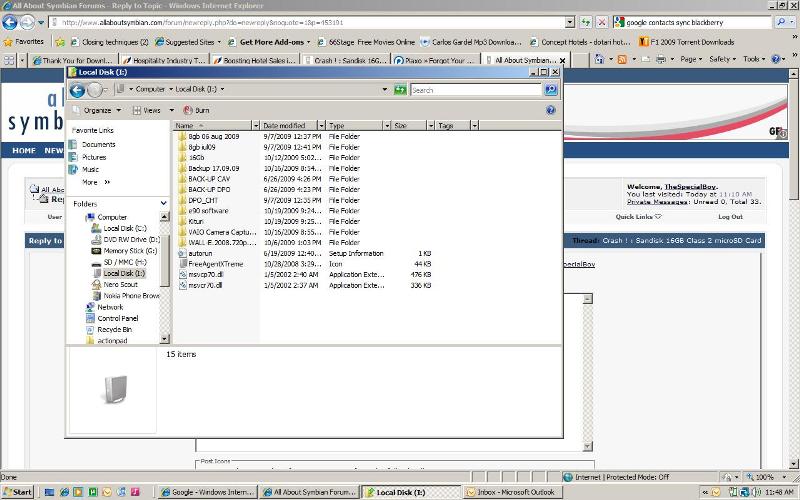
I bought Dec 16 a Sandisk 16GB class 2 microSD card . To replace a similar 8GB card , which had 400MB space left over .
I copied the old one , using the N900 , to the new card 1 : 1 . It worked perfect : the E90 accepted the new card like it was the old one (maybe worked even a litle faster)
Yesterday it crashed : during a walk I took 2 pictures ( Snow ! ) . When back home , I tried to view .... and couln't retrieve them , neither in Gallery nor Filemanager(s) . Two testpictures I shot after , were allright .
This morning after Boot-up , the Memorycard disappeared . The E90 didn't show it , despite fysical presence .
The N900 told me the card is damaged .
Did anybody have the same experience ?
Can files from the damaged card be retrieved somehow ?
😊 Regards jApi NL
try using a memory card reader.
It might work.
Also, clean the metallic contacts card
Special Boy , thank you . I forgot to mention : I did use a contactcleaner called Kontakt 60 . It helped me allready in many cases , but this time to no avail . The Card is brand new , 1 1/2 weeks old . Contact points look superclean and shiny .
The cardreader of the N900 detects the Card , but says : 1) "partition dividing unknown" (translated) in one setting , 2) "Card damaged" in the other setting . It was the N900 that copied the old card to this new one without any caveats .
I don't have a PC sadly , but I will try this option as soon as possible . But I think strongly the Card has a severe damage ?
😊 Regards jApi NL
i hope it may work with the pc.
anyhow Sandisk has 5 year warranty.
just remember always to backup.
i do it often...as you can see 😉
keep my finger crossed for you
Attachments:
Here is what I've done , after some time and exploring the web . Like stated on the Sandisk website , recovery of missing files could be done by yourself on a functioning MemoryCard . For a dead , not functional MC , there is a possibility to send it in to a specialized partnercompany . I concluded , with the costs in mind , just to let it replace under warranty :
-- Sandisk | Data recovery for memory cards and flash drives
http://kb.sandisk.com/app/answers/detail/a_id/4985/kw/Retrieve%20files%20from%20damaged%20card/r_id/101834
Other related websites :
-- http://panasonic.jp/support/global/cs/sd/download/sd_formatter.html
-- http://nl.softpicks.net/software/Utilities/Reserve_kopieen_Terugplaatsen/Micro-sD-Card-Data-Recovery_nl-92826.htm
-- http://www.cgsecurity.org/wiki/TestDisk
-- http://www.panterasoft.com/file-recovery/index.html
-- http://www.recovermyfiles.com/
The new MC works fine untill now . According to The Special Boy : fingers crossed ! Thanks a lot .
😊 Regards jApi NL
I had a similar problem with my new 8GB card. After copying all the data and files onto the new 8GB micro card, nothing was working anymore! Games did not open, and I couldn't install .jar files anymore either. I tried to reinstall an old backup but it stops always at 59%, and everything freezes. Something got lost when I copied the files. Anybody know what could have happened? Thanks in advance. :icon14:
What device you are referring to ? E90 ? According to Nokia specification E90 can operate 4GB cards . But .... it is also HC (high capacity ; SDhc ) compatible . This goes up to 32GB . My experience with a 16GB class 2 microSDhc is described above , and also here : http://my-symbian.com/forum_mobile/viewtopic.php?t=41078 .
Not HC compatible devices go up to 4GB max .
My , under warranty , replaced 16GB class 2 , was having caveats again after approx 1 week . I stepped back to my old 8GB class 2 card , still working flawless during 2 1/2 years . According to another user 16GB class 4 is fine as well . The class index is a speed qualification .
What device are you using ? What type of cards did you use ? And did you copy the cards 1 : 1 ? It also looks like you did a (hard) reset , as the phone is reinstalling the apps , when the new card was inserted ?
So some apps won't install because of certificate expiration (set clock back to an appropiate date ) , or if in Application Manager's settings , All and online check OFF , are not enabled .
Not installed apps can be reinstalled manually by using Application Manager .
JAVA apps can be retrieved by running Nokia MidletRestorer : http://europe.nokia.com/support/product-support/nokia-n95-8gb/software
😊 Regards jApi NL
Hello and thank you so much for your tips!! You know I downloaded the midlet restore file and installed it. I started running it but it won't stop anymore. Funny, I don't have that many java programs installed on my Nokia E90.
I guess something else happened when I copied the contents of the memory card over to the bigger one. After all that trouble, I used my original micro card again (523mb).
The funny thing is that certain programs won't stop anymore after I open them, I mean I can't shut them down. Even my F-Secure virus program won't update. And the weirdest thing is, I can not uninstall certain programs either.
Help! I don't know what to do. Shoot it? 😊
Don't shoot your E90 , because I wouldn't mind a spare one .....
Start with uninstalling F-Secure anti-virus . You don't need such a troublesome program : http://www.symbian-guru.com/welcome/2009/08/symbian-speaks-out-against-smobile-study.html
http://www.allaboutsymbian.com/forum//forum/thread/83920/
When this is no succes , I would start from scratch , because of all this unintentional running of applications . And just make it Shop Clean .
Hope you will have saved your personal data by backups : Calendar , Contacts , Favorites (bookmarks) , pictures etc . . Settings should not be recovered , because of probable corruption , but done anew manually .
1) Remove Memorycard and Format it in your computer : Fat 32
2) Do the Vulcan Death Grip , or the hard reset . See my post here :
http://www.allaboutsymbian.com/forum//forum/thread/81021/
3) Insert the Memorycard again , go to Menu > Tools > Memorycard and do a Format again . This time on the phone . This format installs the necessary system folders .
4) Reinstall everything you need , but forget about anti-virus : it is Symbian , not Windows ! Install Applications on Memorycard when possible , to save the system (Phone) memory .
http://www.allaboutsymbian.com/features/item/Keeping_It_Clean.php
http://www.allaboutsymbian.com/forum//forum/thread/84082/
😊 Regards jApi NL
SPOCK..THANK YOU!! The Vulcan Death Grip works excellent! My phone works just like before. Thank you so much!!! Luckily I had a back up done a week before so I just restored the data. Awesome.
How did you figure all that stuff out? You helped me out a lot with this. It was just a settings thing actually, something screwed something else up that's all.
Hahaha.. I'm still laughing about that Vulcan thing!! I will keep coming back here to see what's new. If there is anything I can do for you, please let me know!! I am in Irvine, California.
:icon14:
It is very simple , actually . VDG is a smart , but also radical instrument . Excellent when you are going to sell the phone second hand . It wipes all data , except the firmware . Also : except data on the the memorycard .
It helped many frustrated users with troublesome devices , to become happy user again .
VDG is also a terrible instrument , when you don't want to loose data : in which situation a backup comes in very handy .
I am happy to hear it worked for you !
😊 Regards jApi NL