I was reading in Smartphone Essentials great magazine about making more room on the "C" drive by removing some of the preinstalled programs. I did that except and would also like to get Quick Office off of there and purchase a new Quick Office and put it on my SD Card drive. I have a trial copy on there now and it works fine. Is there any reason I can't do that--will there be any other affect to my N97 with it gone off "C"?????
Also I have been trying to get rid of Boingo and Qik and I can't find how to delete them as I don't use them or need them????
Thanks,
Bobby
Sadly QuickOffice will only install on C: for some reason, and Boingo and Qik can't be uninstalled... or at least I don't know how to do it.
Hi , Rootytooty : I think you have to do some diving into the Firmware to remove Unwanted Applications .
When Quickoffice trial works on the MemoryCard , I don't see a reaoson why the full shouldn't work on massmemory or memorycard .
Anyway Quickoffice always uses some C: space when at labor . e.g. : C: -> System -> Temp . Send Quickoffice people an email , to question . I red some good references about their friendlyness .
Here is some more text about saving memory :
--Save Memory (N97) :
http://www.mobile-geeks.com/tips-to-recover-phone-memory-of-nokia-n97/1547/
http://www.allaboutsymbian.com/forum//forum/thread/87275/
-- Your Smartphone's Memory - Keeping It Clean, Keeping It Smooth -
http://www.allaboutsymbian.com/features/item/Keeping_It_Clean.php
--Save Memory (5800) :
http://www.allaboutsymbian.com/forum//forum/thread/84082/
😊 Regards jApi NL
Thanks guys,
I did install the trial on my SD card and it works just fine. If I can remove it from "C" and it still uses some of those resources it probably won't use the four mb that it does now????
Thanks,
Bob
jApi NL wrote:When Quickoffice trial works on the MemoryCard , I don't see a reaoson why the full shouldn't work on massmemory or memorycard .
I've purchased the full QuickOffice and it doesn't give me any options where to install it, so it just goes ahead and puts itself on C: :frown:
Mine asked me where I wanted to install it. I would probably unsinstall it and try to install it again. Or if that didn't work I would download another copy and try it all from the start again.
Did it ask you if you wanted to overwrite the already installed one?????
Thanks,
Bob
Nah, it just went ahead and overwrote the old one. There's not even an option in the installed apps list to remove it again.
Do you have X-plore that you can try to remove it that way if it shows up???
Thanks,
Bob
I don't have that installed but instead use Y-Browser. However I'm not going to go through the system files deleting stuff willy-nilly when I don't know what I'm doing 😊
I absolutely agree. I don't do that either. Unless someone who really knows what they are doing, don't do it.
Thanks,
Bob
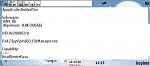
When you install JBakTaskman from our friend Juriy Bakunin , you can do some more file exploration . The screenshot is an example . I opened Quickoffice , highlighted it in JBT and selected : Menu > Task Information .
Bakunin also has an amazing tiny and fast Filemanager called Griffon2 . This can be downloaded on the Russian page .
http://jbak.ru/jbaktaskman_en.php
😊 Regards jApi NL
Attachments: