is now available in nokia beta labs:
http://betalabs.nokia.com/apps/ovi-maps-beta-for-mobile
grommes
mtanger
elismarBBB10
Show all
Ovi Maps Beta for mobile
Ovi MapsBeta for mobile (v3.04)
With the Ovi MapsBeta (v3.04) exploring new places and getting to your destination is easier and faster than ever. This new Beta release is all about performance improvement.
Get easily to destinations with Drive & Walk, FREE voice guided car and pedestrian navigation for over 70 countries. Preload maps for entire countries on your Nokia GPS phone with Map Loader and enjoy using all these features and services also offline.
Online you can check Weather forecasts & Events around your location or any other in the world. Find thousands of listings for sights, restaurants, hotels, shops, nightlife and more with free travel content by Lonely Planet and Michelin, available for over 1000 destinations. You can even book a hotel room via HRS Hotels, currently available in Germany and Finland, coming to more countries soon.
Share your location with friends on Facebook and let them know what you are up to, right from Ovi Maps. Your status update, photo and location appear on your Facebook page. Your location can be viewed on the map within the Ovi Maps Facebook Application.
Roadtrip? Roadtrip!
Watch the video from Jan 21st introducing FREE Drive & Walk navigation in over 70 countries, featuring our Product Managers, Richa and Justus
What's different from the previous release (v3.03)?
We have made a few tweaks to improve the performance of Ovi Maps:
* Improved positioning speed and accuracy
* Map zooming with faster speed
* Improved search for cities with zoom out to city level
Installed this yesterday and it "rocks"!
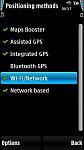
Faster, more accurate lock thanks to the added WiFi positioning, similar to the Maps Booster app that I have installed. Nokia have pulled all the stops out on this beta version. Pinpoints my position to within a few metres.
New Search feature.
Read more about it here in Steve Litchfield's news item:-
http://mobile.allaboutsymbian.com/news/item/11199_Ovi_Maps_hits_34-though_in_bet.php
A definite "must have" IMHO.
Attachments:

I see in the installed apps programme that both nokia maps (7mb) and ovi maps (9mb) are installed. This means that there is too little C memory left for doing a backup for example (I get the "not enough memory, close some programmes). I tried deleting both and then downloading the latest beta only but both are installed again........
Barrie
How do you get this onto your N97?
I can't do it from my N97 and if I try via my computer I get some sort of error.
dog-man
Have now managed to download it from the website.
Must have been a problem with the web site that has now been corrected.
Installing as I type. 😃
dog-man
bsimpson wrote:I see in the installed apps programme that both nokia maps (7mb) and ovi maps (9mb) are installed. This means that there is too little C memory left for doing a backup for example (I get the "not enough memory, close some programmes). I tried deleting both and then downloading the latest beta only but both are installed again........Barrie
Yes, I'm guessing the Nokia Maps item is the base stuff. After all, why would they completely write the base line from scratch? Then the Ovi Maps is all the additional good stuff layered on top.
As to why you can't perform a backup - after installing the new maps program - how much space do you have left in your C: drive? Have you done things like arrange that your SMS messages are stored on E: or F: drives? Have you deleted some of the standard programs and re-installed them from Ovi after arranging that Ovi installs them on the E: drive whenever possible? Have you cleared your browser's cache recently?
Regards
Neil
nbriscoeuk wrote:Yes, I'm guessing the Nokia Maps item is the base stuff. After all, why would they completely write the base line from scratch? Then the Ovi Maps is all the additional good stuff layered on top.As to why you can't perform a backup - after installing the new maps program - how much space do you have left in your C: drive? Have you done things like arrange that your SMS messages are stored on E: or F: drives? Have you deleted some of the standard programs and re-installed them from Ovi after arranging that Ovi installs them on the E: drive whenever possible? Have you cleared your browser's cache recently?
Regards
Neil
I have 22.52mb left on C. I do not save any messages (don't see the point). Any new programme I download always goes on E if possible. I have not cleared the browser cache, had forgotten that one, gonna do it now and see what happens. You mention standard programmes to delete and re install on E, which ones are you refering to?
Ok, cleared the cache, now got 24.96mb and it still tells me "not enough memory"
Barrie
bsimpson wrote:Ok, cleared the cache, now got 24.96mb and it still tells me "not enough memory"
That can't be right. I've managed to do a backup on my phone with a mere 2Mb left on C: once. I know this is a silly question, but have you tried restarting your phone? The "memory" it's referring to might be RAM.
zxon wrote:That can't be right. I've managed to do a backup on my phone with a mere 2Mb left on C: once. I know this is a silly question, but have you tried restarting your phone? The "memory" it's referring to might be RAM.
Yeah, tried that too. Still tells me not enough memory.....
bsimpson wrote:Yeah, tried that too. Still tells me not enough memory.....
What about your Memory Card? How much space have you got left on that? If it's very low, try moving some stuff off it onto your Mass Memory. One culprit could be the Download folder, where all your web and BBC iPlayer downloads go to.
You will need about 20MB of free space on C: for the install to take place and as much RAM as possible (close down all open applications).
[email protected] wrote:You will need about 20MB of free space on C: for the install to take place and as much RAM as possible (close down all open applications).
Yeah, I know. I've got 24,89 on C and 46,74 ram at the moment. Phone rebooted and all programmes closed. Still won't do it....
This map update seems to have taken another 5 mb in C Drive.
bsimpson wrote:Yeah, I know. I've got 24,89 on C and 46,74 ram at the moment. Phone rebooted and all programmes closed. Still won't do it....
Have you got Ovi Maps 3.03 already installed (downloaded via software updater)?
[email protected] wrote:Have you got Ovi Maps 3.03 already installed (downloaded via software updater)?
Well the first time round, yes. But I have since uninstalled both (Nokia maps and Ovi maps) then reinstalled version 3.4 but I see in installed apps that both are there again.
Barrie
[email protected] wrote:Ditto
Do you have problems doing a backup too?
Barrie
bsimpson wrote:I see in the installed apps programme that both nokia maps (7mb) and ovi maps (9mb) are installed. This means that there is too little C memory left for doing a backup for example (I get the "not enough memory, close some programmes). I tried deleting both and then downloading the latest beta only but both are installed again........Barrie
yes i have this same problem, and i do in fact think it is a problem. essentially we have the maps app isntalled twice. after all each ovi maps instance is usually around 7MB or so, so its quite obvious that nokia goofed up with this latest update. it asked me if i wanted to "replace old version" which i chose yes, but somehow it installed another instance of the maps app rather than overwriting the old one. anyone tried to remove the nokia maps 7MB version from app manager? what happens?
RogerPodacter wrote:anyone tried to remove the nokia maps 7MB version from app manager? what happens?
In a word... DON'T.
It would seem that if you remove Nokia Maps at 7MB you will revert to the built-in v3.01 Maps.
However, if you remove Ovi Maps at 9MB you still retain Maps v3.04 but... C: drive does not increase by any amount!!!
Please don't ask... I don't know why. :dontknow:
nbriscoeuk wrote:Yes, I'm guessing the Nokia Maps item is the base stuff. After all, why would they completely write the base line from scratch? Then the Ovi Maps is all the additional good stuff layered on top.Regards
Neil
Like Neil said, Nokia Maps has to be on C: for the Ovi Maps update to work, it is the same if you install version 3.03, I noticed that 3.04 takes another 5mb on top of the 3.03 version, remember that 3.04 is a BETA.
bsimpson wrote:Do you have problems doing a backup too?Barrie
If you mean Back up using File Manager... Yes!
When I go to back up to F: (memory card) it tells me "Memory full. Close some applications and try again" . Even though I have 6.5gb on memory card and 40MB of RAM.
Very strange! Only started since I installed Ovi Maps 3.04.
[email protected] wrote:If you mean Back up using File Manager... Yes!When I go to back up to F: (memory card) it tells me "Memory full. Close some applications and try again" . Even though I have 6.5gb on memory card and 40MB of RAM.
Very strange! Only started since I installed Ovi Maps 3.04.
Ok. That's exactly what I get. Must be a bug in there somewhere.
Barrie
I get a slightly different set of circumstances. I eventually get a Backup Complete message, but then when the screen would normally return to the display showing how much space is available in the C: E: and F; drives it displays "Opening..." with a moving progress bar which never seems to complete. I normally have to power cycle at this point.
Regards
Neil

