Not bad,
I think you should try not to stretch images too much.😊
Theme Editor's
Point taken,
Also 99% of these themes are designed for people with no custom operator logo's! There are three choices as far as I know. Do a full length picture theme, do one designed around an operator logo template, or leave the top section blank.
I wish they'd sort some software out that let you have transparent logos!! And before someone replies and goes on about 'blank logo's', look up 'transparent' in the dictionary!
Gary,
Cant be bothered looking in a dictionary but Transparent means "Clear/see thru ostimous maximus lol" doesnt it?
If you search the forum you will see i provided an answer to select "No VISUAL operator logo" i pressume this is what you mean?
Originally posted by elton
Not bad,
I think you should try not to stretch images too much.😊
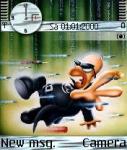
Hi mate, I've just noticed you've posted a monsters inc theme, where did you get the clock numbers from, is that a mask that overlays your picture?
No mate, the numbers are just drawn onto the image!
elton, I have a custom operator logo and if i use it with a theme that has the top part as a picture then the operator logo shows up big time with a big white square round it. I want a custom operator logo, not a 1 pixel white dot, if indeed that was the 'solution'. They can't be 'transparent' or if you like 'see through' as far as I'm aware.. If they can, feel free to share the info with me as to how I'd get my custom operator logo to be transparent and not just no operator logo at all.
If I wanted to keep the transparent word O2 UK i'd have left it alone, but I don't. I could do it on my older 6100 so there must be a way on the 6600. I've done plenty of search's on this subject.
Originally posted by garyparson
I'd say it was easier but there's no instructions and you have to figure where all the graphics go. On the whole that's not that bad. The only things i don't know how to do are..1. Change the colour of the date in the middle.
2. Change the bottom section when it's in menu view (which you can do with the nokia one)
hi guys and gals (if any). Im just new here...
microforum's editor is cool enough as mentioned above. Except for the two issues stated. Are there any updates on this. And one more thing... microforum can ONLY edit mbm files. not sis. i can't load sis file in the software. i have to download mbm and then edit them.
kindly advise. thanks a lot.
I guess that's where we are at the moment, waiting for software to be updated..
The Microforum one needs to alter those couple of issues.
The Nokia one want's to be a hell of a lot quicker!
Both need to sort issues with the icon saving with certain icons.
Someone needs to produce software to make custom operator logo's transparent.
Anyone feel free to throw any other suggestions in the thread..
I didint know you could even get operator logos for this phone, so I have no idea about the transparency issue. Where did you get the logos?
I made my own and used the software i got with my infared to upload it to the phone. I think there's a few programs that can do this now but not transparent (yet).
Could you tell me where to get this software from
I am not sure what you want gary,if you take a look at my screen shots you will see that (like homertrix) i have no op logo,yeah there is really a single pixel there but if you make a couple of different colour op logos like this and use Fexplorer to set it, you will not see the 1 pixel,
you only need the primary colours to blend in with the current theme you are using, and its not too much hassle to change it,i sometimes just leave it white, and yes you can see it (i have a dead pixel also) but its a damn site better than huge "vodaphone UK" plastered over 1/8 of my screen covering yet another area,
you can then personalize that area,its what themes are all about isnt it?
This is only my opinion and it suits me,hope this answers the questions?
😃
Attachments:

Ok, you don't get it, so i'll explain with pictures!!!!!!
Here's your new theme with a made up custom operator logo.
See the big fcuking white square round the logo.???? Hmm.. BIG PROBLEM!!!!
The same logo done on say a 6100 would have no white bits and you could see through the logo therefore making it 'transparent'.
You're 'fix' is good if you don't want a custom logo. I, and countless others I recall from other posts, want this also. So it's not just me.
This is what it would look like 'transparent'
If you still don't get it. I give up.
Originally posted by garyparson
Ok, you don't get it, so i'll explain with pictures!!!!!!Here's your new theme with a made up custom operator logo.
See the big fcuking white square round the logo.???? Hmm.. BIG PROBLEM!!!!
The same logo done on say a 6100 would have no white bits and you could see through the logo therefore making it 'transparent'.
You're 'fix' is good if you don't want a custom logo. I, and countless others I recall from other posts, want this also. So it's not just me.
This is what it would look like 'transparent'
If you still don't get it. I give up.
hey how did you able to change the color of the "new message" and "camera" text in the standby mode...
Originally posted by garyparson
Ok, you don't get it, so i'll explain with pictures!!!!!!Here's your new theme with a made up custom operator logo.
See the big fcuking white square round the logo.???? Hmm.. BIG PROBLEM!!!!
The same logo done on say a 6100 would have no white bits and you could see through the logo therefore making it 'transparent'.
You're 'fix' is good if you don't want a custom logo. I, and countless others I recall from other posts, want this also. So it's not just me.
This is what it would look like 'transparent'
If you still don't get it. I give up.
Hi,
Gary, Elton gets it ok mate as we've had a long chat about this problem and how to get over it.
As you know transparent logo's at the moment are beyond us, we just cannot do it...... yet.
The single pixel trick works well, but I prefer to make a whole new oplogo for each theme.
The way I do it is with a simple tool made by another friend called Wouwz.
Basically get a screenshot of your choosen theme and open it with your prefered painting program.
Now take the attached picture (you may need to make the white section white again) and paste as transparent over the screenshot.
Next, Invert selection which should select the oplogo area and cut & paste as new image.
Voila one new oplogo for that specific theme, alter at will adding your name etc.
It's not as good as having a transparent logo which can be used with any theme, but it's a start.
Ian
Attachments:


I've read all the old posts and already have your template. The reason I don't want to create themes with my logo embedded into it is cos when someone does come up with the solution to transparency (must be a mask thing), all my custom themes will be a waste of time. Plus i might share them sometime soon. I did create one theme based around your template but I'm not greatly keen even if i do know where the logo white square will be. I wrote to the writer of a program called 'opman' and here's the reply i got..
Unfortunately, due to poor response and rampant piracy of our software, we decided to stop all new developments of our current range of software. We will however continue to sell and support the current of range of software as long as there is a demand for them.
That's one down...
so for now i can't change the colors of the "new message" and "camera" text in the display using microforum's editor?
Thanks Ian,
Gary, i wasn't born yesterday you know and i hope your sh**ty language was done in jest.
As Ian explained,i know what you mean,but as he said there is no answer so far,so i was just suggesting an easy way of removing the text completely.
Also what i was saying was,If this method was used by everyone, then theme makers would have more of an area to work with when creating themes (you can get some sweet images or flashy text in that area) like the Monsters inc text in my theme,or the Zx10R in the Kawasaki theme!
I hope that explains it.
I was going to add a sarky comment as you did but i wont,or is this it lol.😊
SeleQ would be the best people to ask as i am sure they could easily make a tweak on the next version.
Mikeko,
I dont use microforum but i am sure i read that you cant change the colours in that area with micro.😊
elton, maybe you should have explained that you knew that there was no way of doing it instead of going on about a 'fix' that doesn't help in any way. Unless you don't want a logo that is, but then I DO.
I might write to the seleq people to see what they say..
Gary,
I didnt think i needed to explain it,all the info we have has already been covered!
Most people are happy to just remove the standard op logo for now so that was all i was suggesting! (and i never said anything more).
elton wrote:Gary,I didnt think i needed to explain it,all the info we have has already been covered!
Most people are happy to just remove the standard op logo for now so that was all i was suggesting! (and i never said anything more).
Hello mate, could you tell me where I can get hold of the program you are talking about to get rid of the op logo coz that would be really handy.
Terry,
Just use Fexplorer to set 1 pixel image as op logo,search the forum for more info on this.
the sooner that someone comes up with something to do this with then then better!! I'ts one of the very few things that's annoying bout the 6600 which is a fine phone otherwise.
elton wrote:Terry,
Just use Fexplorer to set 1 pixel image as op logo,search the forum for more info on this.
Hello, I downloaded Fexplorer, and set a 1 pixel image as the op logo, it works fine, cheers for that, Im working on a theme at the mo which should be an improvement over my last ones
Hi elton, just a quick question, I changed the colour of the analogue clock hands on my theme but when I sent it to my phone it was still black, why is this, is there no way to change the colour of the hands?
I agree about the logo Gary,seems a lot of people want this.
Look forward to seeing them Terry.
I dont think you can change the colour of the clock hands,but probally best leave them black for best visibility imo. 😎
elton wrote:I agree about the logo Gary,seems a lot of people want this.Look forward to seeing them Terry.
I dont think you can change the colour of the clock hands,but probally best leave them black for best visibility imo. 😎
I've uploaded a new theme in the cars section mate, have a look and see what you think
Not bad Tel,
Great choice of motor! :tongue: