I cannot believe a piece of synchronisation software can be so BAD BAD BAD at its 6.6 release. I am so disappointed I am really thinking of giving up with Symbian phones. Software designed by phone companies (Nokia in particular it seems) is plain awful. We always complain about Microsoft software being buggy but that is nothing compared to this crappy PC Suite.
I updated to 6.6 from 6.5 yesterday; I thought it would be quite a minor thing to do but nevertheless I followed all istructions, I synchronised my phone until there were no changes between phone and pc, then I went on with the installation of 6.6. I reconnected the phone and the nightmare began. All information in the phone was perceived as different from the one on the pc so I was presented with a choice of adding some 350 items to Outlook or delete them from the phone! At first I cancelled the operation and tried to connect again. Same story, same question: so I copied the information from the phone creating some 350 duplicate contacts appointments and whatnots.... Then I obviously had to carefully delete manually these 350 duplicates from Outlook. But that was not enough: being cancelled from Outlook now when I connected the phone I was asked again the same question: did I want 350 duplicates again? NOOOOO!!! So I decided to go the other way and deleted those items from my phone. Good!!! Now when I connect the phone I get nothing to synch! Only problem is that all my contacts notes appointments are in Outlook but the phone is empty and there is no way to put things back into the phone!
How do I force the software to forget about the past and just copy everything from Outlook to the phone? I tried and deleted the synch settings and created new ones to no avail. I tried to change the Bluetooth phone name to no avail.
THIS IS CRAZY!!! At least with Microsoft ActiveSync you can delete a partnership and create it again. I don't see how to do the same with this crappy software!!!
Please give suggestions (but not the obvious one to go out and buy another phone which would definitely be the best thing to do!)
UA
6.6 works fine for me with no duplicates on a 6680 (been using 6.5 before, which I uninstalled first & I also uninstalled the Nokia Connectivity Cable Driver from ControlPanel and its Add/Remove Programs).
The way to make PC Suite "forget about the past" is in the PC Sync app through selecting "Settings" and there "Create new settings".
My settings are to synch everything, all contact details, calendar from six months in the past to six months in the future, sync in both directions & with Outlook deciding in conflict situations.
Utenteanonimo64 wrote:I cannot believe a piece of synchronisation software can be so BAD BAD BAD at its 6.6 release. I am so disappointed I am really thinking of giving up with Symbian phones. Software designed by phone companies (Nokia in particular it seems) is plain awful. We always complain about Microsoft software being buggy but that is nothing compared to this crappy PC Suite.
I updated to 6.6 from 6.5 yesterday; I thought it would be quite a minor thing to do but nevertheless I followed all istructions, I synchronised my phone until there were no changes between phone and pc, then I went on with the installation of 6.6. I reconnected the phone and the nightmare began. All information in the phone was perceived as different from the one on the pc so I was presented with a choice of adding some 350 items to Outlook or delete them from the phone! At first I cancelled the operation and tried to connect again. Same story, same question: so I copied the information from the phone creating some 350 duplicate contacts appoinments and whatnots.... Then I obviously I had to carefully delete manually these 350 duplicates from Outlook. But that was not enough: being cancelled from Outlook now when I connected the phone I was asked again the same question: did I want 350 duplicates again? NOOOOO!!! So I decided to go the other way and deleted those items from my phone. Good!!! Now when I connect the phone I get nothing to synch! Only problem is that all my contacts notes appointments are in Outlook but the phone is empty and there is no way to put things back into the phone!How do I force the software to forget about the past and just copy everything from Outlook to the phone? I tried and deleted the synch settings and created new ones to no avail. I tried to change the Bluetooth phone name to no avail.
THIS IS CRAZY!!! At with Microsoft ActiveSync you can delete a partnership and create it again. I don't see how to do the same with this crappy software!!!
Please give suggestions (but not the obvious one to go out and buy another phone which would definitely be the best thing to do!)
UA
I had the same but just with calendar entries...how does one fix this???
N/A wrote:The way to make PC Suite "forget about the past" is in the PC Sync app through selecting "Settings" and there "Create new settings".
My settings are to synch everything, all contact details, calendar from six months in the past to six months in the future, sync in both directions & with Outlook deciding in conflict situations.
My settings are very similar.... but unfortunately "create new settings" will not "forget about the past" with the same phone!
UA
Just to keep you updated on my sync nightmare: I deinstalled PC Suite completely and reinstalled from scratch. Problem is still there. Either I get two copies on the pc or I must delete everything from the phone. Second option means that I have more than 300 contacts on the pc (Outlook) that are not present on the phone but there is no way to transfer!
This is absolutely pathetic.......
UA
Hi Utenteanonimo64,
The only problem I'm experiencing so far with PC Suite 6.6 is in trying to use the text message editor, When I click on the To button which then brings up the, choose recipients dialog box, under contacts it says no contacts found!
Mine sync's/back-up with my phone (6630) no problem
Andy
AndyMX9 wrote:Hi Utenteanonimo64,The only problem I'm experiencing so far with PC Suite 6.6 is in trying to use the text message editor, When I click on the To button which then brings up the, choose recipients dialog box, under contacts it says no contacts found!
Mine sync's/back-up with my phone (6630) no problem
Andy
My phone is a 6630 too. I wonder how it can be possible that Nokia didn't include a phone sync reset anywhere!!!
UA
The sync reset works for me as I described previously. I have no clue as to why it doesn't work for you.
Try this:
- Uninstall PC Suite
- Uninstall the Nokia Connectivity Cable drivers, too
- Reboot
- Use the register cleaner to clean up any "left-overs": http://nds2.nokia.com/files/support/global/phones/software/Nokia_Register_Clean_2_1.exe
- In "c:\Documents and Settings", under your profile directory and ".\Application Data" delete any "Nokia" or "PC Suite" directories, subdirectories & files (the sync status/data is there).
- Reinstall 6.6.
- If you use the USB cable, plug in the phone and wait until Plug & Pray detects the phone and installs the drivers (and notifies that "Your new hardware is ready for use"😉.
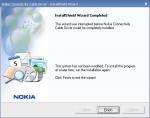
Help ... I have been trying to install my Nokia Connectivity Cable DKU-2 to connect my Nokia 6680 to my PC. But it seems giving me this error (screenshot) ... have uninstalled it and clean the registry but still that error prompt. Is there other way to go about this?
When I plug in my data cable to my phone, Windows XP shows "Nokia 6680 found" ... this means that my data cable is actually working. But I do not have a proper driver to install. And because what Nokia provides is a .EXE (Nokia_Conn_Cable_Driver_150_2_eng.exe) ... there isn't a way I can get pass the above error.
Is there just a driver alone that I can install?
Attachments:

N/A wrote:The sync reset works for me as I described previously. I have no clue as to why it doesn't work for you.Try this:
- Uninstall PC Suite
- Uninstall the Nokia Connectivity Cable drivers, too
- Reboot
- Use the register cleaner to clean up any "left-overs": http://nds2.nokia.com/files/support/global/phones/software/Nokia_Register_Clean_2_1.exe
- In "c:\Documents and Settings", under your profile directory and ".\Application Data" delete any "Nokia" or "PC Suite" directories, subdirectories & files (the sync status/data is there).
- Reinstall 6.6.
- If you use the USB cable, plug in the phone and wait until Plug & Pray detects the phone and installs the drivers (and notifies that "Your new hardware is ready for use"😉.
I did everything but the "registry cleaner" step (I wasn't aware of it). I also restored the original settings in the phone and that meant that the phone was empty and the phone log for sync showed no synchronisation history. Still no transfers when phone is connected....
Tonight I will try everything again including the registry cleaner step and will report...
UA
Utenteanonimo64 wrote:I did everything but the "registry cleaner" step (I wasn't aware of it). I also restored the original settings in the phone and that meant that the phone was empty and the phone log for sync showed no synchronisation history. Still no transfers when phone is connected....
Tonight I will try everything again including the registry cleaner step and will report...
Before reinstalling the new version, you could also search the registry (with regedit or regedt32) to see if there are keys that mention "Nokia", "PC Suite", "PCSuite" or "PCSync" and delete them (if you trust you know what you're doing; be careful not to delete anything you shouldn't, or you may have to reinstall Windows - or at least restore a backup).
N/A wrote:Before reinstalling the new version, you could also search the registry (with regedit or regedt32) to see if there are keys that mention "Nokia", "PC Suite", "PCSuite" or "PCSync" and delete them (if you trust you know what you're doing; be careful not to delete anything you shouldn't, or you may have to reinstall Windows - or at least restore a backup).
I did that and tonight I also used the Nokia Registry Cleaner (that came up with a message stating that there was nothing to delete).
No joy!!! Obviously now what is in the phone is considered something else from what is on my pc; even a contact with exactly the same details is another contact for the Nokia software.
I am using Windows2000 with all required service packs and I followed every step described on the Nokia website. I must also add that I had gone through other PC Suite updates in the past but they went ok. This update from 6.5 to 6.6 is probably my worst experience with my pc (and phone) in the last few years.
But I realised through this nightmare that if you use your phone for business the synchronisation of data is absolutely the most important feature of a smartphone, so in the future I will use this experience to choose my next phones.
UA
PS: Still I don't know how to reset everything between my 6630 and my pc and copy all contacts and appointments from outlook to phone (this should be feature 1 of every sync software)!
Just out of interest have you tried reinstalling 6.5, if that version worked fine for you why not try it again.
Just read this threat It happenned to me to, using XP, 6.6, Oultook 2002 and N6630. Not knowing this threat I already open another threat, sorry.
Regards,
Iwan
Ratkat wrote:Just out of interest have you tried reinstalling 6.5, if that version worked fine for you why not try it again.
Finally this morning I did that and I was able to sync again. The program recognised that there were a lot of matches between phone and outlook and didn't create duplicates. So they f***ed up with the update to 6.6..... I will stick to 6.5 for the moment!!!
UA
among the people who can use PC Suite 6.6 to sync their phone successfully, is there anyone who uses Outlook 2000? I believe my problems are related to the version of Outlook I am using.... I suppose most people are probably using a more recent version....
UA
I'm using Outlook 2003, but I do know people that use Outlook 2000 with PC Suite 6.6 OK.
I have the same issue. I was wondering if there was a file on the computer that controls the sync and does not work. Going to try the reg cleaner today tho.
Joel
This whole episode was a nightmare for me as well. Again I'm using a 9500 and Outlook 2000 on a Win2000 machine. Exact same problem.
I uninstalled, cleaned registry, removed all app data files and folders and reinstalled version 6.5. Now it works like is used to.
Nokia software is unrelaiable at best and downright inoperable at worst.
Joel
I know for sure that a guy working for the company that makes this software for Nokia is (was?) debugging the problem. He sent me a lot of special versions of the PCSync program and I took several logs and sent them to him. He has identified where the problem is but so far I don't think they have been able to fix it. Or at least I haven't received a working version yet. After several days of frequent mail exchange the guy has been quiet for a couple of days.... I hope they haven't given up on their attempts to fix the problem. Meanwhile I have gone back to 6.5 which is working fine.
UA
Hi Utenteanonimo64,
My version of Microsoft outlook is 2000 too, but my O.S. is XP home edition. My 6630 sync's fine, my problem is in text message editor and clicking on: choose receipient, it comes up no contacts found, yet with version 6.5 they are there but you can't use 6.5 to send text's with a symbian phone so I'm still no better off. I'm sure 6.6 is missing apart of it's software for it to run correctly as it comes up with unable to create contact finder, please reinstall 6.6. but on reinstalling it, it's still the same. Is it working ok on your PC?
Andy
I am not sure this is exactly the same problem.... unfortunately I can't test it right now as I switched back to 6.5.... as soon as I install 6.6 again I will run this test and report....
UA
I am having the same problem. In case it helps anyone find the answer, I'll note here what is happening to me.
I am using a laptop which I usually connect to a Network and use an Exchange Server for emails. When I close Outlook, my emails synchronise onto my laptop.
If I do not connect my LAN cable and boot the laptop standalone then I can use PC Suite to sync.
However, as soon as I connect to the LAN, I cannot sync and PC Suite just wants to either create duplicates on Outlook or delete everything off my communicator.
Something else I've noticed. When I have no LAN connection, if I go into PC Suite sync settings and go into Microsoft Outlook Folder Selection, I can see all of my folders. When I'm connected to the LAN though, the 'root' (Mailbox - Hairs, Dave) is shaded and I can't see any of my folders. I suspect this is connected.
I'd love to know the answer. I've only just bought the Communicator and don't have a copy of PC Suite 6.5. Can anyone suggest a source ?
Regards
Dave
I believe the problem is connected to reading data on an Exchange server. This could explain why it works when you are offline; when offiline data is saved in a local .ost file and everything works. When online the data is taken from the server and that's where the problem occurs.
Regarding version 6.5: if you send me your email address in a private message I will make it available for you. However the CD you got with the communicator should have PC Suite in it and probably a version earlier than 6.6.
UA
Hi Dave,
Google Nokia PC Suite 6.5, that is what I did and managed to download it, this is where I tried it, to prove that 6.6 was faulty.
Andy
Hi There,
I found this thread, and I was kinda glad that I was not the only one with the issue. I have to say it really sucks that Nokia could not find this very obvious bug before they shipped the software.
Here is how I fixed the issue:
Exported all my contacts to an Access Database file using the normal method in Outlook 2003. I used the default Map.
Deleted my contacts, then reimported, again with the default map.
Hey presto... it works..
Funny thing is that it does not work with a PST file.
What do you mean with "it works"? What happens next? When you add a contact to Outlook and synchronise, is the contact added to the phone?
UA
I mean... IT works 😊
Once reimported from the database that you exported to, then the contacts sync to the phone correctly.
Nick.
Ok I understand but what about new entries? If today you add a new contact in outlook is this contact synchronised or do you need to go through the same process? I think it's option 2 so it hard to think of this as a solution to the problem.
UA
Ah... sorry... Now I understand you.
Yes, any new contacts get added to the phone if you add them in outlook.

