rich1068 wrote:I debranded and updated to the latest firmware last week, a couple of days after receiving the phone from Vodafone. I updated to Nokia Maps 2.0, started the application, went to 'Options' and 'Licenses'. It updates and shows my free three months.
Thanks, but Nokia Maps is not a vodafone app, it's a Nokia app. Vodafone Satnav, however, needs a Vodafone certificate.
So returning to my original question, can the vodafone certs be saved and transferred back to a debranded phone (or will they just stay there if I debrand)?
Many thanks for any help 😊
TBH I'm a little hazy over the whole Vodafone SatNav/Nokia Maps/the line between the two thing. All I know is that I had free navigation before the debrand and firmware and I had free navigation after.
Hello the knowledgeable ppl
hope you are all doing fine and enjoyed the weekend..
i am in trouble and would like your help.. the story goes as below:
recently i decided to play a bit around with my firmware update and now i almost wish i shouldnt have.......... have a tmobile n95 since april 2007 and never done a firmware update b4.....,
as its a tmobile supplied set, so i changed the product code to Euro01 with nemesis .. and upgraded firmware from v12 to v21............. changed the product code back to what it was and resync with the back up data............. at that point i wasnt aware that i should really not use the back up data again and do everything manually.....
so it all ended up like a bit too big a jump for my mobile as it wont acknowledge presence of the bluetooth headset it was paired with (in the v12 firmware era)....... it'd still be happy to find other bluetooth sources around.......... i tried the *#7320# to restore the default factory settings... it restarted but have been a bit slower than it was before.......... the bigger problem now is that it wont find any other bluetooth source in the region... so its got worse basically..........
now i am gonna try to use the back up from pc suite and hope it reaches the state where it sees some bluetooth sources..... if that doesnt work then i think i'll change the product code to EURO01 and see if that makes any difference at all........
any help/tips/suggestions/advice would be really helpful
regards
urgurinder wrote:
i am in trouble and would like your help.. the story goes as below:as its a tmobile supplied set, so i changed the product code to Euro01 with nemesis .. and upgraded firmware from v12 to v21............. changed the product code back to what it was and resync with the back up data............. at that point i wasnt aware that i should really not use the back up data again and do everything manually.....
It's not clear if you only performed a PC Suite Synchronization or if you restored a Backup???
NEVER restore a Backup after a firmware change but it is OK to Synchronize.
I suggest you either format the internal memory (*#7370#) or perform a hard-reset (hold 3,* and GREEN buttons whilst powering on).
Hello
Thanks for the reply... was away for 3 days so couldnt reply.... unfortunately i backed up after firmware uodate and *#7370# has made matters worse.. so i'll try the other thing that u've mentioned.. will let you know about the results soon 😊
Thanks for the help
Tried the hard reset - didntwork....... reflashed the same firmware and bluetooth's fine... think i need to add nokia maps2, and synchronise phone with pc to add the contacts..
cheers for the help guys
testas wrote:OK, I have a N95 (RM-160), firmware version 10.2.006, changed the product code to EURO1, and still the NSU tells me no updates available for it... any ideas?
I also have a Telstra (AUS) Branded N95-3 (RM-160). Same firmware, I've changed the product code accordingly to EURO1 and many others aswell. The Software Updater just wont give any updates on it!
Is there anyone out there than can help me with this ever so annoying issue!? 😊
Cheers.
dylski wrote:Sounds like you've got the latest t-mobile firmware (v14) and now you've debranded in an attempt to get something better.
I was very reluctant to debrand my N95 since previously I still had a few months left on my contract, but since the contract is coming to a end and I wanted functionality not provided by V14, I tried it last night.
I've notice some of these points raised else where but since upgrading to V30 I've noticed the following:
The unable to debrand and upgrade from T-mobile V14 has nicely dissapeared with V30.
Bluetooth preformance has vastly improved, previously I was getting Bluetooth lockups on my car bluetooth kit which it now seems was down to V14.
Also previously I was suffering from the dreaded re-insert sim fault which was reported as a problem with certain sims and N95 phones. Well it seems that this was rubbish and this was actually a software bug in T-mobile software, since debanding and updating to V30 has cured the problem!
Isn't it about time that T-mobile and perhaps others networks (heard similar faults with O2 which I suspect is also due to their software) pull their finger out and release V30!
I have the N95 8GB-4 NAM that I bought unlocked from Best Buy. I updated the firmware right out of the box. Now I have 20.2.005 I tried to change to product code to the EURO! then I went to the software updater and it said no updates available. Any suggestions?
I recently (now nearly a month ago) attempted to upgrade the firmware using the nokia firmware updater software supplied with my Nokia 95 (original not 8 gig) and then the following - or extremely similar scenario happened (I found this on the website www.n95users.com/forum/its-broke/2124-i-killed-my-nokia-n95-t-mobile-firmware-upgrade.html)
I did the right thing and waited for the T Mobile firmware update to become available rather than risk nailing my 95 with an unbranded firmware and it's all gone wrong.Downloaded the Nokia Software Updater
Did my backup
Made sure battery was charged and plugged into a charger to be on the safe side anyway.
Software updater found phone OK
Told me I needed the update
Downloaded the update.
Started to apply it.
Part way through the phone screen changed to an unlit Nokia logo
Around 3/4 way through the phone seemed to switch off which I assumed was a reboot.
And then nothing....
Phone is lit up - screen is on but totally blank, black and backlit.
Updater says Connection to Phone is lost
Tells me to remove and reinstall battery and retry which I have done but this just waits a while before saying Connection to Phone is lost again.
Has this happened to many people before? Since I got my contract with T Mobile at Tesco's - I was told originally to take it to them for repair. I was told that they could not fix my phone as it was water damaged!???! And that I would have to find somewhere else to fix it when dead phone comes back at the end of the week. This is only about 4 months through an 18 month contract - so not very happy!
Needless to say, I have since sent a copy of the above to them to describe exactly what had happened - and told them that it was not dropped in a puddle / bucket etc.
If anyone can offer some advice I'll be very grateful.
I've had the guy at Tesco's email the head office on my behalf - and to date I've got no idea what is happening - or where my phone actually is! It appears that Tesco use a company called "Shebanguk" as the email is cc'd to them. I've had a look at their website and they only seem to provide spares?? I couldn't see any mention of repairs at all. :con?
Btw - the quoted area is from another site I found where someone had a similar experience.
Can I update US version N95-3 RM-160 to 30.0.015 firmware?
The phone is unlocked, new and I just updated it to firmware v20.2.0.011
Thank you!
Hello,
I have Nokia N95 with 12.0.013 (19-06-07 RM-159 A8.03) firmware by the Nokia code on the phone (T-Mobile Croatia phone). Does it possible and how can I update my phone on last date firmware like
Version 30.0.015
15-07-08
RM-159
Nokia N95 (01.01)
Thank you...😉
Andrewmw wrote:I recently (now nearly a month ago) attempted to upgrade the firmware using the nokia firmware updater software supplied with my Nokia 95 (original not 8 gig) and then the following - or extremely similar scenario happened (I found this on the website www.n95users.com/forum/its-broke/2124-i-killed-my-nokia-n95-t-mobile-firmware-upgrade.html)Has this happened to many people before? Since I got my contract with T Mobile at Tesco's - I was told originally to take it to them for repair. I was told that they could not fix my phone as it was water damaged!???! And that I would have to find somewhere else to fix it when dead phone comes back at the end of the week. This is only about 4 months through an 18 month contract - so not very happy!
Needless to say, I have since sent a copy of the above to them to describe exactly what had happened - and told them that it was not dropped in a puddle / bucket etc.
If anyone can offer some advice I'll be very grateful.
I've had the guy at Tesco's email the head office on my behalf - and to date I've got no idea what is happening - or where my phone actually is! It appears that Tesco use a company called "Shebanguk" as the email is cc'd to them. I've had a look at their website and they only seem to provide spares?? I couldn't see any mention of repairs at all. :con?
Btw - the quoted area is from another site I found where someone had a similar experience.
I had exactly the same situation but after doing a hard reset it worked. There are some problems with doing a hard reset. The main one for me was that I lost the 3 games I'd paid for. They are still listed in application manager as installed with a valid licence but I can't do anything to access them. I have not found any suggestions how to get round this.
Another problem is that some applications might need reinstalling from application manager once the phones date is changed to a time when the certificate is valid.
I also don't recomend restoring your settings from a backup after upgrading the firmware (you can just deselect your settings). If anyone has already done this I found doing either a soft or hard reset didn't help but reinstalling the firmware did.
dotrunghieu wrote:Please help me update.Thanks
Change the cable as it says! You did not mention how you are connected.
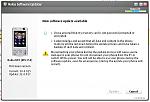
Guys, just tried to run Software Update and there is a new version available. Problem is that Nokia does not mention anything about it, it is not available on their website. Shall I continue with update?
Attachments:
New to here new to N95 8gb
Just de branded (Vodafone UK) and updated firmware to Version 30.0.018
Thanks for all the excellent information on the forum:icon14:
Hi, I just got my N95 8gb and I wanted to debrand it just like I've always done with my previous smartphones. I used Nss with the product code for Scandinavia as I got a British phone but I cannot update my firmware hence the debranding doesn't work either. I currently have V 20.0.016. First I tried updating the firmware while I had the latest version of PC Suite but I read somewhere that I shouldn't use the latest version and I reinstalled everything and tried an older versions of PC suite but I still cannot update it. Can someone please help me? Anyone got an idea what I'm doing wrong??
If you input the product code you used to debrand your phone here:-
http://europe.nokia.com/A4577224#
it will tell you the latest fimware version available for that code.
It then gives me this V31.0.015, which clearly means that there is a newer version available.
i have a problem, when connecting do i chose pc suite mode or data storage?? and its allways telling me that its not suported by some sh*t.... help would be appreciated!!
Im very interested in how to unlock a nokia 5230, v.20. The problem is that i tried all the possibilities and no results. Ive read a lot of threads....I wish that some one will have mercie with us and explain to us from top to end how to do this thing. To be more specific, exactly all the steps... changing product code for nokia 5230, flash it with the latest version of firmware and afterwords to see if it gets network unlocked
I really need some ideas, so i thank you all in advance for your help
Download Nokia software updater from www.nokia.com
Then connect phone with pc using usb cable
Press update buttun in Software updater application
Your phone would be restarted several time
Dont disconnect it
And need a good internet connection to do this,
other wise chance to damage phone

