Hi all,
This is now available on NUS but not for EMEA product codes as yet but is available for some APAC codes. The code i used was 0544485 and so far all seems fine if not slightly faster but that could just be the new Flash effect. It took me just under an hour to re install and set everything up. obviously once it is released for EMEA codes i will change my code back and re-flash but for those of you impatient like myself it is there now.
Marc
There is no problem in using another product code in NSU?
How do you start the download?
I have only made software update via NSU, wich detects automatically the product code of my device. How can I do it using another product code?
Hi Jimvdinis
There is a guide to use NSS to change the product code in the N95 -N85 8GB section of the forum and it is both quick and easy to do.
Although i have read something about needing to use older usb drivers i am not sure about this as i keep an old XP laptop that is used just for these type of things. If you decide to do it either the product code above works or i believe also the indian codes also work.
Marc
It seems this new firmware will be available for 0544485 product code only
:frown:
The latest NSU (which is required for you to update the Firmware) will disable NSS (Nemesis Software Suite). NSS is the application which will allow you to change the phone code.
If you need to upgrade the FW (if you have either the Singapore or the Indian product code), then you will need to change your E90 to this code using NSS
If you have already downloaded the latest version of NSU, you will need to restore your machine to it's previous state before the latest NSU was installed. If you saved the previous exe file of the NSU, then you can un-installed the latest one and re-install the old version.
For steps by steps method of using the NSS to change the codes, google or do a search on this forums.
Dogmann wrote:Hi all,This is now available on NUS but not for EMEA product codes as yet but is available for some APAC codes. The code i used was 0544485 and so far all seems fine if not slightly faster but that could just be the new Flash effect. It took me just under an hour to re install and set everything up. obviously once it is released for EMEA codes i will change my code back and re-flash but for those of you impatient like myself it is there now.
Marc
hi, dogman i have problems with my e90, i was updating my phone software and its taking me so long i think for almost an hour on the same state like the one i posted.. im afraid that this might crash my phone.. any suggestions? i need help................... help..................
Attachments:
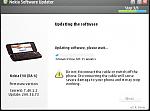
dogman, do you have IM? can you help me online here? please?
Hi princemon
Sorry I'm not online constantly but it looks like it had stopped downloading are you using a Broadband connection? as this is highly advisable. But it should be quite safe as it is only during the update process when it is actually writing to the device that it is a danger.
I assume by now you have resolved the issue?
Marc
Dogmann wrote:Hi princemonSorry I'm not online constantly but it looks like it had stopped downloading are you using a Broadband connection? as this is highly advisable. But it should be quite safe as it is only during the update process when it is actually writing to the device that it is a danger.
I assume by now you have resolved the issue?
Marc
hi Dogman, thanks so much for the reply. Yes i'm done with the issue, i updated the E90 successfully. By the way, can you help me with my E51 black. i bought it without chinese language and i want it to be done just like my e90 that i just changed the product code to apac/singapore then updated on nsu. i can't see forums discussing about doing it on e51.
princemon wrote:hi Dogman, thanks so much for the reply. Yes i'm done with the issue, i updated the E90 successfully. By the way, can you help me with my E51 black. i bought it without chinese language and i want it to be done just like my e90 that i just changed the product code to apac/singapore then updated on nsu. i can't see forums discussing about doing it on e51.
It should be the same process as the one you did with the E90. I assume you used NSS to change the product code for the E90? Since you have managed to upgrade the FW for the E90, this means you have the latest NSU which would have disabled NSS. You need to re-install the older version of NSU to allow NSS to work with the E51.
azraeil wrote:It should be the same process as the one you did with the E90. I assume you used NSS to change the product code for the E90? Since you have managed to upgrade the FW for the E90, this means you have the latest NSU which would have disabled NSS. You need to re-install the older version of NSU to allow NSS to work with the E51.
Yes, i did the same procedure with my E51 from the procedure i did with the E90, i was able to change the product code for my E51 i think but it doesn't upgrade the firmware when it connects with the NSU.
my first step with my e51 is to change the product code, so i changed the product code to:
0552352: RM-244 CTR APAC1 BLACK
since its a black E51 and i want it with the chinese language pack.
then i connect to the internet with NSU and it says no device not recognized, then i tried using another code then it says it doesn't detect any device so i just changed the product code again and again from a list like this:
PC: 0552352: RM-244 CTR APAC1 BLACK
PC: 0552353: RM-244 CTR APAC3 IND/VIET BLACK
PC: 0552354: RM-244 CTR APAC3 PHILIPPINES BLACK
PC: 0552355: RM-244 CTR APAC3 AUSTRALIA BLACK
PC: 0552356: RM-244 CTR APAC3 NZ BLACK-------------my original product code
PC: 0552357: RM-244 CTR THAILAND BLACK
PC: 0552358: RM-244 CTR INDONESIA BLACK
PC: 0552359: RM-244 CTR APAC1 ROSE
PC: 0552362: RM-244 CTR APAC3 AUSTRALIA ROSE
PC: 0552363: RM-244 CTR APAC3 NZ ROSE
PC: 0552364: RM-244 CTR APAC3 IND/VIET ROSE
PC: 0552365: RM-244 CTR APAC3 PHILIPPINES ROSE
PC: 0552366: RM-244 CTR THAILAND ROSE
PC: 0552367: RM-244 CTR INDONESIA ROSE
PC: 0552941: Light SWAP Apac General RM-244
PC: 0552942: Light SWAP Philippines RM-244
PC: 0554761: RM-244 CTR APAC1 SILVER
PC: 0554762: RM-244 CTR APAC3 IND/VIET SILVER
PC: 0554763: RM-244 CTR APAC3 PHILIPPINES SILVER
PC: 0554764: RM-244 CTR APAC3 AUSTRALIA SILVER
PC: 0554765: RM-244 CTR APAC3 NZ SILVER
PC: 0554766: RM-244 CTR THAILAND SILVER
PC: 0554768: RM-244 CTR INDONESIA SILVER
until i got the code which i think is the same with my original code that comes with my phone when i bought it and it says that my firmware is still updated so its my choice to reinstall the firmware or remain intact.
what my problem right now is i want it to have a chinese language pack so my phone will be able to read chinese languages.
Please help me.
Regards,
Princemon
Since the newest NSU disables NSS (that's my case)...
I have an old machine with an old NSU still installed. But AFAIK once I run the old NSU it will be upgraded automatically - so not a big deal. But on the old machine the NSS works perfectly. Can I use NSS to change my product code and to upgrade firmware using NSS as well? (I have got a new firmware for my device in a file that is recognised by NSS).
Is there any difference between re-flashing using NSS and NSU?
gregd72002 wrote:Since the newest NSU disables NSS (that's my case)...I have an old machine with an old NSU still installed. But AFAIK once I run the old NSU it will be upgraded automatically - so not a big deal. But on the old machine the NSS works perfectly. Can I use NSS to change my product code and to upgrade firmware using NSS as well? (I have got a new firmware for my device in a file that is recognised by NSS).
Is there any difference between re-flashing using NSS and NSU?
You cannot upgrade the FW via NSS. NSS (Nemesis Software Suite) is used to change your unit's product code only. The only way to upgrade your firmware is via NSU (Nokia Software Updater). Yeah, the acronyms can sometimes be confusing.
If you have an old machine where the NSS still works, then use that machine to change your unit's product code and then proceed to the new machine with the latest NSU to upgrade your firmware.
Hope that helps.
I have upgraded to 200.34.74 firmware with the Code 0544485 and it seems to not have Chinese encoding support as Singapore should...
Am I doing something wrong? I am only missing the ability to read and write Chinese characters.
Thank you in advanced for any assistance
Hi,
Does anyone know what the changes are in this latest firmware from 7.40.1.2?
Mike
still not avaliable for the UK E90's :frown:
