Originally posted by juzu
Goddamn. I tried with hex editor. Replaced every linux / linuxer word with xboxx or xboxxer, but no.. also folder path changed but still no. It just wont show up in theme list. What am i doing wrong? Could you give more accurate instructions, plz 😊
He...he...here is the skn and ini file for XBox. Open it up and you will see what went wrong. There are some bytes(near the beginning) in the .skn file you need to change to associate the skn file and the Folder Name.
Attachments:
101f862c.zip (3 KB)
And here are the rest of the files. CoolIce, Auto, Matrix, Machintosh, and WindowsXP. Enjoy while waiting for the theme editor.
Attachments:
the rest.zip (25 KB)
Maybe i check those bytes tomorrow.. but i dont see any reason because you just "released" all what we needed 😉
THX!
Hi there!
Watch out my latest themes. 😉
WindowsXp

Ferrari

Macintosh

Spikes

Modena

Bye,
Meilow
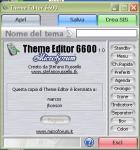
DOWNLOAD NOW THEME EDITOR!!!!
Go to www.stefanorussello.tk
😎 😎 😎 😎 😎
Yeah noticed..
bad: it cost money
really bad: Its not available in english!
no 60-day trial..............?????????????
lol lets see when nokia releases the oficial theme MAKER who is gonna pay for this "theme EDITOR"
Any news on when Nokia are going to release a theme editor then....I cant find any official statements on it.
wait this week for english version! 😉
Lets send all your Themes to the Themes Portal www.chaellers.ch !
I guess those who dont want to pay can just use the theme created by others and create their own .skn file. By the way only .mbm and .skn file needed in order to get the theme listed. The .ini file if missing will be created once you change the default setting.
But Really Euro 9.00 is not a lot. But if Nokia come out with their own theme maker and FREE then that is what I am looking for. The weakness of puffo version of Theme Editor is that you still have to prepare the image first with image editing software. Too combersome for me.
ive got the full ver. for free 😉 😉
Attachments:
Originally posted by puffo83
wait this week for english version! 😉
If you manage to get it in this week, i could pay that ~9e for it 😉
Originally posted by mdht
ive got the full ver. for free 😉 😉
Care to make a theme for us so we can see that it works?
Originally posted by smokinman
And here are the rest of the files. CoolIce, Auto, Matrix, Machintosh, and WindowsXP. Enjoy while waiting for the theme editor.
Wow! My skin has been made into a theme 😊
I have not managed to pick up how to make them yet so I'm waiting till I get the editor.
Gonna check it out on the phone now.
Ian
Doesn't work : "Error loading theme" ... and this is loading theme provided with prog!!! 😕 😡
tried to order, asks card number but theres no confirmation email. did it two times, still no.. godddamn, put that software to useful online shop!
Now it works, finally. lets see how many times they will take my money :P
What was the price for you?
I wan't to buy it, but the price must be 8,33 EUR + IVA (VAT) = 10 EUR.
In the next step where i must input my credit card number, there was the price:
microforum
Riferimento N.: 01
Data: 5/12/2003
Totale Spesa: 18,50 Euro
... 😞
There is also shipping and handling what is odd, but you get that software in cd with code also. I havent recieved my code yet so im still waiting..
Originally posted by juzu
There is also shipping and handling what is odd, but you get that software in cd with code also. I havent recieved my code yet so im still waiting..
But i don't need a CD... 😞 ... when i get the code via e-mail...
You will also get serial via email in next 24h ... im waiting my serial! 😊
I know... but i don't need it... The CD and shippment cost more than the license (without TAX)...
Software .............. 8,33 EUR
CD and delivery .... 8,50 EUR
😞
Although its nice that someone has made the effort to put together an editor for 6600 themes (wtf is nokia playing at?), it seems to me still a clunky way of doing it.
I would be interested if the author has created a template of some kind for the creation of the relevent bitmaps and what graphics packages he uses.
Because I find creating all the BMP's as separate entities hard work, I have started to put together somthing in Macromedia Fireworks that will slice up a larger image into the correct sized images. This (when done) should let me create and overview the whole new theme on one document in Fireworks, as it would look on the screen of the 6600 and export the slices (pre-named following my own conventions) automatically ready for loading into the Theme Editor.
This is about best way I can figure out of tackling this. Does anyone else use a similar method, or are you creating individual BMP's and never get to see the theme until its sent to the phone?
Originally posted by Jest
What was the price for you?I wan't to buy it, but the price must be 8,33 EUR + IVA (VAT) = 10 EUR.
In the next step where i must input my credit card number, there was the price:
microforum
Riferimento N.: 01
Data: 5/12/2003
Totale Spesa: 18,50 Euro
... 😞
Same to me, and I will NOT pay for sending, since I need only a unlock key. And THAT is what I will pay.
It means that there are still some major errors in the program
because I cannot pay with my Credit Card, even if it says so.
Pitty.
I hoop they will fix it in a vew day's because a Theme Editor
for 10 Euro is notting. Cheap. GiveAway. Nice.
For this I do NOT need a crack ! !
And after some time we can exchange Themes and MBM files
and even many more people will enjoy.
Greetings from Holland.
@Sicjoke: Nokia will release a FREE theme editor soon.
Does someone know if the theme`s made with that theme editor are in .sis format?
Originally posted by Eulogy
@Sicjoke: Nokia will release a FREE theme editor soon.
Yeah man i know that.....i suspect it will approach the skinning in the same way (by importing BMP's into the MBM file and packaging them up as a SIS). I was asking how people deal with the creation of the images before importing them into an editor.
HI!...
I am just too tired for create themes 😊 ...
So i discover i noce way to make that i want..
I kind a like the DEFAULTS Nokia 6600 Themes...
Theme 2 and 3 are good... and you can change
the palette color for the selected things..
But the most important thing... i don't like the DEFAULT
Nokia Icons... so i used the WindowsXP Theme Icons...
And BINGO!... Default Theme 2 ... Edit and use the ICONS from WinXP Theme ... i put my own Wallpaper.. and i think that i will stay with this nice look till Nokia or anyone Launch a real good Theme Editor... or.. i see it more good themes to combine 😊 ...
By Now.. this is my theme 😊
BTW! the Crystalized Theme Icons work well too with the DEFAULT THEME ... (white Backgrounf for icons)
cya!
😎


