I really hate to post new threads but I didn't find any solution to use the default email client with Yahoo mails. Yahoo go doesn't work either and would like to have the comfort to send/receive emails on my phone without having to login on the site. Is this possible? How do I do it?
Yahoo mails using inbuilt client
I use mine and it works perfectly. Have you enabled POP mail on your yahoo account?
Also worth noting that your username is just on it's own..... as with other emails your username is normally [email][email protected][/email] etc etc, whereas with yahoo its just 'username'... hope that makes sense.....:con?
Also, settings are: (assuming you are in the uk, but I'm sure it will just be .com etc instead for elsewhere)
Incoming Mail Server (POP3): pop.mail.yahoo.co.uk
Use SSL, port: 995
Outgoing Mail Server (SMTP): smtp.mail.yahoo.co.uk
Use SSL, port: 465, use authentication
I just use the built in settings wizard to create the email account. All I need to know are the username and password, all the other settings are dealt with by the wizard. Easy as.
totally agree with STEVE....i donot use yahoo, but i do use gmail.
Same case in gmail, inorder to get the access email on gmail, i had to activate the POP3 settings.it gives you options of downloading all mails or mails that you have received from today onwards...i dont use yahoo, so i am not sure if the same wrks with yahoo.....once that is activated you never need to log in....for eg in the E61i..it has an email key which take you straight to your inbox.....
cheers
Sorry guys, I forgot to mention my Yahoo is a regular one and as far as I know POP3 is only for paid accounts. The thing would be to have the possibility to add attachments, because in the new Yahoo 2.0 crap you don't have this option. I wonder why the hell they stopped YGo 1.x, that was really easy to work with and the traffic was quite low. Traffic is not a problem though, I'm using a hotspot, but I hate to login on the website.
I dont pay for my Yahoo.....
Log into your yahoo mail on a PC, go to Options -> Pop & Forwarding, then enable POP. Have you tried this?
I don't have this option on mail settings.
ratza wrote:I don't have this option on mail settings.I don't think all (free) accounts have this option. It depends on when you registered and how you registered. For a period (must've been a couple of years ago now) when you registered a new account you was given an option of whether to receive spam (adverts) in your mailbox, if you accepted you was allowed to use POP3. I tried registering a new account a couple of months ago and this option (to receive to spam) is no longer available and hence no POP3 either.
It must be different for UK Yahoo's or something then. I only signed up to yahoo for the first time about 2 months or so ago.
I havent had the option to get spam adverts etc, but my pop settings are there.....:con?
I am using the new yahoo mail beta though, not sure if this makes any difference?
desertrat wrote:I don't think all (free) accounts have this option. It depends on when you registered and how you registered. For a period (must've been a couple of years ago now) when you registered a new account you was given an option of whether to receive spam (adverts) in your mailbox, if you accepted you was allowed to use POP3. I tried registering a new account a couple of months ago and this option (to receive to spam) is no longer available and hence no POP3 either.
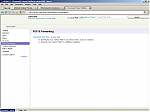
I have my email address from 2000, so there are 7 years since using it. You're right, in beta there is this option. I've switched it back to original because I wasn't able to check it from the phone anymore. It looks like is not free though, see the screenshot.
Attachments: