
Installing N-Gage The Easy Way
(Note: This tutorial first appeared on the N-Gage School website, which is in the process of merging with AAN)
In the future the N-Gage application will be built into all the phones that are compatible with N-Gage, but at the moment you have to install it yourself manually.
There are two methods for installing it: using a PC, or using the phone's web browser.
You can find out about the PC method on the official N-Gage website, but that's rather complicated and not everyone has access to a computer.
Instead, we're going to concentrate on the much easier browser method, which lets you download and install the app straight onto the phone.
How to install N-Gage directly onto your phone
1. Open the phone's web browser.
2. Go to the address http://n-gage.mobi/d (make sure you write it EXACTLY as seen here, with no "www").
3. Follow the instructions on the site.
4. When the app has finished installing, close the browser.
5. If you can't see the N-Gage icon on the main menu page, try looking for it in the Applications folder. You can click on it to launch the N-Gage app.
6. If you want to, you can move the N-Gage app's icon to any folder in the menu system. To move it to the main page, highlight the icon, then click "Options", then "Move To Folder", then "Root Folder".
...and that's it! You should now have N-Gage installed on your phone.
How much does this all cost?
The N-Gage app itself is totally free, but you do have to pay for the games (at the moment they're 7 or 10 euros each).
Downloading the app costs nothing if your phone's browser is connecting through Wi-Fi, but you may have to pay data charges if the browser is connecting through the phone network. Check with your phone network operator to find out how much your data charges are.
If you're interested in using the internet through the phone network (which can be very handy as it lets you use the internet anywhere), ask your network operator about any special deals they have on mobile internet access. Some network operators let you pay a flat fee every month for unlimited or very large amounts of data, which can make the cost of mobile access very cheap indeed.
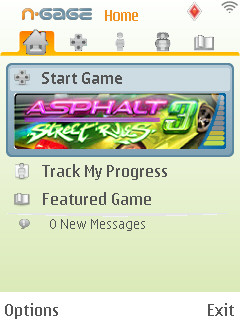
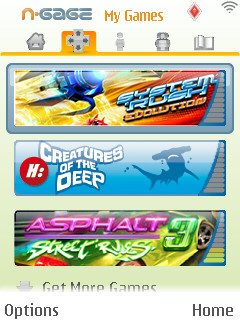
If you have a compatible phone, this is just a few clicks away...