Well, the inlaws lives across the country (110miles) and the fastest way is to take one ferry, then skip the next ferry, although it seems logical to take that one too, and then do some motoring on the autobahn. Garmin doesn't even know the first ferry exists, other GPS prgs I have tested (like Nokia Maps) wants to take both ferries. The only program that figures out the perfect route is McGuider.
I then tried another tricky route, which also includes ferries. It makes McGuider die 😞 With 1 mile left, approx the distance from the ferry to the target address, it relculates an extra 300.000 routes before crashing. Apparently it has trouble figuring out how to cross the water 😊
So, as of yet, still no perfect GPS program for our phones. But right now McGuider is my preferred option.
How do you find the voice instructions?
(probably moot since Ive ordered it, but Im impatient and like other peoples opinions also).
bartmanekul wrote:Well, just ordered it. Hopefully I'll have a review up in a week, maybe two. So if your patient, wait for it before buying.
Excellent news. Taking one for the team yet again 😉
Looking forward to another excellent and informative review 😊
This might just swing it for me.
Thankyou 😊
But it might be a couple of weeks, as the main journey I use I dont always do that often. But once done, it can compare to other satnavs routing exactly.
If you want to see what I mean, download google earth (if you havent already) and download the attached file (ZIP file containing 2 KML files).
Use google earth to open them, and its best to make one route another colour.
That way you see the different routes clearly. Bear in mind its exactly the same start and destination points.
Thats exactly what Im planning to do with sygic (and all other satnavs I review), so comparision will be nice.
Attachments:
Compare.zip (37 KB)
I have no issues with the voice instructions, except the 'turn SLIGHTLY blah-blah' thing... 😊
I have dl'ed your .kml files and will check then now...
With luck, and a little work, I hope to have that on the website displaying all the satnav programs routes. Im sure some will be exactly the same, but the difference between copilot and Garmin alone are very interesting.
I have taken the coords from your kml files and entered them into McGuider. The first route was completely different from yours, the second (recalculated) looks to be a 100% match to the Garmin.
Original route:

Recalculated:

The first one is actually correct, assuming your allowing tolls, its usually the quicker journey. The second one is avoiding tolls, which I always set it to.
It'll be interesting to see if it takes me down any smaller roads than usual 😃
I didnt think they would, but maybe they did fix the routing. If they did, and have sorted out the voice bugs, it might just end up being my satnav of choice.
Shame they never got back to any of my emails asking for information though.
Yes, the lack of replies are very, very bad PR. How can a serious internet company anno 2008 behave like that?
Still, they have a very good product, so even though it has been leaked on the net, I hope people will consider paying for it. Otherwise they may end up as TomTom did, giving up due to piracy. Personally I have no plans of selling my McGuider, it really is worth the money 😊
For �40 I've decided to go for a copy as well...
So any offers for an unwanted copy of Garmin XT ? 😊
matchstick wrote:For �40 I've decided to go for a copy as well...
And courtesy of Expansys's speedy delivery my copy has arrived.
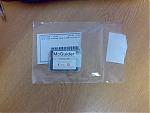
From the packaging (just a case containing a Sandisk Mini-SD card with microSd and SD adaptors and a product code on a label inside the case) it appears to be an OEM version which would explain the price but as long as it works OK I can live without a fancy box.
Attachments:
Mine should arrive soon then, I hope.
Interesting that its being sold OEM. As you say, explains the price, under �40 for Europe, never seen anything like that before.
Although Im getting a copy and doing a review, Id welcome any comments you have about it.
Bravo! Let's shower Sygic with licenses for giving us the 'TomTom' GPS, that TomTom never did 😊
Remains to be seen if I think its worth it 😉
I admit one thing Im worried about is the support structure behind it. What happens when you want map updates? Postcode updates? Program updates? That sort of thing.
Its all very well it being cheap, but thats expensive if you cant ever update it.
Mind you, having said that Navigon has not offered an update of any sort for a long time, and dont look likely to either.
We shall see, Im rather looking forward to trying this one out, Im really hoping my suspicions will be proved wrong and its better than the rest.
Just went to the shops and tried it.
Not sure about routing yet, as its far to short a journey to test, but I was heavily impressed with the voice instructions, something Im extremely picky about.
If they keep up to the same standard, and the routing is good, this could well be a Tomtom beater.
However, before anyone rushes out to buy it, it could well fall down on many other things.
Right I've had a quick play on my trusty E90 this lunchtime and my first impressions are positive, but...
Firstly the interface.
It's very clean, simple and is obviously inspired by TomTom.
Compared to the cluttered, confusing Garmin layout, it's a revalation.
The menu structure again is very straightforward and TomTomish.
It's also extremely responsive. Screen updates are quick and it all feels very snappy.
Unfortunately it's obvious that this is a port of a Windows Mobile program.
Firstly at the top of the screen in the left and right corners are "-" and "+" symbols which are obviously intended for zooming the display in an out but without a touch screen don't actually do anything.
Even worse they are actually confusing.
To zoom the main display in and out you use the left and right keys but while the "+" icon is in the top right of the screen you actually press left to zoom in...
You can also use the up and down keys to zoom in and out but again these are back to from to the way I was expect... pressing down to zoom in just seems odd to me.
There are other zooming problems.
When browsing the map the cursor keys move your cursor rather than zooming in and out (as you might expect) so you have to use the 0-9 keys to switch between pre-defined zoom levels. As a system it does work but it feels clunky.
Also there's no way to zoom in and out when viewing the junctions of a planner route. Rather than zooming in and out or switching between the junctions the left and right buttons do nothing at all and this is another place where the Windows Mobile origins are obvious. To move through the junctions you press the OK/Select button to go one junction forward and the left command button to go back.
Obviously on the Windows Mobile version there were hot spots at the left and middle of the bottom of the screen used for navigating through the junctions and for the Symbian version they've just used the keys closest to these screen positions rather than the most sensible key.
There's also an issue with the junctions display if you prefer 2D maps since the default scaling is such that you can't see the actual junction and there's no way to zoom out.
Next Route planning:
route calculation isn't very quick but it's not bad. I haven't had a chance to actually follow any routes yet but I havent spotted anything obviously wrong or strange.
One little quirk is that when entering a house number the keypad doesn't automatically switch to numerical mode so you have to press the # key twice before you can actually enter the number.
Extras
There's not traffic support in the software and no built-in speed camera support though you can seem to be able to load custom POI sets and you can set a warning sound at a specified distance from a POI (even if you have no route planned)
You can also get warning, both visible and audio, if you go over the speed logged on the map data for a road though obviously these speeds aren't 100% accurate.
There is a nice feature in the GPS setting page that allows you to sync your phones clock to the GPS time signal which is neat. An option to do that automatically whenever you get GPS lock would be a nice touch IMHO.
There's a couple of extra programs built in, a world clock, basic calculator, unit/currency converter and a programs that shows basic information for various countries. None of which are of any consequence really IMHO.
E90 quirks
Since I'm using an E90 I'm used to early versions of programs not running on it properly, but at least in this case the software seems to be able to handle switching between the internal and external screens reasonably well.
When switching from the external to the internal the display can end up squashed onto the left of the screen but just going into the menu and back out fixes this.
However the command button labels are in wrong place on the internal screen and the layout of the buttons makes the junction image system even less intelligible.
Also when using the external screen the labels for some items are obviously too big to fit and get truncated.
Now I've been extremely harsh on this software but IMO as it stands it's still very usable and is great value and I'd definitely take the software over Garmin XT (Whether it's better yet than the old copy of Navicore I normally use is another matter...).
And almost all of the problems I've encountered are minor and can be resolved with just a little work by Sygic and if they can fix them then this may well be the satnav software S60 owners have been waiting for...
(I might break out my old Axim X50 PDA and give the software a try on that as I'll be curious to see what the software's like on it's original platform)
Mirrors my own expirence. A few points I have to highlight again, as they really do need adressing.
The touch screen leftovers (namely the + and - you mentioned).
The 0-9 keys zoom is a bad way of doing it. Much better to have something like * and # keys, like nokia maps and a few others.
Need to be able to set zoom in driving mode, was a bit too far out for my liking.
However, the real test is in driving, which I will have it on at every oppertunity. This is where it fell down badly last time.
To save me hunting it down, can you tell me where you install POI to and what format?
bartmanekul wrote:
To save me hunting it down, can you tell me where you install POI to and what format?
I haven't managed to do anything with them yet but it looks like the POIs are in .upi format and live in the MAPS/GBR (or whatever) directory with the icons in the Res/ICONS directory
With regards to your point on not being able to set the zoom in driving mode: you can turn off Autozoom on the first screen of Setting/Advanced Settings which should mean you can manually set the zoom on the driving screen with left and right and it wont get ignored. (I've only tried this in demo mode though, but it did work there)
Thanks for that. I'll try and find some POI, though I should really sign up to pocketGPSworlds cameras subscription.
Just on the off-chance I've mailed Sygic support a cut-down version of my comments above, in case they weren't aware that people had encountered problems.
In an ideal world they'll reply that they were already aware of the problems and are about to release an updated version, but working in the software industry myself I can guess how likely that is to happen 😉
Appears POI are not meant to be added, or at least not easily:
1 Convert the OV2 file into UPI file individually rather then selecting them all in one go.
2 After converting, put only the UPI files into the root of the map folder.
3 Read the instructions with the attachment for changing icons and sound. Put the bmp files (speed camera image) into SNGIC/ICONS and any sound files into SNGIC/SOUNDS.
That from a dodgy forum.
EDIT: tried that, and it doesnt show up in the list. Anyone able to work it out?
You need convertor 2.3 for it to work on the latest builds of McGuider.
There's also a German proggice called TomTom Favorite Editor 5 or something like that. It can display the coordinates and addresses of the data stored in you TomTom MapSettings.cfg file.
Sorry, I would explain better but I am so stressed I can't think. Gotta take a break for an hour, a day or maybe a month... 😊
the routing on this is terrible! it sends me some very strange directions which dont match with the real world at all!
the layout and performance of the application is good enough, and it also runs at a decent speed unlike garmin but with routing like this tis no way going to be my gps app of choice.
Also another little gripe, not actually just with mcguider but with all recent gps programs. none of them have the correct roadplan of my city center even though the works have been finished for nearly a year 😞 they keep trying to send me down one way streets
welly_59 wrote:Also another little gripe, not actually just with mcguider but with all recent gps programs. none of them have the correct roadplan of my city center even though the works have been finished for nearly a year 😞 they keep trying to send me down one way streets
This will be common in most GPS Navigation devices as the delay in creating & updating the maps and routes to them being released can be anything up to 2 years.
The process is slow, unfortunately. Human beings drive round in cars, with the passenger marking routes and road patterns on a laptop in real time. This data is then collated, along with other data obtained regarding new roads and re-routed roads. Then it is applied to the maps and then it will be integrated to the devices or shipped out to 3rd party companies for inclusion in their systems. So as you can see, it's never going to be instantaneous. Well, not yet anyway. I'm sure as technology improves, collating and implementing map data will get more efficient, more accurate and delivered quicker.
Im extremely tempted but there's no way I want to keep swapping out memory cards whenever I want to use sat nav. Putting it on my 2GB card is an option but on the other hand its not as I will prob be forced to upgrade the memory card in a few months.
Also with failure rates im rather concerned over the "One memory card change" that's just likely to irritate me tbh and then look for some way to crack the application every time I want to change card ( 2GB is a LOT of data im surprises there's no UK only option )
Also im gathering there is a way of using POI even if its a bit hacky what about voices?
POI is a bit beyond hacky. As far as POI is concerned, Id say it doesnt support it. I'll try the 2.3 converter in a while, but even if it works its a very long winded process just to add POI.
As for voices, Im not sure what format they are in, and even then its unlikely to be compatible with other satnav's voices.
So from a normal perspective, you cannot get speed camera alerts on there, nor custom POI.
Which automatically puts it out of the decent satnav category. In fact, the only thing that really makes it stand above navigon is the fact its got tolls.
This morning on the way to work, I got some crazy, crazy instructions. Im hoping it was just getting the GPS signal wrong.
Well it says
POI management
Lets hope there's a way but no poi camera alerts is an instant no. I can live with bings and bells but if you cant hack the sound containers and add your own voices and alerts then thats an instant disadvantage.
Ita a shame because it looked quite promising.
'Managment' is a bit misleading. You can mess about with the preinstalled ones, but theres nothing for importing your own whatsoever.
I have installed some of my own POI (pubs, of course!), and they seem to work (selectable in the list) but I wont know unless I actually come across one while driving.
And in theory you can assign a sound to it, but like I say I cannot confirm this until it happens.
Voices seem to be a no. Im sure theres some way to hack about, but it depends to what degree you are prepared to go to.
For the purposes of the review, it will say custom POI are not supported (because, if you have to look on forums and find an obscure program, thats definatly NOT supported), and you cannot get speed camera warnings. Also no additional voices.
Hi All,
I use Sygic McGuider and I disagree with you. It definitely supports Custom POI. But You have to convert them with correct POIConvertor
You can also add your pois in application, thats the easiest way.
User voices are also supported for warnings. Just replace wav file in /Sounds folder with yours, Format is ogg file with .wav extension.
Any other questions? 😊
Yep, do you work for sygic/McGuider? Not that its a problem (indeed, it would be most welcome), theres just lots of things you could straighten out.
Other than that...
Do you know anything about the OEM versions? Currently theres no documentation with them apart from some brief installation guides on the card.
Hence not knowing about the POI application.
Im afraid my review will also state that sygic are not interested in providing any information about their product, as they still have not replied to 2 emails of mine.
I would like to know where you get updates from, both program and maps. Also, support if needed.
Is sygic dealing with that for McGuider buyers? Or is there a seperate website to go to?
Edit: It still does not support custom POI. It cannot convert the most widely used formats of POI files. All it can do is textfiles.
