Anyone in our tiny weeny family of N97 users using it ?
I've had it loaded on mine for a few days now, and it's really rather good .... 4 home screens !!!😮
It does use a lot of RAM but doesn't seem to be affected by that in any way, i haven't noticed a rapid battery loss either.
It takes a bit of getting used to because there's just so much to do and to be able to completely organise your own home screens (4 of them !!!! eeek!!) is just a joy.
See here if you missed it http://www.allaboutsymbian.com/news/item/11571_SPB_Mobile_Shell_launched.php
😃
I don't want to be sizest but.... I've got 10 home screens on mine!
(5 for Lifestyle and 5 for Professional)
Details see here:-
http://www.spbsoftwarehouse.com/symbian-software/mobileshell/
15 day trial download and $29.95 to purchase.
As angiepea mentions, it does use a fair bit of RAM (about 10MB), however, I took all my home screen widgets off of the built-in home screen and then loaded SPB Shell. This saved me about 10MB of RAM. Also it installs (7MB)on Phone (C: ) or Mass (E: ) memory.
I would guess that bit has a built-in graphics accelerator as it is so fast and slick.
Very slick interface and fully configurable as well as working with your own themes.
Am gradually getting used to it now and find that it works well with all my app's, particularly FreeiSMS and Nokia Email.
Well worth giving it a try.:icon14:
I want to try it but I'm afraid of the battery/ram drainage..
It's a free 15 day trial... so go ahead... suck it and see!
If you fancy giving SPB Shell a go on their 15 day FREE trial, and are looking for something to do at the weekend, then you could download it here:-
http://www.spbsoftwarehouse.com/symbian-software/mobileshell/
Not only is it fully configurable (icons can be added/deleted, moved all around the the screen in portrait/landscape, plus extra icons, up to 5 home screens, wallpaper, etc.) you could try "modding" it.
I must admit I've always been more than a little disappointed with the N97's built-in digital and analogue clocks which seemingly could not be changed. However, thanks to SPB Shell, not only can you change theme but you can "mod" them as well. See here:-
http://forum.dailymobile.se/index.php/topic,23448.30.html
I chose to give the HTC clock a try and quite like it when coupled with Shell's built-in "Simple" weather widget (7 weather widgets to choose from) or you can even "mod" the weather widget.
See attached screenshots which show what can be done. The underlying theme I've used here is Pizero's Black Pro theme with Zeta icons. See here:-
http://www.pizero.net/premium/?p=592
Also included is a screenie of Handy Taskman which shows running applications and RAM. I must congratulate SPB on this app's RAM usage which, although initially looks quite high, does make good use of the N97's shortcomings in that area.
The dreaded AAS spam/obscenity filter has modded me again on this post!
$%&*$%*!!! :reddy:
(promise to buy you a drink this Christmas, kontraband... honest)
Generaldread wrote:I want to try it but I'm afraid of the battery/ram drainage..
it doesn't affect battery life at all.
there's a newer version, ...316, which saves even more ram (8~10MB)
jerm wrote:there's a newer version, ...316, which saves even more ram (8~10MB)
Until I read your post I hadn't noticed that RAM has improved with v3.5.0 build 316.
I like some of the new widgets too, like the Media Player.
SPB Shell has completely changed the N97 and the way I use it... for the better. 😃
I trialed this when it was first launched but was disappointed by the lack of support for Nokia messaging, RSS Widgets and a media widget.
You mention that they have added a media widget. How about RSS or Nokia Messaging?
Thanks,
Ash
ashg77 wrote:I trialed this when it was first launched but was disappointed by the lack of support for Nokia messaging, RSS Widgets and a media widget.You mention that they have added a media widget. How about RSS or Nokia Messaging?
Thanks,
Ash
Nokia Messaging is still not supported as far as I can tell only the built-in email client which I have configured for hotmail.
I just placed the Nokia Mail icon on one of the home screens.
My work around for RSS feeds, in particular I wanted the AP news to run, is this.
1. On my, now empty, built-in home screen I placed the AP news widget to run.
2. I then added AP news as a shortcut icon to one of the home screens and "voila" I can access live AP news.
Hope that helps.
Long time no see everyone!
Just come across this thread and thought I'd give SPB Mobile Shell a go. It's fantastic, and I haven't even configured it yet lol 😃
Hi zxon!
Thought you might have crossed over to the dark side and got an iPhone.
If you've only just installed SPB Shell then you got hours, days, of setting up and frustration as you work your way through all the settings. That's before you get round to "modding" it with things like the HTC clock, menu bars, Analogue clocks, weather, icons, etc; etc;
If you can get hold of it, build 316 is even faster and uses less RAM than 295.
ironass wrote:Thought you might have crossed over to the dark side and got an iPhone.
What? Me? I'd never get an iPhoney :tongue:
ironass wrote:If you've only just installed SPB Shell then you got hours, days, of setting up and frustration as you work your way through all the settings. That's before you get round to "modding" it with things like the HTC clock, menu bars, Analogue clocks, weather, icons, etc; etc;
How would I go about modding it? What options are available?
ironass wrote:If you can get hold of it, build 316 is even faster and uses less RAM than 295.
I downloaded mine straight from SPB's website and it was build 295. Where would I get 316?
Hallelujah !!!!! I thought only Ian and myself were the only ones going nuts over this thing 😊
(actually Ian is slightly more nuts than i am, i'm so impressed with mine i haven't even got around to modding it yet :rolleyes😊
angiepea wrote:Hallelujah !!!!! I thought only Ian and myself were the only ones going nuts over this thing 😊(actually Ian is slightly more nuts than i am, i'm so impressed with mine i haven't even got around to modding it yet :rolleyes😊
I will have you know that I'm the sanest person here at the Home for the Terminally Befuddled! :stupid:
I'm impressed angiepea that you have a sombre black theme and not something in girlie pink.
By the way, any chance of getting an invite to the birthday party of the girl in your screenshot?
I've been quite reserved with my homescreens so far today. I've attached my latest screenshots. There's a clock and mini-calendar in the same place at the top of each screen so that, whichever screen I'm on, I can always tell the time and date.
I especially like the effect on the background when you switch between screens, where it moves across only slightly. With the background image I have, an Earth rise, it makes it almost look like the Earth is actually moving 😮
ironass wrote:I will have you know that I'm the sanest person here at the Home for the Terminally Befuddled! :stupid:I'm impressed angiepea that you have a sombre black theme and not something in girlie pink.
By the way, any chance of getting an invite to the birthday party of the girl in your screenshot?
😮 my niece !!! and i'm not entirely sure you'd enjoy a 16th birthday party ........ oh ....... maybe you would 🙄
Go on... admit zxon... you've been bitten by the bug of SPB Shell. ::laugh:
Like the Earth idea though... hmmm! :hmmmm:
zxon wrote:I've been quite reserved with my homescreens so far today. I've attached my latest screenshots. There's a click and mini-calendar in the same place at the top of each screen so that, whichever screen I'm on, I can always tell the time and date.I especially like the effect on the background when you switch between screens, where it moves across only slightly. With the background image I have, an Earth rise, it makes it almost look like the Earth is actually moving 😮
oh Baby ......... you're hooked ...... nice screenies 😃
When i want a splash of pink (note Ian) i use this flower, and i know what you mean, when i move from screen to screen the background moves slightly 😊
Attachments:
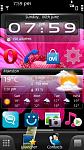
angiepea wrote:😮 my niece !!! and i'm not entirely sure you'd enjoy a 16th birthday party ........ oh ....... maybe you would 🙄
I would!... I would! :birthday:
ironass wrote:Go on... admit zxon... you've been bitten by the bug of SPB Shell. ::laugh:
angiepea wrote:oh Baby ......... you're hooked ...... nice screenies 😃
Yup, I admit, I'm hooked! :redface: There're so many possibilities with this! It's kinda a mix between the HTC Desire homescreen, and the custom one that Samsung put on their phones, I think. I've not liked the Samsung one though because you have too much freedom, whereas with this one; yes, you have so much freedom, but everything snaps to a very fine grid so you can either have everything placed higglety-pigglety, or lined up all professional-like.
I'm surprised ironass hasn't mentioned the girl on my screenshots :frown:
Has anyone tried repositioning their icons for when their phone's rotated? I found that you can independantly position the icons for both orientations without effecting the other (if that made sense).
angiepea
I should have guessed that there'd be a girlie pink theme lurking somewhere. :laugh:
zxon
Please fill in the blanks about the girl in your screenshot...
Name__________________
Tel.no.__________________
Addresss_____________________________________
:wink:
ironass wrote:Er... yes! 😃
Ok 😃
I was surprised though. I would've expected the icons to only work for one orientation. Very impressive!
Name Anna__________________
Tel.no. 078*******1__________________
Addresss Near zxon_____________________________________
😉
zxon wrote:Name Anna__________________Tel.no. 078*******1__________________
Addresss Near zxon_____________________________________
😉
:rofl::rofl::rofl::rofl::rofl:


