Doubtful.
Changing Skins, Side Schemes & Color
I've made some minor changes/improvements to my PS80 skin. I'm quite happy with it now. It is much 'lighter' than most of my other skins which makes it feel a bit faster navigate around the UI. I also think it is a somewhat 'cleaner' and goes very well with the rest of the UI.
Why don't you give it a shot and let me know what you think. 😊

(I just added the Simpsons pic because I thought it was cute, but you can of course use whatever background you'd like)

It crossed in my mind to make a multiwallpaper skin like you just did... very nice skin...
Raven, if we download nokia9500 sdk and install it, can we test the skin in it's emulator?
it drives me crazy, I cant test my skin that I made before I upload it here...
it's so quit in this forum, where's everybody ?
hai stefanas,
since you're mac user, I need your opinion about my new aqua skin...
Attachments:


Talk to me man, I'm all ears.
Love it.
Hi Raven,
i really like your PS80 skin!!! but i was wondering if you can change the fonts and the highlight in the menus its too dark blue... :frown: can u just make use of the defaul blue.skn... i don't really know how to manipulate it so im asking you nicely... 😊
Thanks in Advance!
Pls edit this skin for me I really like it and i hope you share a little bit of your time to edit it for me... here is what needs to be done...
1.Change the files orange.skn to the default blue.skn w/o changing other colors, highlights or text etc.(default blue.skn)
2.Change the orange color behing the clock to blue so it could perfectly match the background in the lower left(above signal & battery Bars)
3.When the colors match perfectly, remove the box covering the clocks orange color...
Note:if #1 is needed to be edited for #2 pls do so but only the clock background color...
Thanks in advance!!! Especially to the one who edits it first...
You can post the edited version here or send to [email][email protected][/email]
Thank You and God Bless!!! 😊 😊 😊
Here is whats supposed to happen... hope this helps...
Attachments:


I finally finished this love skin...
I'm not satisfied with this skin, I dont why......
note: I've not tested it yet, so feel free to edit the *.skn file to change the text color into text color you like or anything else
Stefanas : I hope you like it...
Attachments:
love.zip (156 KB)


Raynold can you pls help me edit the silverside skin... I really need your help...
bassist_x wrote:Raynold can you pls help me edit the silverside skin... I really need your help...
you've been wondering around in all s80 forums, aren't you? I see you in other s80 forum hehehe...
I dont know why you want to swap default orange.skn into defaul.skn..but I try to edit your skin.
I've removed the clock box and syncronized clock bacground just like you discribed... hope it helpfull
note: I dont change orenge.skn into blue.skn... if you just want default blue.skn text color just dont put color code in blue.skn (as far I know...)
what is the meanning of MABUHAY? (did I write it correctly?)
Mabuhay's literal meaning would be "to live"
But they use it as something similar to Aloha!
BTW about the skin... i dont want orange highlights that is why i want the blue default skn... can you pls edit it one more time for me... Tee Hee...
Thanks A Lot!!!
Tried the skin... the colors match perfectly but... you forgot to remove the box... and change to blue.skn...
bassist_x wrote:Tried the skin... the colors match perfectly but... you forgot to remove the box... and change to blue.skn...
1. this time, I extracted all the image in skinapptittle, skinappview and skincommandbar and converted it into blue skin....
2. I cleared all color code (except for clock color background) to get default color of blue skin. and give you backup blue.skn just in case something goes wrong..
3. I cant test it cos I dont have N9500...
4. please send my best kiss to DIANA ZUBIRI (she's hot man...... 😃 )
5. MABUHAY
YESSSS!!!! Thats it! You got it my friend! except for one tiny detail...Why is the highlight of my file manager orange and some of my applications that highlight a specific title? Can u chang the orange into the original blue shading? Thanks!
I Atttached a picture.. hope it helps...
Attachments:


bassist_x wrote:YESSSS!!!! Thats it! You got it my friend! except for one tiny detail...Why is the highlight of my file manager orange and some of my applications that highlight a specific title? Can u chang the orange into the original blue shading? Thanks!
oh, that image.. I dont have original blue skin...
for result, I just change the gradient color into gradient gray. I hope it match now..
and for the return, send my best kiss to DIANA ZUBIRI (Hot philipines Actress)... hahaha 😃
Nice Work!!! but how didyou change the orange to blue? can you teach me?
BTW i have photos and videos of Diana Zubiri would you like me to send it to you thru email?
bassist_x wrote:Nice Work!!! but how didyou change the orange to blue? can you teach me?
after extracted all images in skinapptitle,skinappview and skincommandbar and I did the magic command which is "Copy & Paste" into blue based skin that I have.... hehehe.. that's all I did.
BTW i have photos and videos of Diana Zubiri would you like me to send it to you thru email?
do you have her photos and videos? please....please... please would you send them to me? I would be greatfull... THANK YOU VERY MUCH 😃
MABUHAY MAN....
how did you extract and placed back the file? can you send it to me?
My email is [email][email protected][/email]
BTW what is your email add? so i can send you the files...
1. I extracted *.mbm files with mbmwizard
2. copy&paste into already extracted blue skin (I keep this files as based to make skins)
3. Convert all files into *.mbm with mbmwizard
I think you already have mbmwizard (or you should have it if you want to make nokia skin/themes )
here's my email : [email][email protected][/email]
thank you...
Did you get the files i sent you?
Can you pls send me the mbmwizzard application and an instruction how to use it thanks!
My email add is [email][email protected][/email]
SwitchBlade wrote:Latest attempt at a skin, Imperial in Red.EDIT: Added the matching Oggplay skin


Did this skin ever get finished?
If so, can you supply a download link, cause i really like it 😊
thx in advance
grtz
TS
bassist_x wrote:Did you get the files i sent you?Can you pls send me the mbmwizzard application and an instruction how to use it thanks!
My email add is [email][email protected][/email]
yes, I got the files.. thank you very much
and I send you mbmwizard and my original beachlady skin... enjoy 😃
weird, almost all skin based on orange skin have no black line on desk screen...
do you notice that Raven ?
what black line are you reffering to raynold? can you post a pic? Thanks
bassist_x wrote:what black line are you reffering to raynold? can you post a pic? Thanks
a black line like a box that surrounding top edge of desk screen... I dont know how to make it disappear... please see and compare these two screenshot. :frown:
if someone out there know how to make this black line disappear please tell me..
Attachments:
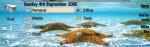
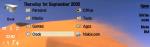


Hi Brother Raynold, its me Vicky...I had been out on business for a few days...just came back yesterday and saw all ur new skins...and tried them too...i must say all of them r excellent, especially BEACH TWINS and LOVE skin....keep up the good work brother...I JUST LOVE YOUR SKINS....also Raynold, could u please post the DESERT skin of whose thumbnail u have posted above...it looks beautiful...please post it for me soon brother!
hi vicky..
here's the Dune skin made by Kunobert (as I read in orange.skn)
I just add wallpapers for powerdesk (as requested by my friend)... 😉
Can Any One Help Me How Can I Change Icon
I Have Icon Editor I Have Icon Pack
But I Could Not Able To Apply Icon
Can You Tell Me Where Should I Save The Icon??????????????
Or I Have To Change Any System File?????????????
Please Help Me Sir
Please Help Me Sir