Raynold brother thanks a lot for the DUNE skin...i just tried it and i must say it is excellent...Raynold i must say that u r improving with every new skin u make...and to top it all, the greatest surprise for me is that u dont even have a communicator to try it...even then u r so perfect...THREE CHEERS TO U BROTHER!!!
Changing Skins, Side Schemes & Color
Hi Friends, where is everyone...no new skins from so long...where r u Raynold and Raven????
pranav5050 wrote:Can Any One Help Me How Can I Change Icon
I Have Icon Editor I Have Icon Pack
But I Could Not Able To Apply Icon
Can You Tell Me Where Should I Save The Icon??????????????
Or I Have To Change Any System File?????????????
Please Help Me SirPlease Help Me Sir
NO BODY WANTS TO HELP ME ????????????
PLEASE SIR HELP HELP ME
@pranav5050 :
I cant help you, coz I dont have N9500... sorry mate.. maybe you can directly replace icons in *.mbms..
@vickyshahri :
I have 4 contruction projects to run right now... I have to deal with Autocad everyday, it makes me sick...
Raynold wrote:@pranav5050 :
I cant help you, coz I dont have N9500... sorry mate.. maybe you can directly replace icons in *.mbms..@vickyshahri :
I have 4 contruction projects to run right now... I have to deal with Autocad everyday, it makes me sick...
Its ok brother....carry on with ur work...
there's no new posting here....
are you all waiting new skin?
its such a difficult task to do... only the masters like you can give us some good skins.
We appreciate your efforts...Thanks.
& yes i think we all are waiting for some new skins...
I will post a new skin if I can solve "the black line" problem...
or if there's anyone who can remove the black line on desk screen please teach me..
can u email it to me.. i'll have a look at it..
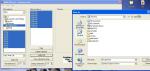
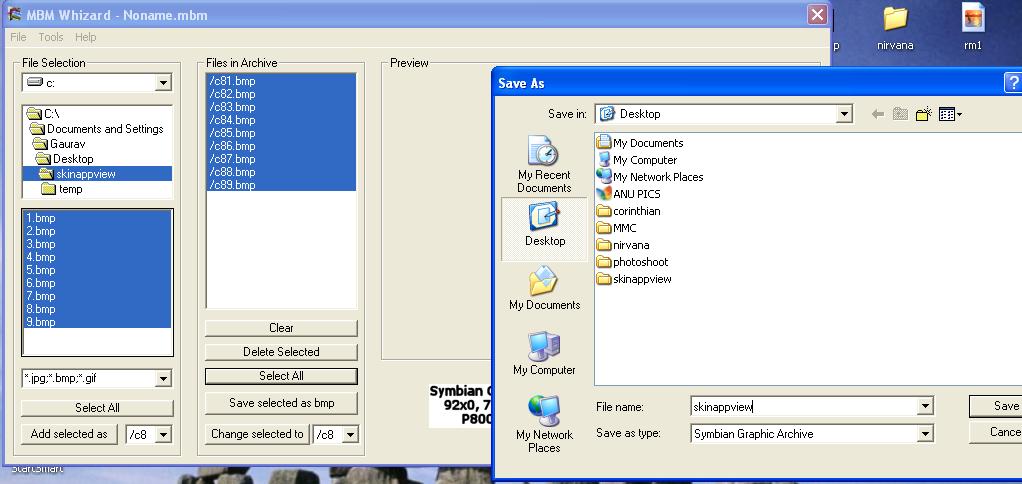
after editing all the BMP files, i am trying to create the MBM file with the mbmwizard...but it keeps showing me an error. it creates a temp folder with a error txt file in it, which is blank.
IU am using Win XP SP2.
Any ideas how to solve this problem.
i want to create an MBM from my 9 BMP files.
here's a preview of the skin i'm working on...
wonder y i'm getting the error & cannot create the MBM file using mbmwzard.??
🙄 🙄 🙄
Attachments:


HyPeR wrote:can u email it to me.. i'll have a look at it..
already posted them as attachments... you can compare between these two screenshots, one with black line and the other have no black line
Yes Raynold, we r waiting for a new skin from you!
Am i doing this correctly... i have'nt used mbmwizard for so long.. that i've forgotten how to use it..
Am i doing the correct thing here... it keeps giving me the same error.... I've tried it on 3 different computers.. i even trid running MBMWIZARD under win 95, 98 & NT.
it just does not convert my 9 BMP files to MBM.
What am i doing wrong....???????????
Attachments:
Raynold wrote:there's no new posting here....
are you all waiting new skin?
Just got back from a little time away. Raynold - I'm always waiting for your new skins!!!
Aqua Twins has been on my desktop ever since u realeased it. The bright colors make it one of the easiest to view. Oh, and the babes may have something to do with it too!
Does anyone know how to create MBM files on a Macintosh? Shouldn't photoshop do it? I'll look. I really want to get on this ship!
ALSO TO ALL OF YOU SKINNERS:
Would you guys submit your themes to a gallery? I think there should be a place where you can post them. I know of a few sites like that, I am going to ask them. Let me know if you would.
HyPeR wrote:Am i doing this correctly... i have'nt used mbmwizard for so long.. that i've forgotten how to use it..Am i doing the correct thing here... it keeps giving me the same error.... I've tried it on 3 different computers.. i even trid running MBMWIZARD under win 95, 98 & NT.
it just does not convert my 9 BMP files to MBM.What am i doing wrong....???????????
I am not sure... but why did you use numberic name files (such 1.bmp, 2.bmp....9.bmp) what are you up to ?
when I made a skin I never rename the original file names...
maybe you should check : bmconv.exe and comdlg32.cox
hi stefanas...
I just not in the mood to make a new skin right now coz "black line" problem is bugging me.... when I find out how the make that black line away I will post a new skin... I promise you..
we make a *.mbm file with MBMwizard program, I am not sure if it compatible with machintos coz there's a registry file to import..
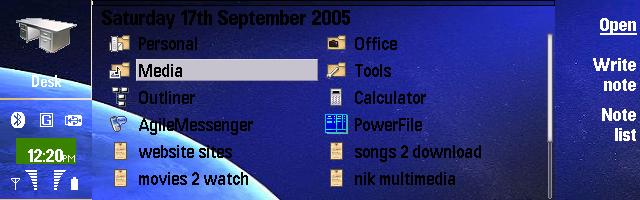
here's the universe skin..almost there.. am working on it yet...
Its taken me so long to make it... that i'm taking breather to fix the error...
can comeone just edit it for me...i'mm be getting to it soon anyways...
Attachments:
universe.zip (272 KB)

hi hyper..
I do want to help you, but you didnt upload the original universe image...
yup the 640 X 300 file is there.. but here i've attached it again...
meanwhile i'm working on others as well...
Attachments:



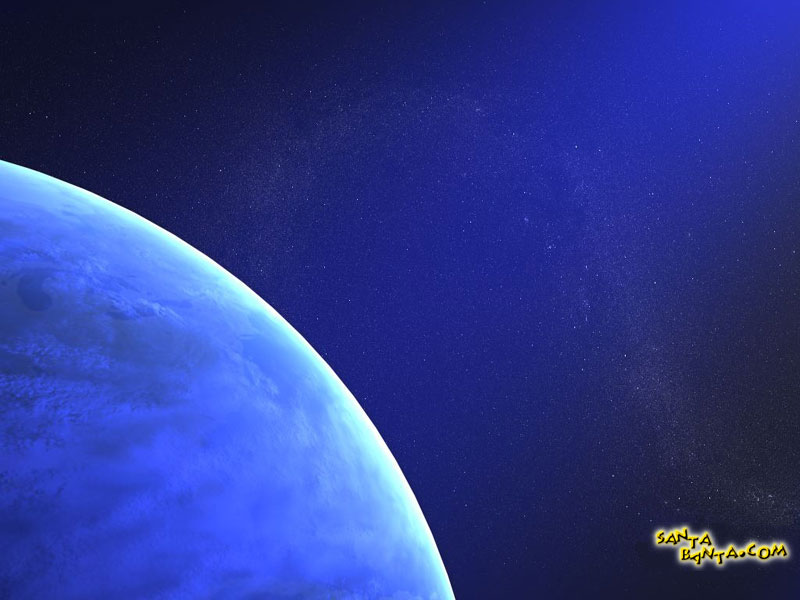
Here's another... little better than the previous one...
can you tell me where's the clock background..i mean in which MBM file can i extract its file.. i'm still working on this part...
Its called dolphin...
Attachments:
dolphin.zip (350 KB)

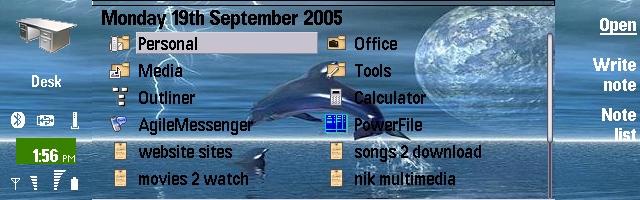
screen shot....
Attachments:

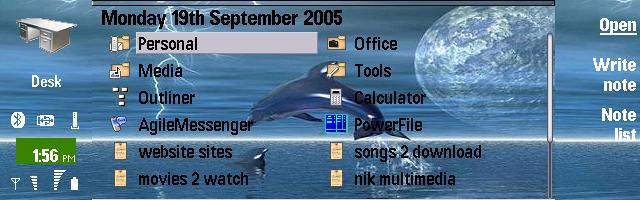
@Hyper :
1. we need 755 x 200 pixels to make a skin. 640 x 200 pixels is not enough..
2. you have to edit *.skn file, especially this part :
[extended_color_section]
0x101F87FE xxx xxx xxx
in order to change clock background
@Hyper :
here's my version of your universe skin... please check it out
anyone who download the universe skin, please post your screenshot or at least post your comment or critic..
works perfectly... thanks a lot...
what do u use to edit .skn files??
I'm working on another one right now..called SchoolBook.
Thanks man.. ur da man!!! :icon14:
Attachments:

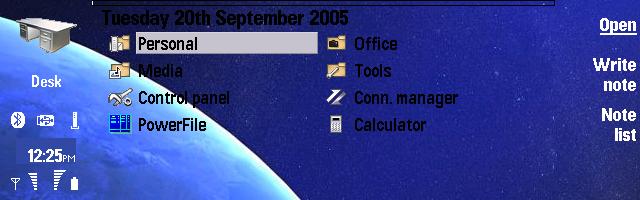
@Hyper:
you can use notepad to edit *.skn file, but please read switchblade's tutorial first...
thanks for the screenshot, urgghh.. "the black line" is still there....
I made some changes in Hyper's Universe skin in order to remove the "black line"...
I need you all guys to test it and post the desk screenshot.....
Please...Please... Please 😉
if these changes work then we will have the best skin we need, if dont work urgghh we have to find another way to remove the "black line"..
thanks
Please upload the desk screenshot... 😉
oh god...
no one post the screenshot...