acoolwelshbloke wrote:Total bollox, Pheonix works just fine with MCE! 😉 MCE is XP with an extra program installed with it! :icon2:
I flashed my N80 to N80IE using Pheonix and MCE and it worked first time! :icon14:
I also did not change my product code before flashing, Pheonix did that at the end, that way if it went wrong Nokia would not have known I had tried to flash it to a non authorised firmware and therefore voiding my warranty! 😉
I will add one last thing, do not flash it with the UK CV, I had to re-flash it to the Euro 1 PB Internet Edition as the UK CV had two missing functions, one being press the # key to go straight to silent mode, and the second and major missing function is that they removed the ability to change from manual/automatic network selection! 😮
OK, I stand corrected, Phoenix and NSU can work on XP MCE edition, it just plain does not work on my Dell Dual Core PC and another forum poster's PC.
😎
dez_borders wrote:OK, I stand corrected, Phoenix and NSU can work on XP MCE edition, it just plain does not work on my Dell Dual Core PC and another forum poster's PC.😎
That explains it then your using a Dell! What do you expect? :tongue:
To the guy who got phoenic working and has MCE, how did you do it?
Hi
I am not able to download the phoenix from the rapid share, the server responds saying that file not foud or file was deleted
can some one post new link.
Chandu
rchandusingh wrote:Hi
I am not able to download the phoenix from the rapid share, the server responds saying that file not foud or file was deleted
can some one post new link.Chandu
I just put up a new link to pheonix 😊
tony040704 wrote:To the guy who got phoenic working and has MCE, how did you do it?
I just followed the instructions! Worked just fine! :icon14:
Hi
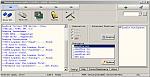
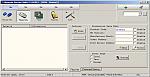
I have downloaded all the files listed and uninstalled every thing and i don't have any nokia softwares on my machine, when i installed nss, after installation do i need to install any drivers, please let me know, i ignored and started to proceed.
but i got the errors.
please see the screen here attached.
can you tell me how can i write the code to device.
Chandu
Attachments:
acoolwelshbloke wrote:I just followed the instructions! Worked just fine! :icon14:
So did we, but it plain don't work on my Dell Dual Core XP MCE.
I have installed and upgraded Phoenix about 4 times since April 2006 on my Laptop and always works. Never works after installing on the Dell.
Perhaps its the Dual Core CPU Phoenix don't like?
rchandusingh wrote:Hi
I have downloaded all the files listed and uninstalled every thing and i don't have any nokia softwares on my machine, when i installed nss, after installation do i need to install any drivers, please let me know, i ignored and started to proceed.
but i got the errors.
please see the screen here attached.can you tell me how can i write the code to device.
Chandu
You might need to install the Nokia CA-53 USB cable driver. This is installed with Nokia PC Suite, but maybe you removed it. You can download it from Nokia websites. NSS won't work without this driver installed, I think.
(and don't forget to click the 'scan' button on the phone info page of NSS - but you probably tried that, I guess?)
how to install Reaper there is no next button on the screen.
rchandusingh wrote:Hi
I have downloaded all the files listed and uninstalled every thing and i don't have any nokia softwares on my machine, when i installed nss, after installation do i need to install any drivers, please let me know, i ignored and started to proceed.
but i got the errors.
please see the screen here attached.can you tell me how can i write the code to device.
Chandu
NSS is not technically needed, it just makes it a little easier to change the product code before using pheonix, pheonix will pick up the new product code you choose automatically, otherwise you have to pick which product code you want manually in pheonix.
Its correct what the anabolic says, you need the cable drivers to use NSS which are with nokia pcsuite,
Hi
I installed the Phoniex sucessfully, when i restarted it registed the dll's but at the end i got the error saying that problem in registering these entries.
"Registration problems:
-----------------------------------------------------------------------
- Registering context.dll failed:
Error msg: LoadLibrary(C:\Program Files\Nokia\Phoenix\Framework\context.dll) failed.
GetLastError returns 0x0000045a.
- Registering scriptcontext.dll failed:
Error msg: LoadLibrary(C:\Program Files\Nokia\Phoenix\Framework\scriptcontext.dll) failed.
GetLastError returns 0x0000045a."
While installing Phoniex i got 1 windows popup, which says that " one of the driver is not windows signed" i clicked continue anyway.
i installed on Windows XP SP 2 , on Intel Centrino duo with 1gb ram.
Would it be a problem when updating the frimware, i proceed pheonix crack and given myinfo it works, but would it create any problems in going forward.
Chandu
Everytime i go to either install or uninstall diego 3.07 halfway through the installation i get this message:
Error 1713. Diego cannot install one of its required products. Contact your technical support group.
I download Diego 3.08 and Diego 3.09 and I still get the same message. And ive tried messing around with the crack installing it everywhere like before and after and inbetween but still no luck just this stupid error messgae. Someone please help
tony040704 wrote:Everytime i go to either install or uninstall diego 3.07 halfway through the installation i get this message:Error 1713. Diego cannot install one of its required products. Contact your technical support group.
I download Diego 3.08 and Diego 3.09 and I still get the same message. And ive tried messing around with the crack installing it everywhere like before and after and inbetween but still no luck just this stupid error messgae. Someone please help
I have heard of people having problems installing both diego and pheonix, this may be a conflict with an existing program on the PC becuase some of these people reformatted their pc and installed a fresh windows and then they are able to install, its drastic, but seems to work, also somebody here installed a virtual o/s on their pc .. look back in this thread or do a search to find out what they did..
Hi
Is there any problem if i would continue to flash my n80 to N80 IE, if these components were not registered in phoniex.
"
Registration problems:
-----------------------------------------------------------------------
- Registering context.dll failed:
Error msg: LoadLibrary(C:\Program Files\Nokia\Phoenix\Framework\context.dll) failed.
GetLastError returns 0x0000045a.
- Registering scriptcontext.dll failed:
Error msg: LoadLibrary(C:\Program Files\Nokia\Phoenix\Framework\scriptcontext.dll) failed.
GetLastError returns 0x0000045a.
-----------------------------------------------------------------------
"
Chandu
Another success story. Worked great here, thanks for the instructions. Btw, I used Vista Ultimate Edition without any problems.
Hi
I have Cleaned every thing in another system and tried the listed steps, still i get the same errors.
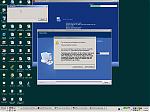
I am attaching the errror page that i got while installing phoenix and the error message is same as in the previous posts, 2 dll's are not getting registered.
Can you please suggest how can i rectify this and proceed.
The system i installed this time was win XP Professional, with 1.5gb ram and it is IBM T42 ThinkPad.
Attachments:
Can some body help me please
Chandu
rchandusingh wrote:Hi I have Cleaned every thing in another system and tried the listed steps, still i get the same errors.
I am attaching the errror page that i got while installing phoenix and the error message is same as in the previous posts, 2 dll's are not getting registered.
Can you please suggest how can i rectify this and proceed.
The system i installed this time was win XP Professional, with 1.5gb ram and it is IBM T42 ThinkPad.
From the image you provided, i looks as though you just need to click on "Continue Anyway". The message is not an error, just a warning that the drivers you are about to install have not been vetted by Microsoft.
Yes, I am just afrid that these files are listed under the minimal section inthe installation log files found C:\Program Files\Nokia\Phoenix\*.log.
if i continue installing will it suceed, but i am able to open the phoenix and tried to create a connection it detects my phone, if i proceed with FW update will it suceed.
Chandu
I finally flashed my phone I had use a computer with xp pro phoenix dosnt work with xp mce... anyways i wanted to know as I was watching the output in phoenix, this came up :
Ape->INFO: Papub keys not programmed to phone
what is that? what does it mean
Hello.
Update successfull for me !!!
But....:frown: , wlan with WPA/TKIP doesn't work. Is there a solution (with WPA and no WEP) to have WLAN (and SIP 😉 ) with my "new n80i" !!
Thanks by advance
Poulpe
tony040704 wrote:I finally flashed my phone I had use a computer with xp pro phoenix dosnt work with xp mce... anyways i wanted to know as I was watching the output in phoenix, this came up :Ape->INFO: Papub keys not programmed to phone
what is that? what does it mean
Havnt got a clue what it is, but I had the same thing and so have many others ... so I wouldn't worry too much about it ...phone works fine 😊
Hi
I have cleaned my system and removed all the registry values where i found nokia, with the help of winxp manager still i get the same error, is it safe to proceed with the flashing. and checked the c:\program files\nokia\ and c:\program files\common files\nokia and removed the nokia specific folders from the system, please help me out.
if any one have faced the same problem while installing, i use win XP home edition,
Chandu
Finland.
People likely do want to help you rchandusingh, though your terminology is a little bit confusing. Regedit is the program you need to use to clean out your registry, there are other applications that are supposed to do this automatically though personally I've found they don't all work so well, some not at all. No idea what winxp manager is, though just deleting the nokia stuff from your filesystem is not going to work.
Once you've fired up regedit and cleaned things, you can then install phoenix and flash your phone. Phoenix does pop up a couple of strange messages that look like errors, though just keep hitting the next button and it'll all work out fine in the end. It did for me at least, and I have a serious amount of crud installed on this machine. Lots of Sony Ericsson junk as well.
Once I had phoenix up and running, I re-installed nokia PC suite - both run happily, though not so well at the same time.
rchandusingh wrote:Hi I have cleaned my system and removed all the registry values where i found nokia, with the help of winxp manager still i get the same error, is it safe to proceed with the flashing. and checked the c:\program files\nokia\ and c:\program files\common files\nokia and removed the nokia specific folders from the system, please help me out.
if any one have faced the same problem while installing, i use win XP home edition,
Chandu
Finland.
Hi Sorry for all the confusions.
Let me explain what i have done, when i got the errors device drivers signing error, i have installed it clicking "continue anyway", after that it failed with registring the "context.dll & scriptcontext.dll".
I unintalled everything and restarted my machine (nokia, phoenix, Degio, TSS API, FLS Drvies, Nokia Connectivity Cable,DKu-5 cable Drivers) and deleted the left out stuff of the nokia folders from "c:\program files\common files\nokia & c:\program files\nokia" and ran the winxp manager for cleaning registry for invalid dll references and invalid program files it showed up some registry entires for the Phoenix & TSS API's i gone through each and every one inthe registry and proceed with winxp to remove them. Once again i restarted my machine and searched for all the nokia, phoenix, Degio, TSS API, FLS Drvies, RM-92 EMEA data package, in the registry and folders to make sure my machine is clean from every thing. i have stopped the Secirity Clients that i have on my machin (zone alarm ) defore doing this all so that i doesn't restrict some thing to get installed.
but still after doing all these i am not able to succed, afte getting this error i am able to open the phoenix and registed with a username and i can detect my phone and all, but if i proceed with flashing will it suceed thats what i am afrid of.
Thanks for helping me.
waiting for some one to diagonise and get back to me.
Chandu
Can anyone confirm for me, I cant seem to connect to rapidshare.com at the moment to download NSS or Pheonix. Is it just me?
can anyone send me this file i can get all the others but this one just wont come down
Diego, cracks, reaper
thanks
Hi
Once again
i tried this time and got the same error, but i tried to proceed further, when the phone is dectecting in the phoenix, i have the following log in the lower end window, and found that
Starting... Please Wait.
Detecting previous options
Options detected
Creating other components...
Checking provider components
Provider components checked
Detecting flash device, please wait
Initializing
Initializing
Detecting FLS device.
FLS device not detected.
Flash device detection ended
ADL USB Flashing Selected
Reading data from phone
Reading phone information
Reading product type
Reading product code
Reading PSN
Get flash file names
Reading IMEI
Reading HW version
Reading flash settings from file(s)
Polling product
Procedure completed
Can any one tell if they any of you had the same of it dectected the FLS device also.
Regards
Chandu
Also success for me. Great work.
Wim


