Note: The Install Font function of the option menu does currently nothing. The small popup that comes to confirm the installation of a new font is just a fake message.
this was written after the icon to download. 🙄 😃
Change Fonts for S60
Have u tried the ftest program? Anyway one thing i found out about badgers link is that it extract the font to x:\systems\apps\editor\fonts so using the fontviewer program would really not allow u to change ur font upon applying it, but has anyone tested putting the extracted font to the right font directory which is C:\system\font?
Can u try that one out vick o and tell us if it works? 🙄
Arstrain wrote:try this
http://www.geocities.com/ebookepoc/epocfonts.html
😊
I Have tried this the 2 files which are attach in the starting are from this site.
and they are ment for Series 80 and don't work on Series 60
Vicky wrote:I just have download the file "Font+Font Remover" it is fine.
And i have tried on the ASIAN VERSION of Nokia 7610 V 4.021.4.
It is perfectly fine and i just tried on Nokia 6600 is also working fine.
Vicky, no disrespect, but may i make an observaton?
i concur with Lastdance, the trick does not work with Chinese version phone.
I think there is a difference between Chinese OS and Chinese displayable version phones.
The difference is similar to Windows XP (ENG), which is fully capable of displaying Chinese, and Windows XP (CHINESE), meaing "localisation".
The Chinese OS phone refers to those that display Chinese menu and the OS version will appear to be something that ends with CH, such as the 7610 I'm using is v 4.0424.4ch. When you said you have tried it on ASIAN VERSION phone, are you sure that is's on a Chinese OS phone, i.e. the Version number has "CH" following it? I doubt.
Anyway, I appreciate very much your effort and taking the time to find an ASIAN VERSION phone to test out the trick. But i guess for us who are using a Chinese OS 7610, we have to accept the limitation. If anyone that's using a Chinese OS symbian can shed some light to this???
Wildboy wrote:Vicky, no disrespect, but may i make an observaton?
i concur with Lastdance, the trick does not work with Chinese version phone.
I think there is a difference between Chinese OS and Chinese displayable version phones.
The difference is similar to Windows XP (ENG), which is fully capable of displaying Chinese, and Windows XP (CHINESE), meaing "localisation".
The Chinese OS phone refers to those that display Chinese menu and the OS version will appear to be something that ends with CH, such as the 7610 I'm using is v 4.0424.4ch. When you said you have tried it on ASIAN VERSION phone, are you sure that is's on a Chinese OS phone, i.e. the Version number has "CH" following it? I doubt.
Anyway, I appreciate very much your effort and taking the time to find an ASIAN VERSION phone to test out the trick. But i guess for us who are using a Chinese OS 7610, we have to accept the limitation. If anyone that's using a Chinese OS symbian can shed some light to this???
can someone confirm this?
Well Wildboy
I am using the asian version but i haven't tried on Chinese version neither my phone has chinese language or version.
there may be the difference like win xp as u have said.
I can confirm that it also works on the SX1!! Where did you get these fonts, cause I want more. 😊
We Haven't tried on any other Symbian Phone except Nokia Series 60 (3650,3660,6600,7610).U can Try and let us know that it works in in SX1.
Well , I just don't understand how I didn't see this thread...
Anyway the fonts also work in Siemens SX1 (after all it is also a Nokia Series 60 device)
I just have to find the way of creating them, although I think there are some tools for transforming True Type fonts to Epoc in the s60 SDK. If I'll find the free time to install it again... bah better play "NFS:Underground 2", if I'll have any free time!!!
Hey guys, don't try to do what this stuff. it will destroy your phone. My phone got keeps on resetting after following this. Just a piece of advice. I thought this site do a lot of help, but it does more trouble.
Vicky wrote:I hav found some .gdr Files
and found the following informationPut the GDR file into the \SYSTEM\FONTS\ directory (create it if necessary). You may have to do a soft reboot for the fonts to appear.
But it does not do anything.
NOTE: DO AT YOUR OWN RISK.
noddls
i am using this way "Put the GDR file into the \SYSTEM\FONTS\ directory (create it if necessary)."
and when i posted the post i have wrote in capital letter a note.
DO AT YOUR OWN RISK.
and kamalayan also said again and again in the some post that please DO AT YOUR OWN RISK.
[QUOTE=MemphisX]Well , I just don't understand how I didn't see this thread...
Anyway the fonts also work in Siemens SX1 (after all it is also a Nokia Series 60 device)
i have to correct u there, the SX1 is not a NOKIA series60 device but a series60 device. no disrespect
i have to correct u there, the SX1 is not a NOKIA series60 device but a series60 device. no disrespect
If we are talking semantics he could've meant that the SX1 is a device running on Nokia's Series 60 which is correct because Nokia developed Series 60 and licensed it to Siemens 😉
2 More
Enjoy 😊
Both work 100%, i tested on 7650, 3660, 6600 & N-Gage , rest should work too
BTW did anyone test the above Fonts ?
Works like a charm on my 6260.
😃 😃 Thanks Everybody. 😃 😃
Attachments:
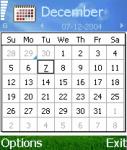
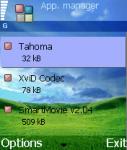
.jpg)
.jpg)
problem arised ,
can't clear my log after install the font.
but i do soft reset and everything goes to normal and also after i removed the fonts :frown:
problem too -
when i enter *#7370# and try to reset the phone, the contacts, images etc are all there. I know this problem (*#7370# not working properly) is because of the font, because after i removed the font *#7370# worked properly.
Why u go for this complicated way. Just Download the Font remover .sis and install in phone and then the application will remove the font file and restore to Orignal one.
yes but then the fontremover isnt showing in the mangaer so do i delete its files from Fexplorer if i want to remove it?
This thread has gone a long way!!! 😃 Any other fonts? Does this mean we're all users here, no creators? 😃 But as always, it is risky to some to mess around with their phones as reported that some phones failed to boot because of the font installation. All hopes still that this thread will pace on with progress. Cheers guys!!!
Hi, I have been keeping a close eye on this and am very pleased with the movment, I have tested on my 6630 all work fine.
I would be very interested in creating my own *.sis & *.gdr files I have no way of doing this at the mo. I'm gonna have a word over newlc and see if any of them guys have any ideas.
http://forum.newlc.com/viewtopic.php?t=3981&highlight=gdr
Does this help?
rohitkhannak wrote:problem too -
when i enter *#7370# and try to reset the phone, the contacts, images etc are all there. I know this problem (*#7370# not working properly) is because of the font, because after i removed the font *#7370# worked properly.
I Theink that this will be coz the font is in use at the time of the *#7370#, its the same reason that the font remover needs to reboot the phone to the deletion to be appied.
Well, I did not know that the Nokia 6600 font could be changed so easily, although I am an advanced user like most of us; thanks for your information. Just a problem: in my language I have symbols like �, � and �. As in French and German, for example. And, as I observed, all fonts till now (that appeared in this thread) have Norwegian origin, with no Latin or Germanic languages symbols. Any help?
Did you noticed there is a Z:\System\Fonts directory with three fonts inside? The biggest is the actual system font with bold, italics, sizes and so on.
hey ...
Can anyone give me the original 3650 font? It looks better than the 6600 one cuz it's bold.
thanks
Johnboyrover wrote:Works like a charm on my 6260.😃 😃 Thanks Everybody. 😃 😃
Hey, nice Windows XP Bliss theme. Anyone knows where I can get it? Thanks 😃
Vicky wrote:These Picture are with phone Orignal Font.
hey how u put these pictures in the background while you are not on the main screen
How to change the Look of 3650 front screen the color of menu or signs used and other stuff like that maximum custamization I mean
Kamalayan wrote:Anyone here knows how to change fonts on S60? I just got an installer from a friend and it has no registration but im not sure if its legal or not. Can I post the files here? Anyone interested?
Hey how u make ur screen colorful the menu font and the sign for menu etc